
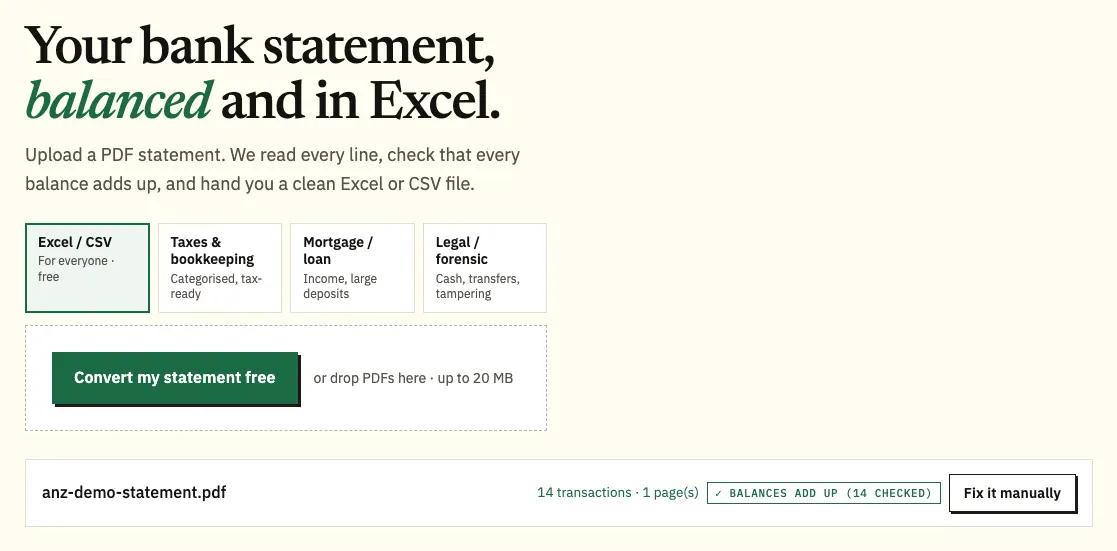
ANZ describes its online statements as scanned copies of paper statements, issued monthly, quarterly or half-yearly depending on the account. To get an ANZ statement to Excel, download the PDF from Internet Banking or the ANZ App and upload it to our free bank statement converter.
Quick answer: In ANZ Internet Banking, select the account, click View statements, choose the account and click Download. Save the PDF, upload it in the box above, check the rows, then download Excel or CSV. ANZ keeps up to seven years of statements.
On this page
- How to convert an ANZ statement to Excel
- What to know at each step with ANZ files
- ANZ's CSV export and Transaction Reports
- Ordering older or replacement ANZ statements
- Finding your way around an ANZ statement
- When an ANZ PDF trips up
- Disputing a transaction on your ANZ statement
- ANZ App, Internet Banking and ANZ Plus: where statements live
- Interest, charges and tax time with ANZ
- Using ANZ data in Xero, QuickBooks or Google Sheets
- Keeping ANZ statement files private
- What people ask about ANZ statements
- Other Australian bank guides
How to convert an ANZ statement to Excel
- Download the PDF. In Internet Banking: the account → View statements (left) → choose the account → Download → save it from the new window. In the ANZ App: the account → Statements → the statement → share icon (top right).
- Upload it here, in the box near the top of this page, or open the full bank statement converter.
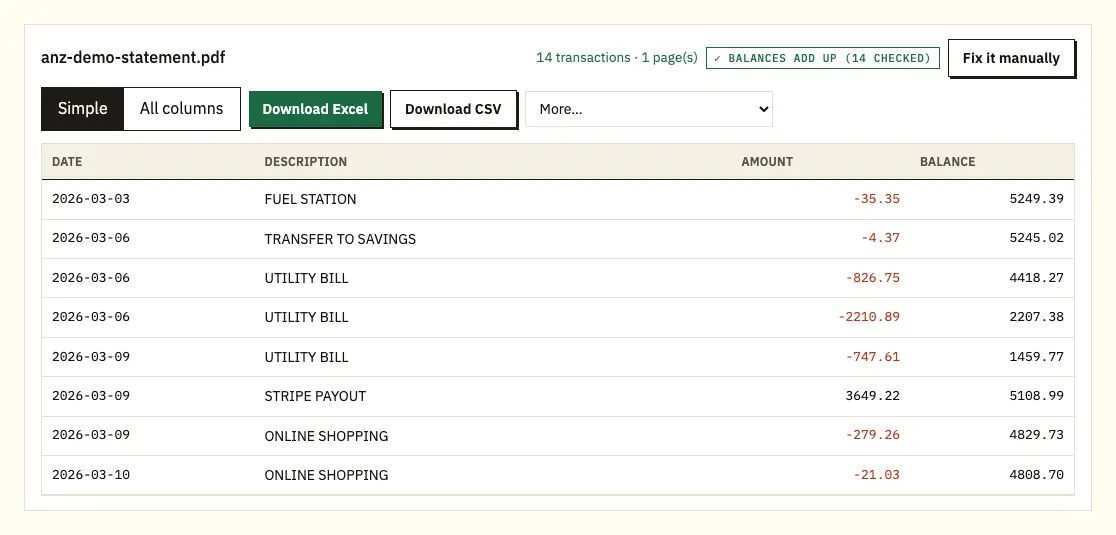
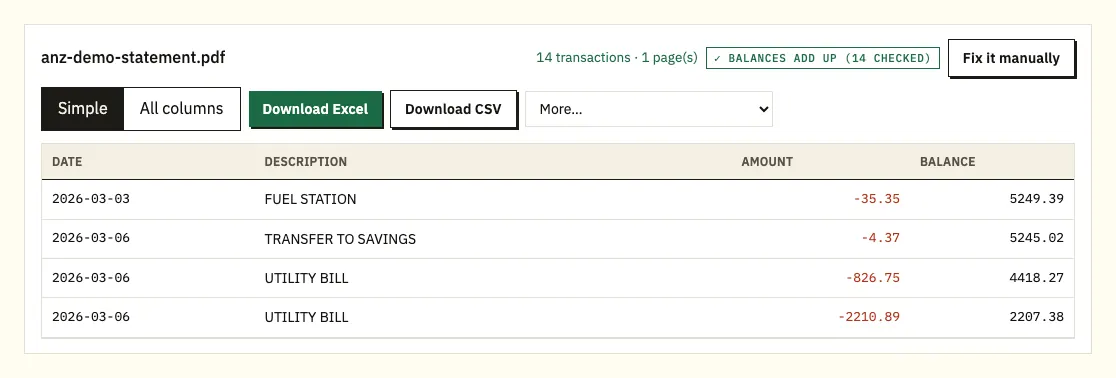
- Compare a few amounts with the PDF; a ⚠ marks a balance that doesn't add up.
- Download Excel (.xlsx) or CSV.
What to know at each step with ANZ files
Closed accounts and cancelled cards
The Internet Banking route works for open and closed accounts. In the app, a closed account, including a cancelled credit card, is under More, then View statements, at the bottom of the list. Its PDF converts the same way as any other.
Why the check matters more at ANZ
ANZ calls its online statements scanned copies, so compare amounts with digits that look alike. Printed balances are recalculated line by line, and clicking a flagged line shows it on the page.
Allowance and formats
You can do 3 pages a day free without registering, or 15 with a free account. Take the .xlsx for working in Excel or the CSV for an import; QBO, OFX and QIF are paid-plan extras under More, listed on our pricing page.
ANZ's CSV export and Transaction Reports
ANZ offers two ways to get transactions without a statement. In Internet Banking, open the Transactions tab, click Download, choose the Time period and a Software package option, then click Download again. This works only for open accounts and covers the last 2 years. ANZ notes that a CSV file opens in a plain text editor if you don't have spreadsheet software.
The second option is a Transaction Report for the last 30, 60, 90 or 120 days. In the app, open the account's Statements tab and choose Get a Transaction Report. In Internet Banking, it's under View statements; allow pop-ups so the report can open.
Keep one point in mind: ANZ says transaction history is not an account statement. If a lender, landlord or accountant asks for statements, give them the statement PDFs, and use a converted copy for your own sums.
| ANZ export or Transaction Report | Converting the PDF statement | |
|---|---|---|
| How far back | Export: last 2 years. Report: up to 120 days | Any statement ANZ holds, up to seven years |
| Closed accounts | Export: open accounts only | Yes, if you can download the statement |
| Counts as a statement | No, ANZ says transaction history isn't one | The PDF is the statement; the spreadsheet is your working copy |
| Balance arithmetic | Not tested | Recalculated per line |
| Formats | CSV and other software package options | Excel or CSV; QIF, OFX, QBO if you pay |
Ordering older or replacement ANZ statements
ANZ builds up to seven years of online statements. For accounts opened on or after 9 December 2013, the history starts from the opening date, so a newer account will hold fewer years.
If a statement is missing, order a replacement. In Internet Banking, go to View statements and choose Order a replacement statement. Pick the account, the date range (Add more dates lets you request several), and the delivery method, then select Submit. Expect it in about 3 to 5 business days by mail or 2 business days by email. In the app, tap Support, then Message Us.
Closing accounts needs some planning. If every account linked to your Internet Banking or app is closed, you lose access to past statements and notices. Before closing your last account, save or print the statements you need and set your preference to Paper so the final statements are mailed to you.
Finding your way around an ANZ statement
ANZ's exact headings aren't confirmed here, so your own statement is the reference.
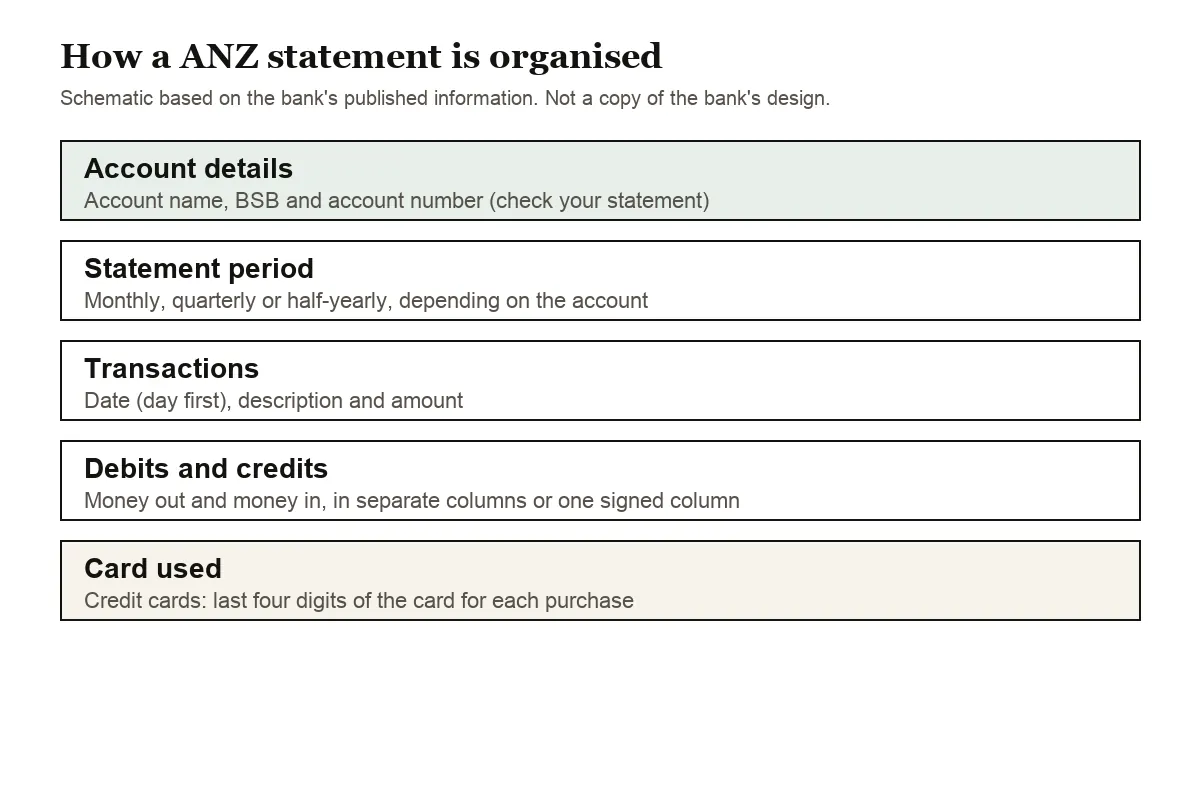
Account details and the period covered head the page. ANZ periods can be monthly, quarterly or half-yearly, so check which one yours uses before you assume a month is missing. Record each account's BSB and account number so the spreadsheet goes to the right account in your software.
The dated transactions come next, each with a description and an amount. ANZ may put debits and credits in separate columns, or use a sign or CR in one column. In the spreadsheet they share one column, with money out negative. Dates are read day first; a line without a year takes it from the period.
Credit card statements add a Card used field showing the last four digits of the card. On an account with additional cardholders, that tells you whose card made each purchase. Purchases convert as negative figures, repayments as positive.
When an ANZ PDF trips up
A running balance that doesn't add up
⚠ on a line means ANZ's printed balance there isn't the previous one plus the amount. On a scanned statement, a single misread digit is the commonest cause, so compare that amount with the PDF. Otherwise suspect a missing page and download the statement again from View statements.
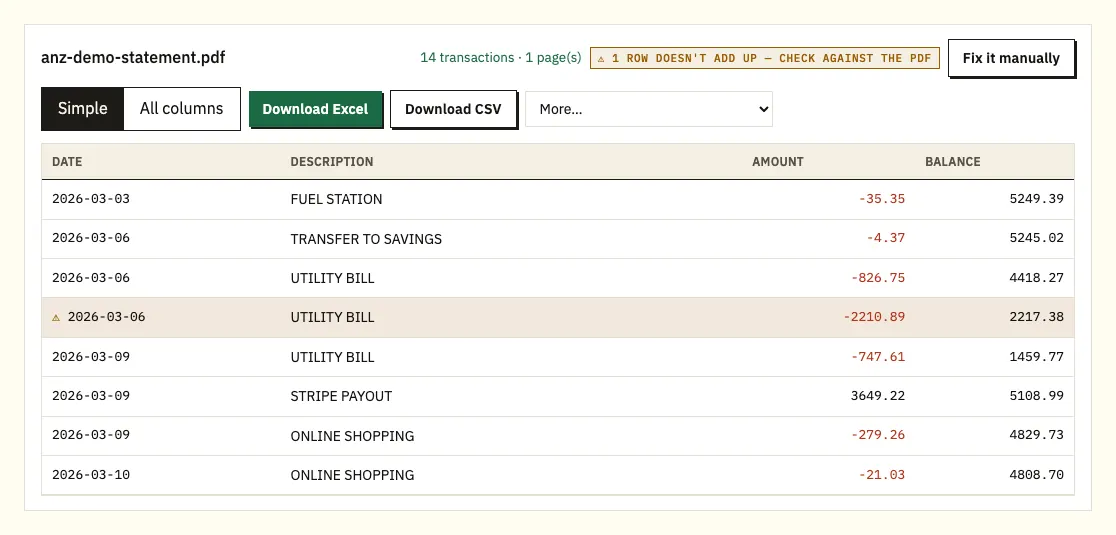
Image-only pages
If a page is a picture rather than text, it goes through text recognition, which is less exact. Watch for pairs like 3 and 8 or 1 and 7.
Wrapped descriptions
Where an ANZ description carries onto a second line, that line is merged back into its transaction.
Password-protected files
You enter the password once to open a locked PDF. It isn't stored.
Disputing a transaction on your ANZ statement
ANZ's time limits are 120 days from the transaction date for Visa transactions and 210 days for EFTPOS, so read each statement when it arrives. Its page on viewing or disputing transactions has the steps.
ANZ App, Internet Banking and ANZ Plus: where statements live
ANZ Plus accounts
ANZ Plus is a separate app with its own menus. ANZ issues a statement every month for ANZ Plus Everyday, Growth Saver and Flex Saver accounts, usually available shortly after the end of the month. To find them, go to the Profile icon and tap Statements; joint ANZ Plus deposit account statements are in the same place. ANZ's Plus help page doesn't say how far back these go, so save each month as it arrives if you'll need a full year.
Going paperless
In the ANZ App, tap the Profile icon at the bottom, then Statements and Notices, choose the account and select Online. You may be asked to apply the change to all eligible accounts. In Internet Banking, select Settings, scroll to Change my statement preferences, choose Online, accept the terms and select Save. ANZ says choosing Online means you agree not to receive paper statements for that account. Add statements@anzcommunications.anz.com to your contacts so the notice emails don't land in spam.
Statement period lengths
Because ANZ statements can be monthly, quarterly or half-yearly, a gap of three months between files isn't always a missing statement. Look at the period printed on each PDF before ordering a replacement. ANZ says you can change the frequency on some account types by contacting it.
Interest, charges and tax time with ANZ
Internet Banking has an interest and charges summary under Settings, then Account Preferences, covering the current and previous financial years. Our guide to bank statements at tax time explains how to check it against your statements.
Using ANZ data in Xero, QuickBooks or Google Sheets
Xero imports the CSV or OFX as a bank statement against the matching account (importing into Xero). QuickBooks takes the CSV, or a QBO file on a paid plan (importing into QuickBooks). Sheets opens the CSV from File, then Import. If your ANZ statements are quarterly, import one quarter first and confirm the dates before doing the rest.
Keeping ANZ statement files private
An ANZ PDF you upload is sent encrypted and used for one purpose: making your spreadsheet. It isn't shared. Files are cleared after 24 hours when you aren't signed in and after 7 days on a free account; you can also delete them on the spot or turn on auto-delete. See how we protect your data.
Hold on to the PDFs, since ANZ treats them, not transaction history, as the statement. The ATO lists records to keep for your tax return.
What people ask about ANZ statements
Why does my ANZ account show fewer than seven years?
For accounts opened on or after 9 December 2013, ANZ's statement history starts from the opening date. Older accounts build up to seven years.
How quickly does a replacement statement arrive?
About 3 to 5 business days by mail, or 2 business days by email. Order it from View statements in Internet Banking.
Can I export transactions from a closed ANZ account?
No. The Internet Banking export works for open accounts only. You can still download a closed account's statements from View statements and convert them.
Is an ANZ Transaction Report the same as a statement?
No. ANZ says transaction history is not an account statement. Reports cover the last 30, 60, 90 or 120 days.
Can I change how often I get ANZ statements?
On some account types, yes. Contact ANZ to ask for a different frequency.
Can I get online statements on Internet Banking for Business?
ANZ says choosing online statements isn't available through Internet Banking for Business. If your business statements arrive on paper, scan them, convert the scans and check the results.
Other Australian bank guides
Hold accounts with CommBank or Westpac too? We cover CommBank statement to CSV and Westpac statement to CSV, and every bank is on all supported banks.
Saved your PDFs from View statements? The bank statement converter (or the upload box at the top of this page) turns each one into a workbook. ANZ's support page covers viewing and downloading statements in more detail.