
Westpac is one of the few Australian banks whose own export already speaks CSV, QBO, QIF and OFX. For a Westpac statement to CSV that matches the statement period exactly, with its printed balances, download the PDF and upload it to our free bank statement converter.
Quick answer: In Westpac Online Banking, go to Overview, then Statements, pick the account and date range, select Search and choose Download PDF. Upload that file in the box above, check the rows and save the CSV.
On this page
- How to get a Westpac statement to CSV
- A closer look at the four steps for Westpac PDFs
- Westpac's Exports and reports tool
- Reaching seven years of Westpac history
- What sits on a Westpac statement
- When a Westpac PDF needs attention
- Reporting a transaction you don't recognise
- Proof of Balance and Transactions Reports
- Westpac's interest and tax summary
- Taking Westpac files into Xero, QuickBooks or Google Sheets
- Is a Westpac PDF safe to upload?
- Westpac statement questions
- More Australian banks
How to get a Westpac statement to CSV
- Download the PDF. In Online Banking: Overview → Statements → the account under Active accounts → date range → Search → Download PDF. In the Westpac App: Smart Search "Statements" → Statements (incl. closed accounts) → the account → period → share icon.
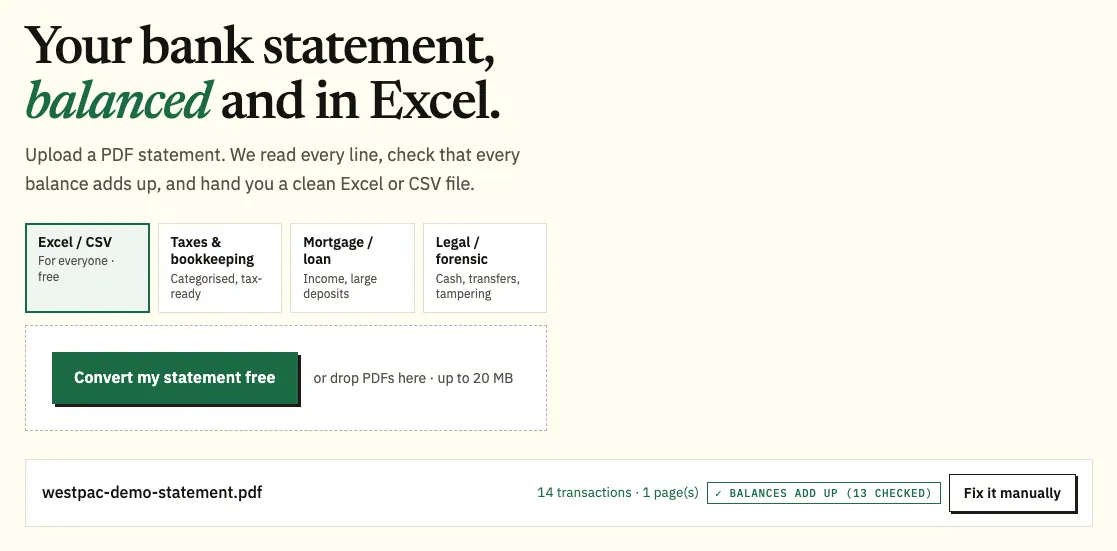
- Upload it here, in the box near the top of this page, or open the full bank statement converter.
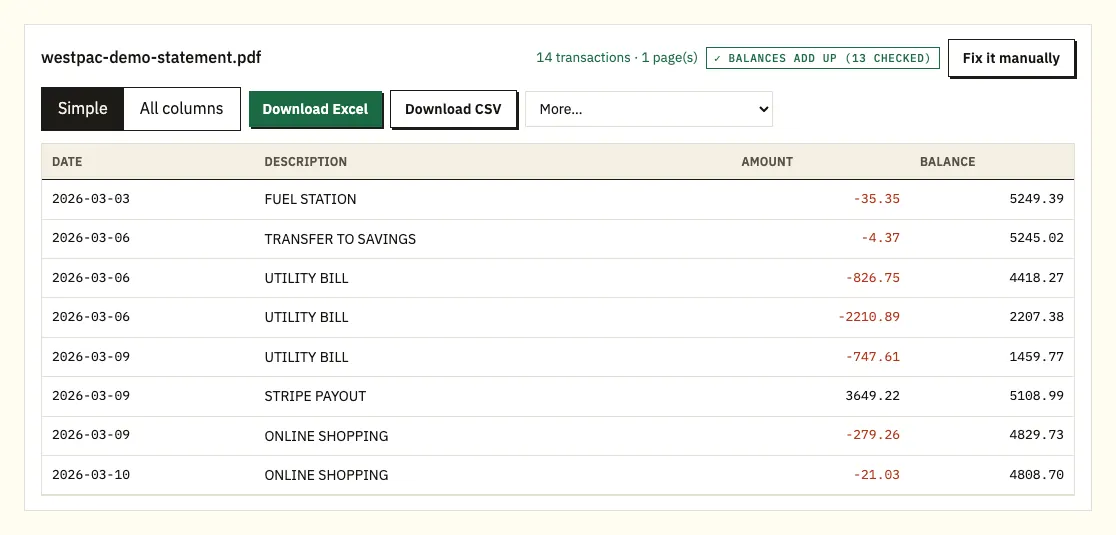
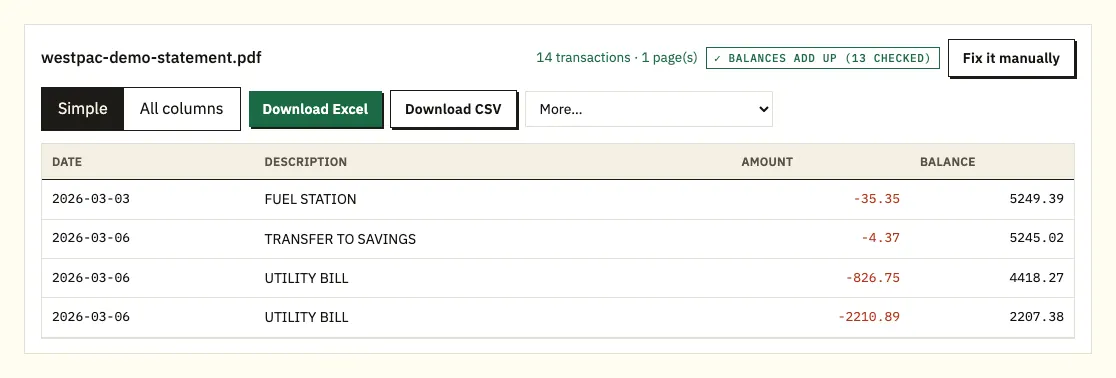
- Look over the rows; a ⚠ marks a balance that doesn't match the row above.
- Download CSV, or Excel (.xlsx).
A closer look at the four steps for Westpac PDFs
Searching by date range
Online Banking lists statements for the dates you search, so set a range wide enough to cover every statement you need, then download each PDF in turn. Each Westpac transaction becomes one row.
Batches and the free allowance
A batch of months is fine in one upload. You get 3 free pages a day without signing up, or 15 with a free account. Paid plans add QBO, OFX and QIF under More; see pricing.
Following a flag back to the PDF
Tap a row to jump to that spot in the PDF. That's the quickest way to tell a misread line from a page that didn't download.
Westpac's Exports and reports tool
On a computer, Westpac lets you export transactions directly. Go to Overview, then Exports and reports, then Transactions, and choose Export. You set the date range, the account or accounts, the file format and the date format. The formats on offer are CSV, QBO, QIF and OFX, though QBO and OFX files cover one account at a time.
For ongoing bookkeeping this is often all you need, and choosing the date format up front saves fixing day-first dates later. The tool is less suited to cases where someone wants a statement itself: a broker, the ATO or an auditor will usually ask for the PDF, and the export follows whatever range you type rather than the statement cycle.
| Exports and reports | Converting the PDF statement | |
|---|---|---|
| Formats | CSV, QBO, QIF, OFX | CSV, Excel; QBO, OFX, QIF on paid plans |
| Several accounts in one file | CSV and QIF yes; QBO and OFX one account only | Yes, with a column naming the source PDF |
| Period | The date range you enter | Exactly the statement period |
| Printed balances | Not checked | Each one checked |
| Where it works | Desktop Online Banking | Any device you can upload from |
Reaching seven years of Westpac history
Westpac shows up to 7 years of statements online, and that includes closed accounts and accounts linked to lost or stolen cards. Only the original account holder can open those closed-account statements. For anything older than seven years, Westpac asks you to call 13 20 32.
eStatements carry the same information as paper ones, and Westpac emails you when a new one is ready. To switch in the app, search eStatements in Smart Search, tap Switch to eStatements, pick the account, tap eStatement and then Update. In Online Banking it's Service, then Your preferences, then Statement settings; choose eStatements under Statements and save.
Before you rely on an old statement for a loan or a tax review, check the statement period printed on it, not only the file name. With seven years of PDFs in one list, it's easy to download the wrong month, and a quick look at the dates at the top saves a second trip into Online Banking.
A few products don't offer eStatements and keep sending paper, for example where statement preferences are tied to a mortgage in an offset arrangement. Those paper statements can be scanned for conversion; check the scanned figures carefully.
What sits on a Westpac statement
We haven't matched Westpac's own section titles, so hold this up against your PDF.
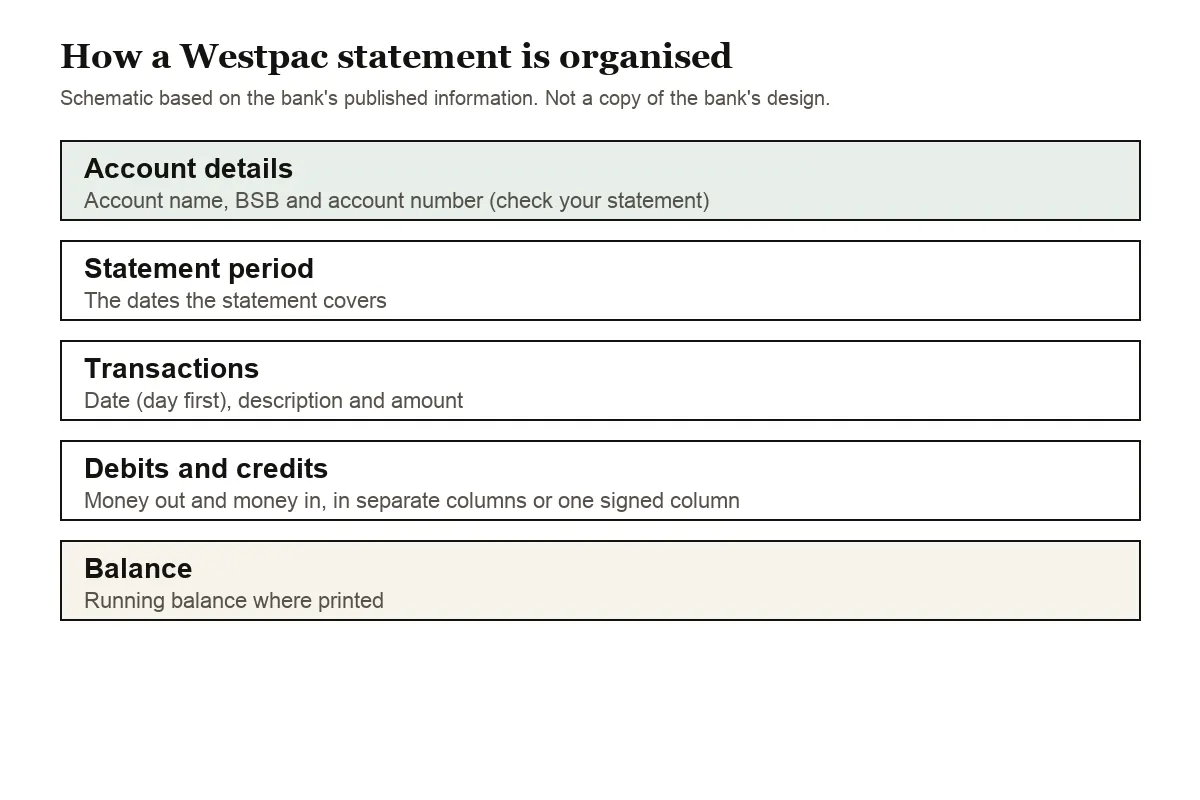
Expect the account details and statement period first. Write down the BSB and account number for each statement you convert; it makes picking the right bank account in Xero or MYOB much easier.
Then the transaction lines: date, description, and the amount, either split into debit and credit columns or shown in one column with a sign. Whichever Westpac uses on your account, the spreadsheet ends up with a single amount column where money out is negative. Day-first dates are read correctly, and a missing year is taken from the statement period.
Westpac credit cards can move to eStatements too, but only the primary cardholder can make the switch. On a card statement, the converter shows purchases as negatives and repayments as positives.
When a Westpac PDF needs attention
A running balance that doesn't add up
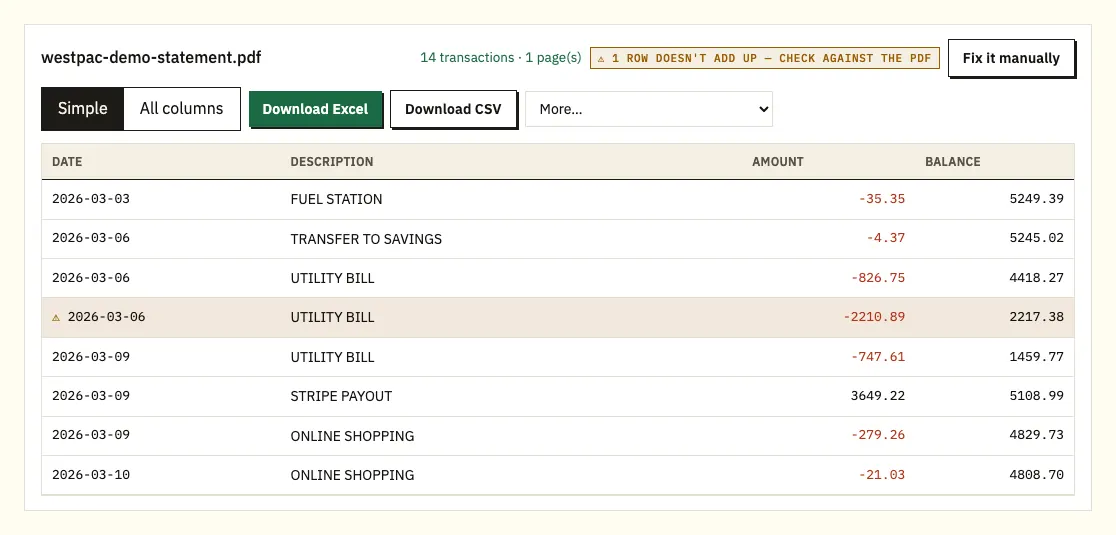
The ⚠ flag means one printed balance doesn't equal the previous balance plus that line. Open the PDF at the flagged line. Usually a page didn't download, or a line broke across two pages. Download the statement again from Overview and Statements, then retry.
Merchant names over two lines
Card purchases with long merchant names sometimes wrap. The overflow is attached to the line above, keeping one transaction per row.
Locked or scanned files
A password-protected PDF prompts you once, and the password isn't kept. Scans go through text recognition, which is less precise than a downloaded PDF.
Reporting a transaction you don't recognise
Once a transaction has processed, you can choose Report this transaction on it in the Westpac App or Online Banking. Westpac's guide to card disputes and how to resolve them covers the rest.
Proof of Balance and Transactions Reports
Westpac can produce two letterhead reports that are often all a landlord, lender or government service needs. Westpac says they may be required for loan or credit card applications, tax returns, government services or verifying your financial position. For loan applications, our mortgage application guide has more on using statements for a loan.
Proof of Balance
A PDF on Westpac letterhead with your name and address, the account number, the current balance and the current date. In the app, search Proof of Balance in Smart Search, select the account and tap Download. In Online Banking, go to Overview, then Proof of Balance and Transactions, choose the account and select Create report.
Transactions Report
The same details plus account activity for a period: the last 30, 90 or 120 days, since your last statement, or a custom range of up to 12 months. In the app, search Transactions Report, select the account and period and tap Download. In Online Banking it sits on the same Overview page as Proof of Balance.
When someone asks for statements by name, send the statement PDFs. A Transactions Report follows the range you choose, so it won't match a statement cycle, but it's handy for a request like "the last three months of transactions".
Westpac's interest and tax summary
Westpac's interest and tax summary covers up to 3 financial years for open and closed accounts; search Interest and tax in the app to download it. Our guide to bank statements at tax time explains how it sits alongside your statements.
Taking Westpac files into Xero, QuickBooks or Google Sheets
- Xero: bring in the CSV or OFX under the matching account. Our guide to importing into Xero walks through it.
- QuickBooks: use the CSV, or the QBO file on a paid plan. See importing into QuickBooks.
- Google Sheets: File, Import, Upload, then choose the CSV.
Is a Westpac PDF safe to upload?
Uploads travel over HTTPS and aren't passed to anyone. Files are wiped after 24 hours if you aren't signed in, or after 7 days on a free account, and you can delete them sooner or turn on auto-delete. Details are on our security page.
Hold on to the original statements as well. The ATO page on keeping records for your tax return explains what to keep.
Westpac statement questions
Which file formats does Westpac export?
CSV, QBO, QIF and OFX from Exports and reports in desktop Online Banking. QBO and OFX are limited to a single account per file.
Can I get statements for a closed Westpac account?
Yes, for up to 7 years, as long as you were the original account holder. In the app, choose Statements (incl. closed accounts).
How do I get a Westpac statement older than seven years?
Call Westpac on 13 20 32 and ask for the older statements.
Why do I still get paper statements?
Some products don't support eStatements, such as some mortgages with an offset arrangement. Those keep arriving by post.
Can I export Westpac transactions from my phone?
Westpac describes Exports and reports as a desktop Online Banking feature. On a phone, download the statement PDF through Smart Search and the share icon, then convert that file instead.
Which date format should I pick in Exports and reports?
Pick the one your software expects. Xero and most Australian tools read day-first dates, so DD/MM/YYYY is the usual choice, and picking it at export time saves fixing every row later.
How long does a Westpac card dispute take?
Usually up to 45 days after Westpac has the information it asked for. Its dispute guide has the details.
More Australian banks
Also bank with CommBank or ANZ? See CommBank statement to CSV and ANZ statement to Excel, or browse all supported banks.
Got your PDFs? The bank statement converter (or the upload box at the top of this page) turns each one into a CSV in a few clicks. Westpac's own help page covers eStatements and how to view them.