
NetBank no longer offers OFX or QIF downloads, so CSV is now the everyday format for CommBank transactions. To turn a CommBank statement to CSV with the statement's own dates and balances, download the PDF from NetBank or the CommBank app and upload it to our free bank statement converter.
Quick answer: In NetBank, open the account, choose View all statements, pick the financial year and select Download (PDF). Upload it in the box above, check the rows, then download CSV or Excel. Online statements are free and kept for up to 7 years.
On this page
- How to turn a CommBank statement to CSV
- Tips for each step with NetBank files
- What NetBank's CSV export gives you
- CommBank's 7-year and 2-year statement limits
- The parts of a CommBank statement
- CommBank PDFs worth checking twice
- Disputing a CommBank transaction
- NetBank documents that aren't statements
- Reading a CommBank credit card statement
- Importing CommBank data into Xero, QuickBooks or Google Sheets
- How CommBank uploads are protected
- Questions about NetBank statements
- Guides for ANZ and Westpac
How to turn a CommBank statement to CSV
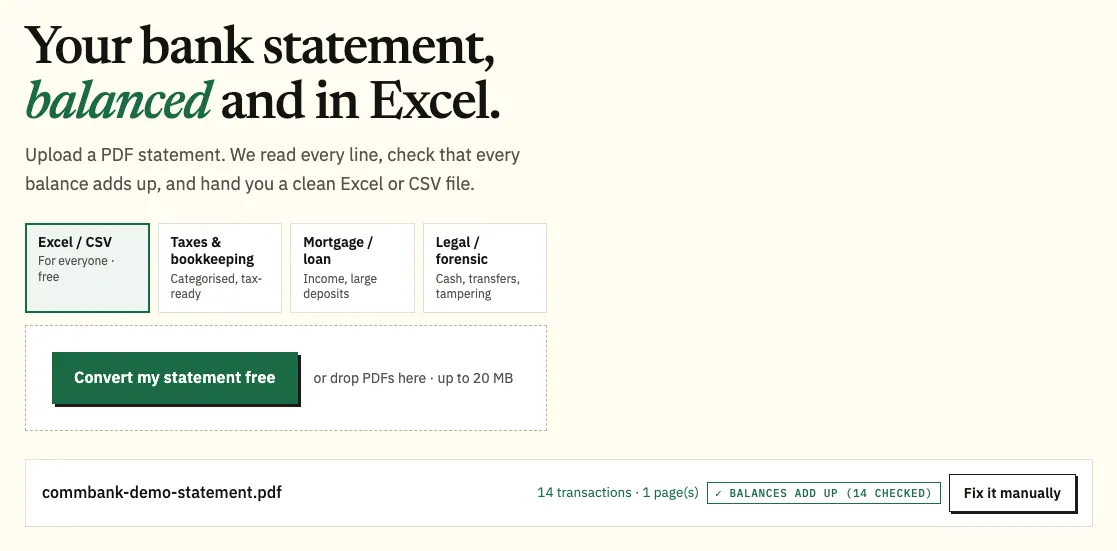
- Download the PDF. In NetBank: Home → the account → View all statements → financial year → tick the statements (or Select all) → Download (PDF). In the CommBank app: Accounts → the account → Manage → View statements → PIN if asked → Download.
- Upload it here, in the box near the top of this page, or open the full bank statement converter.
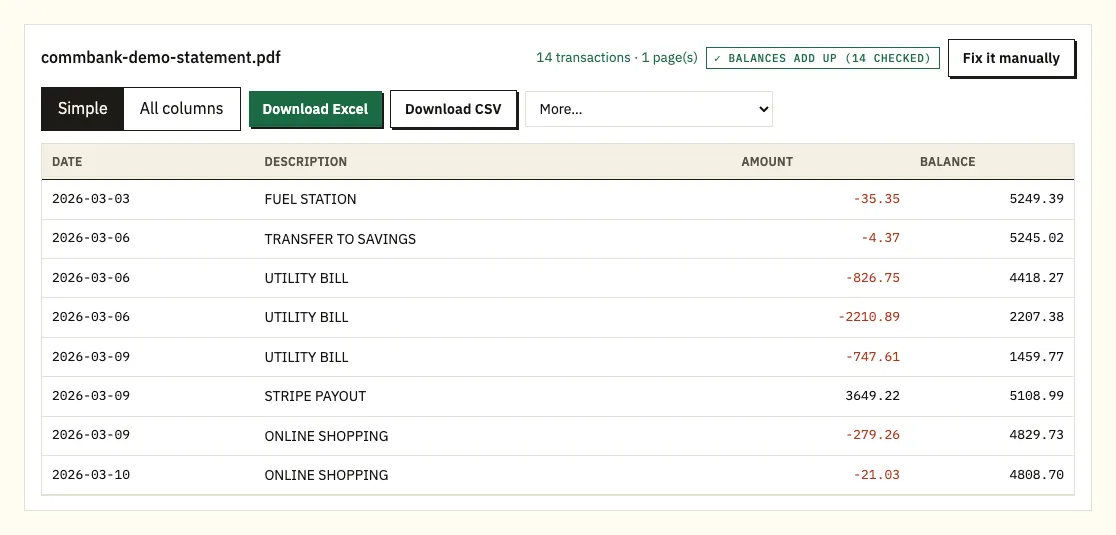
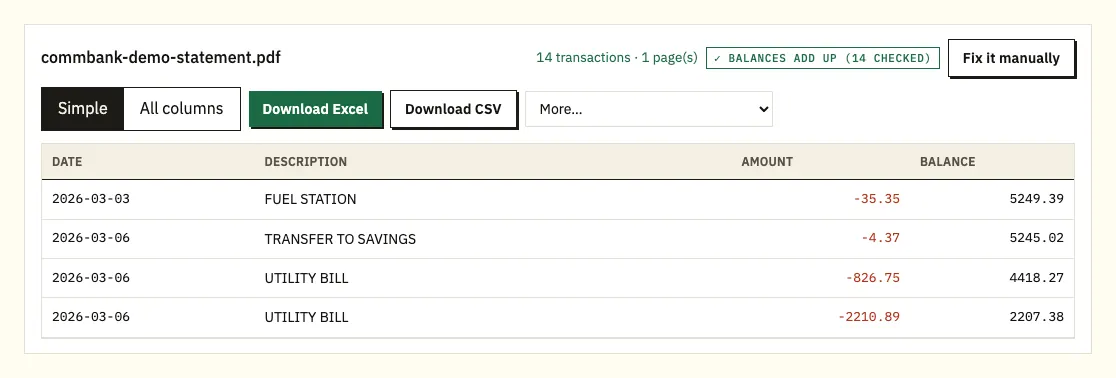
- Check the rows. Dates should read day first, and a ⚠ marks a balance that doesn't add up.
- Download CSV, or Excel (.xlsx) if you prefer a workbook.
Tips for each step with NetBank files
Latest statement or a whole year
For just the most recent statement, choose Download latest statement on the account. NetBank lets you download several statements at once, which is handy at tax time, and you can upload a whole financial year in one batch.
Keep the originals
Keep the PDFs as CommBank issued them. A screenshot loses detail, and the original file is what an accountant or lender will want.
Checking the preview
Every printed balance is re-added from the line above. Click a flagged line to open the same line on the statement and see whether the PDF or the reading is at fault.
Free pages and other formats
The free tier covers 3 pages a day, or 15 once you register a free account. Since NetBank no longer offers OFX or QIF, paid plans can create those (plus QBO) from the More menu; our pricing page has the details.
What NetBank's CSV export gives you
CommBank says transactions can be exported from NetBank in CSV, and that OFX and QIF exports are no longer available. If your accounting software used to read a QIF or OFX file from CommBank, you'll now need a CSV, or a converted file in one of those formats.
The export covers your transaction history rather than your statements. That's fine for day-to-day bookkeeping. It's less useful when you need the exact statement for a period, with its opening and closing balances, or when a reviewer wants the figures to match a PDF they also have.
| NetBank transaction export | Converting the PDF statement | |
|---|---|---|
| Formats | CSV (OFX and QIF no longer available) | CSV and Excel; OFX, QIF and QBO on paid plans |
| Matches the statement period | Follows the transactions you export | Yes, row for row with the PDF |
| Printed balances re-added | No | Yes |
| Several statements at once | Not applicable | Yes, one file with a column for the source PDF |
| Old paper statements | Not covered | From a scan, checked by you afterwards |
CommBank's 7-year and 2-year statement limits
Online statements are free and kept for up to 7 years in NetBank and the CommBank app. When you close an account, its online statements stay available for up to 2 years. If you're closing an account, download its statements first and keep them with your other records.
A few account types have their own rules. On a joint account, both holders need to be registered for NetBank with a valid email address to use online statements. For joint Viridian Line of Credit accounts, only the current statement can be viewed in NetBank.
To switch to online statements in the app, tap Accounts, choose the account, tap the settings cog or Manage Account, then Statement preferences. Choose Online, tap Next and confirm your email address. In NetBank, go to Settings, then Statement preferences under Accounts. CommBank emails you when a new statement is ready.
The parts of a CommBank statement
CommBank's own section names aren't something we've confirmed, so check against your PDF. The order below is typical of an Australian transaction account statement.
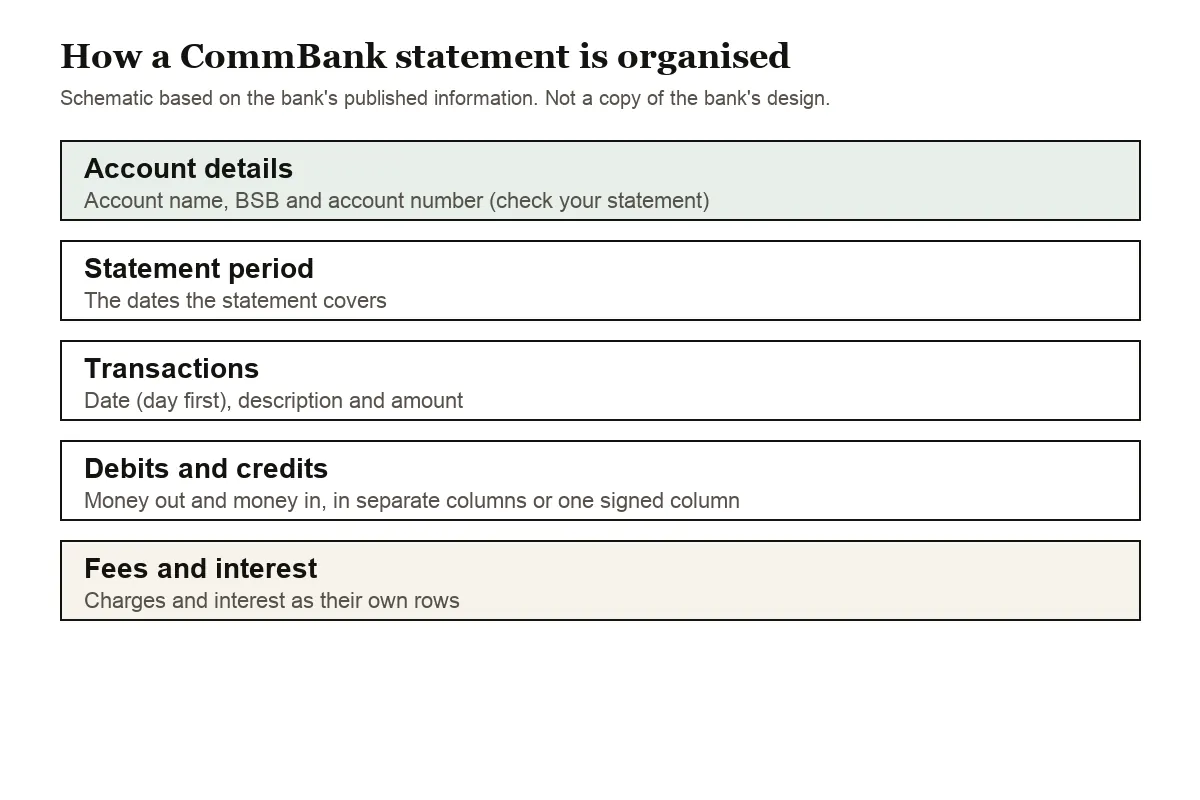
Account details and the statement period come first. Jot down the BSB and account number on each statement before converting; when you import into Xero, that's how you pick the right account.
Next, the transactions: a date, a description and an amount per line. CommBank may print debits and credits in two columns, or one column marked with minus signs or CR. All of these end up as one amount column, money out negative. Any running balance printed is re-added line by line.
Dates in Australia go day first, and a line may show only 12 Mar with no year. The year is filled in from the statement period, which keeps a December to January statement in the right order.
Fees and interest are separate lines worth a glance. On a CommBank credit card statement, spending lands as negative figures and repayments as positive.
CommBank PDFs worth checking twice
A running balance that doesn't add up
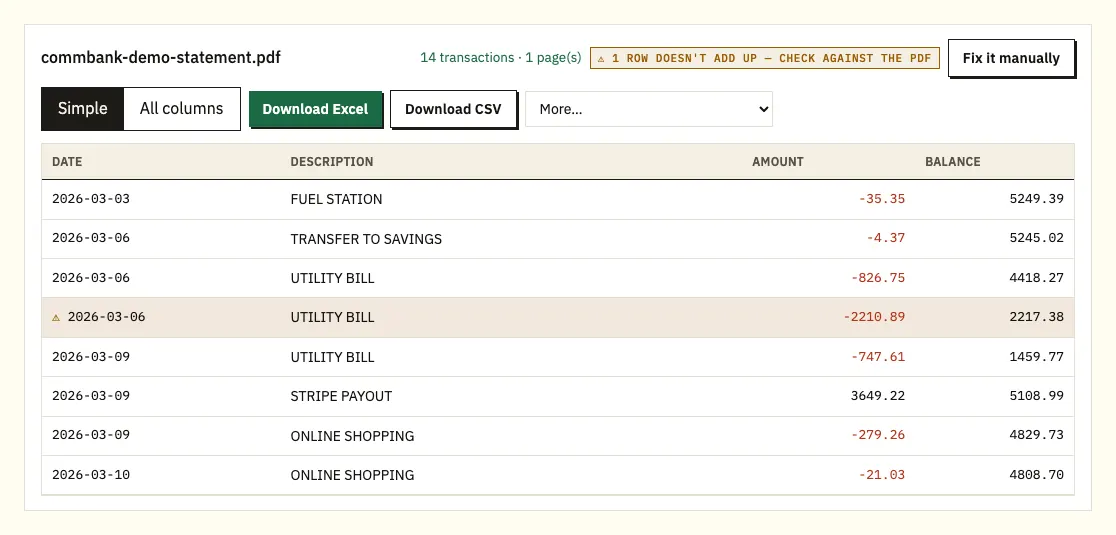
A ⚠ line is one where CommBank's printed balance doesn't follow from the previous line plus that amount. Open the PDF at that line. Incomplete downloads, lines broken across pages and files edited after issue are the usual suspects. Download it again from View all statements.
Long merchant names
Card purchases with long merchant names may wrap. The second printed line is folded back into the purchase it belongs to.
Locked PDFs and scans
For a password-protected file you're prompted once, and nothing is stored. Scanned paper statements are read by text recognition; check the amounts yourself.
Disputing a CommBank transaction
For a payment you authorised that went wrong, CommBank says to contact the business first, then raise a dispute from the transaction in the CommBank app. Its page on disputing a transaction explains the steps and timings.
NetBank documents that aren't statements
A statement isn't always the right document. CommBank produces several others, and picking the right one can save you converting anything at all.
Interest & tax summary
This summarises the interest earned or paid for the current and previous financial year; search "tax summary" in NetBank to find it. Our guide to statements at tax time covers how it fits with your statements.
Transaction summary
An official letter confirming your transactions and account details for a period you choose, with up to 100 transactions. It suits a request for "recent transactions" that doesn't have to follow a statement cycle.
Account and balance confirmations
A CommBank guide describes an account confirmation, which shows your account details without the balance, and a balance confirmation, which shows the details and the previous day's balance without transactions. A detailed account summary adds current interest rates and fees. If someone only needs proof that an account exists or holds a certain amount, one of these is usually enough, and it keeps your transactions private.
When a lender wants several months of activity, send the PDFs from View all statements; our mortgage application guide has more on this.
Reading a CommBank credit card statement
CommBank's guide to credit card statements lists the sections in order: Your account summary, Repayments & offers, Awards points & transactions, Payment options & contact details, Regular payments and Other info on your statement, plus a SurePay instalment plans section if you have one. The payment summary shows your closing balance, the minimum payment and when it's due, and the account details hold the statement period, credit limit and available credit. The closing balance is the figure to compare with the total of your converted rows.
Importing CommBank data into Xero, QuickBooks or Google Sheets
In Xero, choose the bank account that matches the BSB and account number, then import the CSV or OFX as a statement; importing into Xero walks through it. QuickBooks takes the CSV, or a QBO file from a paid plan, as explained in importing into QuickBooks. Google Sheets opens the CSV through File and Import. Try one month and confirm the dates stayed day first before loading a financial year.
How CommBank uploads are protected
Your NetBank PDF goes over an encrypted connection and is used solely to build your file; no one else gets it. Without an account, files are deleted after 24 hours. On a free account they're held for 7 days, and you can delete them yourself or switch on auto-delete. More on how we protect your data.
Store the original statements with your tax papers. The ATO sets out what records to keep for your tax return.
Questions about NetBank statements
Can I still download OFX or QIF files from NetBank?
No. CommBank says OFX and QIF exports are no longer available, and transactions export in CSV. A converted statement can give you QBO, OFX or QIF on a paid plan.
Can I download a whole financial year of statements at once?
Yes. In NetBank's View all statements, pick the financial year, use Select all and choose Download (PDF).
How long can I see statements for a closed account?
Up to 2 years after the account closes. Open accounts keep up to 7 years of online statements.
Do online statements cost anything?
No. CommBank says online statements are free, and it emails you when a new one is available.
Why does the app ask for my PIN?
The CommBank app can ask for your app PIN before it shows your statements. Enter it, then open the statement and tap Download.
Can both holders of a joint account get online statements?
Yes, but both need to be registered for NetBank with a valid email address. For joint Viridian Line of Credit accounts, NetBank shows only the current statement.
Guides for ANZ and Westpac
Also bank with ANZ or Westpac? Read ANZ statement to Excel or Westpac statement to CSV, or see all supported banks.
With your financial year of PDFs downloaded, the bank statement converter (or the upload box at the top of this page) will turn each one into a spreadsheet. CommBank explains online statements and how to switch on its support site.