
A BMO eStatement is a PDF that looks the same as the paper statement you'd get in the mail, which makes it good for records but awkward for sums. If you want your BMO statement in Excel, download the eStatement and upload it to our free bank statement converter.
Quick answer: Save your BMO eStatement as a PDF from online banking, upload it in the box above, check the rows against the PDF, then download Excel or CSV. BMO saves statements for up to seven years.
On this page
- How to get your BMO statement in Excel
- More on saving and checking BMO eStatements
- Does BMO have its own spreadsheet export?
- BMO's seven-year statement window
- How a BMO statement reads, top to bottom
- When a BMO eStatement won't line up
- What to do when a BMO statement looks wrong
- BMO chequing plans and how their statements arrive
- BMO records for tax time and applications
- Using BMO transactions in QuickBooks, Xero or Google Sheets
- How your BMO statement is handled
- What BMO customers ask about statements
- Other Canadian bank guides
How to get your BMO statement in Excel
- Save the eStatement PDF from BMO online banking. Not on eStatements yet? My Accounts → the account → Change Statement Options → eStatements.
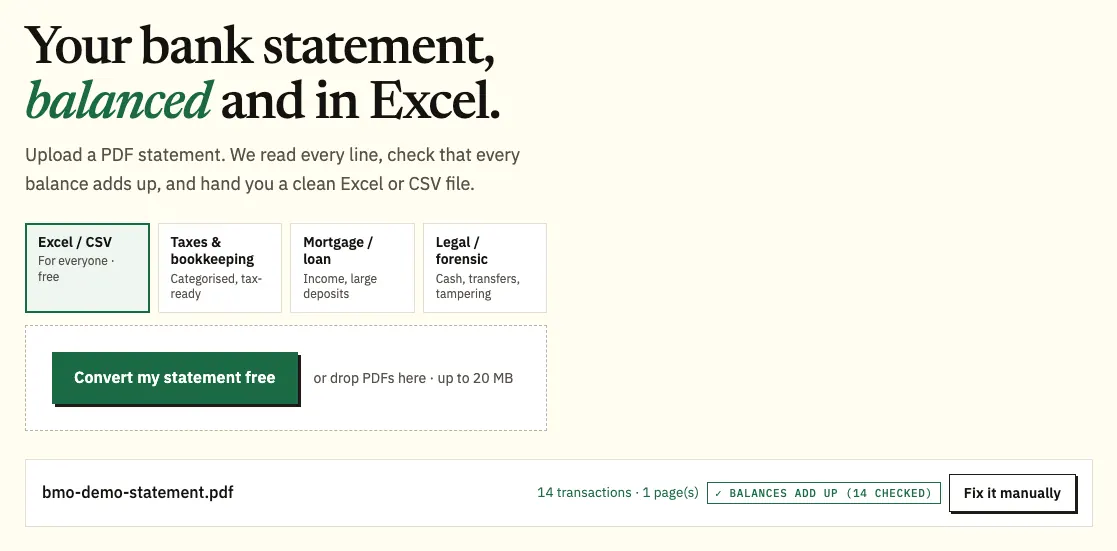
- Upload it here, in the box near the top of this page, or open the full bank statement converter.
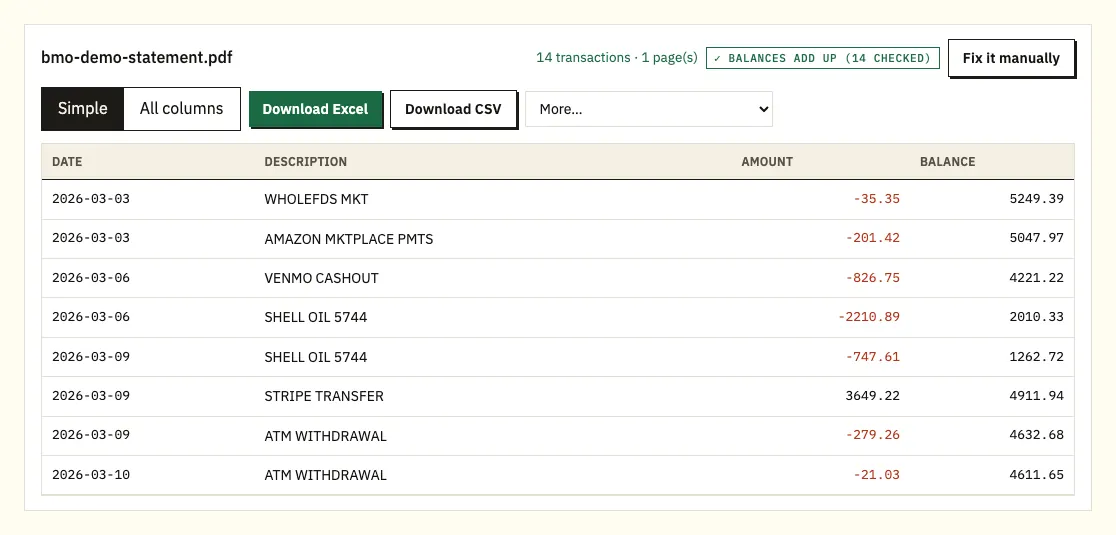
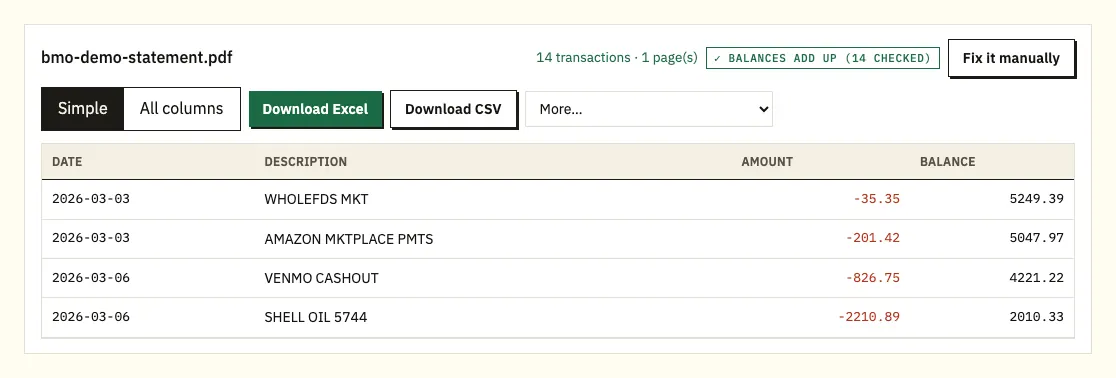
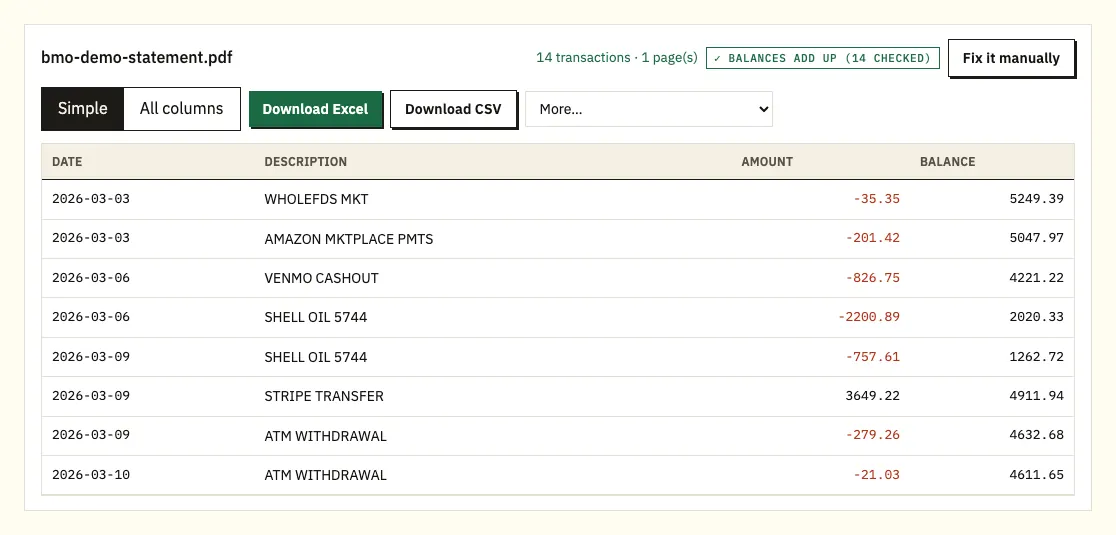
- Compare the preview with the eStatement. A ⚠ marks a printed balance that can't be reached from the line before.
- Download Excel (.xlsx) or CSV.
More on saving and checking BMO eStatements
Finding a past eStatement
We haven't confirmed BMO's exact menu for opening a past eStatement, in online banking or in the BMO app, so check BMO's help pages for the current steps. Once the statement is open, save the PDF to your computer rather than taking a screenshot. The PDF is the version an accountant, a lender or the tax office will expect to see.
Naming files
Give each file a clear name as you save it, such as the account type and the month. BMO statements for different accounts look alike, and a clear name saves time when you have a year of files.
Ticking off the preview
Since a BMO eStatement mirrors the paper version, compare the preview with the PDF the way you'd tick off a paper statement. Clicking a line highlights it in the PDF.
Limits and formats
You can queue several BMO eStatements together. Without signing up you get 3 pages a day; a free account lifts the daily limit to 15 pages. Excel suits formulas and CSV suits accounting imports, while QBO, OFX and QIF are on paid plans under More (see pricing).
Does BMO have its own spreadsheet export?
We couldn't confirm a spreadsheet or CSV download for personal BMO accounts from BMO's own pages, so we won't describe one. Look in online banking under the account's transactions for a download option, and if you find one, check which formats and date ranges it covers.
Even where a bank offers a transaction download, it usually follows the dates you pick rather than the statement period, and it doesn't carry the statement's printed balances. That matters if someone asks you for "your March statement" in a format they can total. The comparison below shows what to expect from each route.
| A transaction download (where offered) | Converting the BMO eStatement | |
|---|---|---|
| Matches the statement period | Usually a date range you choose | Yes, row for row with the PDF |
| How far back | Depends on the download | Any eStatement BMO has saved, up to seven years |
| Printed balances | Usually missing | Kept and recomputed |
| Formats | Varies | Excel and CSV; accounting formats on paid plans |
| Old paper statements | Not possible | Possible from a scan, with extra checking |
BMO's seven-year statement window
BMO says statements are saved for up to seven years. That covers most needs: a mortgage application normally looks at recent months, and tax records often reach back several years.
Two habits help. First, download the statements you'll need while they're still within the seven years, rather than when someone asks for them. Second, if you plan to close a BMO account, save its statements before you do, so you have them on file. If you need something older or missing, contact BMO and ask what copies they can provide and whether there's a fee.
How a BMO statement reads, top to bottom
We haven't verified BMO's own headings, so treat this as a guide and go by your statement. What BMO does confirm is that an eStatement looks like the paper one, so if you know the paper layout, you know the PDF.
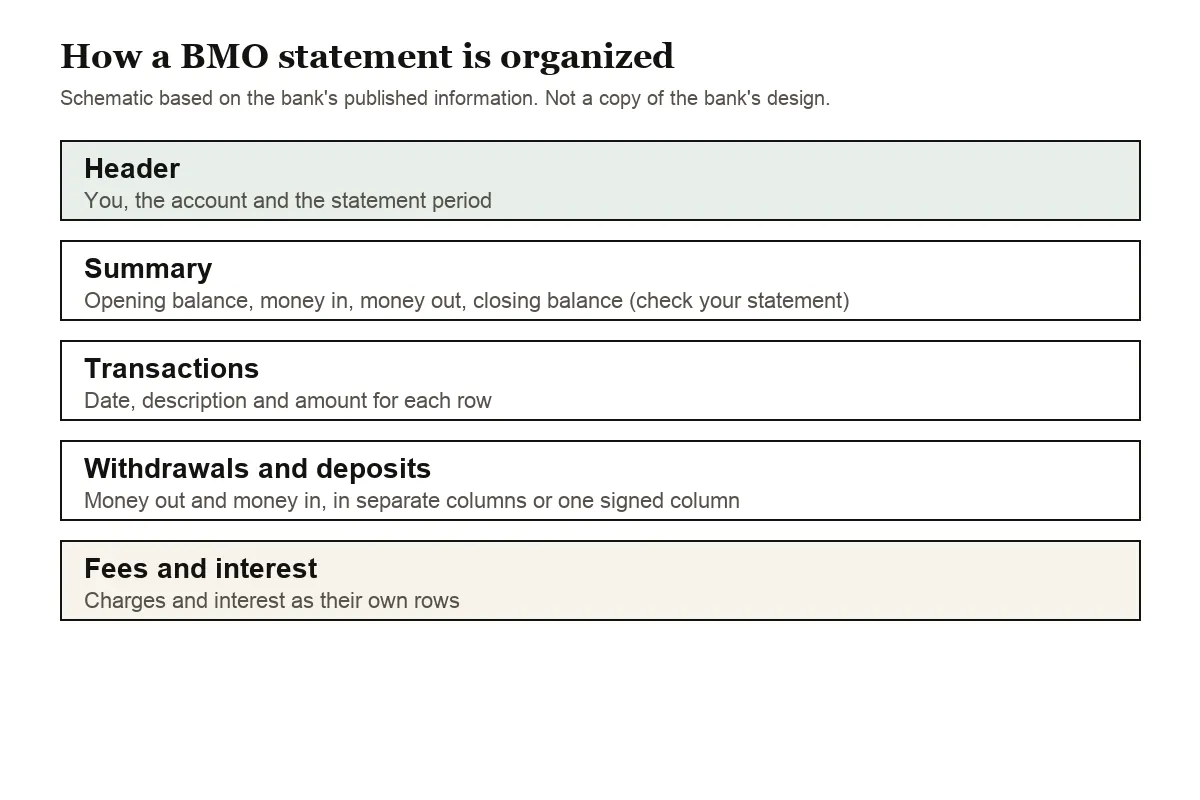
Expect your details, the account and the statement period at the top. Many statements follow with a short summary: opening balance, total in, total out, closing balance. That summary is the quickest sanity check, because the totals of your spreadsheet should land on the same figures.
After that come the dated transactions. BMO may show withdrawals and deposits side by side in two columns or in one column with signs. The spreadsheet always uses one amount column, with withdrawals negative. If BMO prints a running balance, each one is tested; if only the opening and closing balances are printed, the test is that opening plus all amounts equals closing.
Look out for fee and interest lines. A service charge you didn't expect is the kind of thing you only spot by reading the descriptions. Rows without a year get it from the statement period.
On a BMO credit card statement, spending increases the balance owed. The converted sheet therefore lists card purchases as negatives and your payments as positives.
When a BMO eStatement won't line up
A running balance that doesn't add up
⚠ beside a line means BMO's printed balance there can't be reached from the line before. Go to that point in the eStatement. Typical reasons: an incomplete download, a transaction split across two pages, or a file that was altered after BMO produced it. Download the eStatement again and redo it.
Transfers that wrap
Transfer and payment descriptions can run to a second printed line, which is folded back into the right transaction.
Password prompts
Should an eStatement be locked, you type the password a single time. It's never kept.
Statements from before eStatements
Paper statements from before you switched have to be scanned. Text recognition reads them less exactly, so check the figures yourself.
What to do when a BMO statement looks wrong
If a charge on your statement looks wrong, contact the merchant first when you recognize it, and BMO when you don't. BMO's page on contacting BMO about a transaction lists the current phone numbers.
BMO chequing plans and how their statements arrive
BMO's chequing lineup includes the Practical, Performance and Premium plans, from a low-fee account with a monthly transaction limit up to plans with unlimited transactions. BMO's own pages explain the fees and balance conditions for each, and those figures change, so look up your plan there rather than relying on a number in a guide.
Two statement choices matter more for a spreadsheet than the plan does. BMO's everyday banking agreement lists no charge for digital monthly statements (eStatements) on its low-cost accounts, while paper statements can carry a fee depending on the plan. It also offers a consolidated monthly statement that puts all of your personal accounts on one statement. If you get the consolidated version, one PDF holds the activity of several accounts. After converting it, add a column for the account and fill it in from the account headings in the PDF, so a transfer between your own accounts isn't counted as spending.
To switch an account to eStatements, go to My Accounts, choose the account, then Change Statement Options. Under Available Statement Options, select eStatements, review and agree to the conditions, then select Verify Statement Options.
BMO records for tax time and applications
Your BMO statements list each interest credit, which helps when you total interest for a tax return; our guide to bank statements at tax time explains more. For a mortgage or rental application, send the eStatement PDF itself, as covered in our mortgage application guide.
Using BMO transactions in QuickBooks, Xero or Google Sheets
QuickBooks takes the CSV through its bank file upload, or a QBO file on a paid plan (importing into QuickBooks). In Xero, add the CSV or OFX as a statement import (importing into Xero). Google Sheets reads the CSV via File and Import. Do one BMO month first and confirm the opening and closing figures before importing a year.
How your BMO statement is handled
An eStatement you upload travels over an encrypted link and is processed only to make your spreadsheet; it isn't handed to anyone. If you aren't signed in, it's removed after 24 hours. Free accounts keep files for 7 days, with auto-delete and manual delete available. See how we protect your data.
Keep the eStatements themselves as your record. The Canada Revenue Agency explains record-keeping rules for businesses.
What BMO customers ask about statements
How do I switch to BMO eStatements?
In online banking, go to My Accounts, select the account and choose Change Statement Options, then pick eStatements.
Does a BMO eStatement look different from a paper statement?
No. BMO says eStatements look the same as paper statements, so a lender or accountant sees the same layout either way.
How many years of BMO statements can I get?
BMO saves statements for up to seven years. Download what you need before it passes that limit.
Where is the download button for a BMO statement?
We haven't confirmed the current menu, and it may differ between online banking and the app. BMO's help pages and in-app help give the exact path for your account type.
Is a converted spreadsheet accepted instead of the eStatement?
Usually not. Lenders and accountants generally ask for the statement itself, so send the BMO PDF and keep the spreadsheet for your own analysis.
Other Canadian bank guides
Also hold accounts at RBC, TD or Scotiabank? Try RBC statement to CSV, TD Canada Trust statement to Excel or Scotiabank statement to Excel, or look through all supported banks.
With your eStatements saved, head to the bank statement converter (or the upload box at the top of this page) to turn each one into a spreadsheet. BMO's guide to what a bank statement is also explains eStatements.