
RBC eStatements are read-only PDFs, so getting an RBC statement to CSV means converting the PDF. Download it from RBC Online Banking or the RBC Mobile app, then upload it to our free bank statement converter: each transaction becomes a dated row, withdrawals turn negative, and every printed balance is checked.
Quick answer: In RBC Online Banking, select Statements/Documents at the top right of Accounts Summary, choose the period and save the PDF. Upload it in the box above, check the rows against the PDF, then download CSV or Excel. No account is needed for the first 3 pages each day.
On this page
- How to convert your RBC statement to CSV
- RBC specifics for each step
- Does RBC offer a CSV download?
- Reading RBC chequing and credit card statements
- RBC PDFs that need a second look
- Older RBC statements, paper fees and closed accounts
- Getting RBC data into QuickBooks, Xero or Sheets
- Is it safe to upload an RBC eStatement?
- RBC tax slips and void cheques
- eStatements in the RBC Mobile app
- Disputed RBC charges
- Common RBC eStatement questions
- Guides for other Canadian banks
How to convert your RBC statement to CSV
- Download the eStatement. In RBC Online Banking: Accounts Summary → Statements/Documents (top right) → Account Documents → pick the period in the dropdown → download. In the RBC Mobile app: More → Statements under Services → the account.
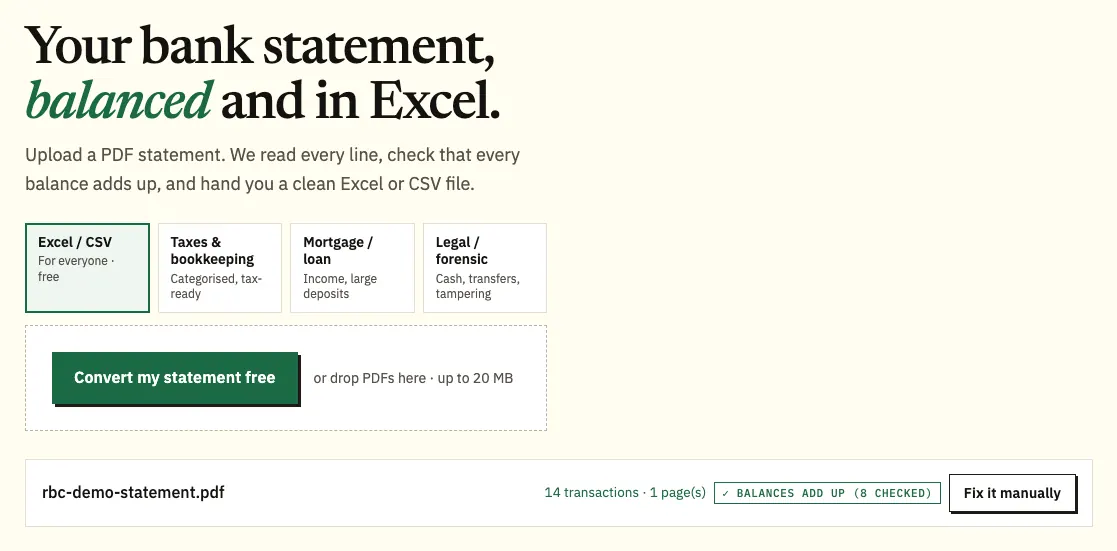
- Upload it here, in the box near the top of this page, or open the full bank statement converter.
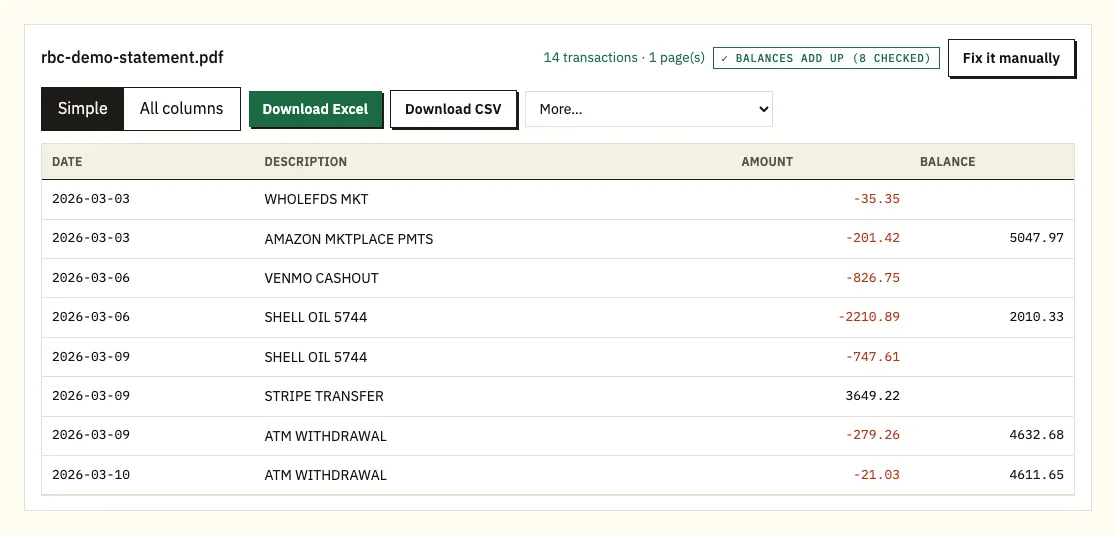
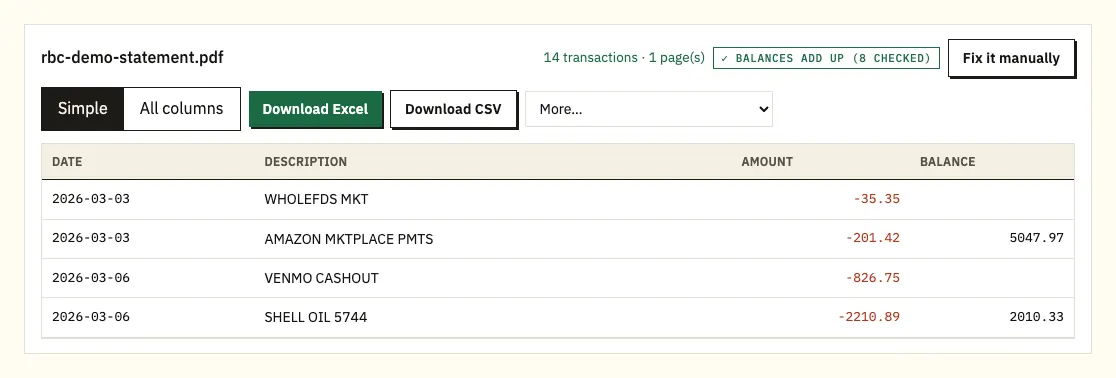
- Check the rows against the eStatement; a ⚠ marks a balance that's out.
- Save the CSV, or Excel for a workbook.
RBC specifics for each step
Finding the eStatement
The Account Documents page lists bank, credit card, investment, loan, mortgage and tax documents, and tax slips sit separately under the Tax Documents tab on the left. RBC keeps up to 7 years of archived eStatements, and each account has its own eStatement rather than one combined document. For an RBC credit card, View eDocuments shows your last 6 statements. If you can't find a statement, RBC's number is 1-800-769-2511.
Uploading chequing and savings together
Because RBC issues a separate eStatement for each account, you can upload your chequing and savings statements together and get one file with a column for the source. You can convert 3 pages a day without signing up, or 15 with a free account; see pricing for more.
Checking deposits, withdrawals and cheques
Each deposit, withdrawal and cheque shows up as a row with date, description, amount and balance. Clicking a row opens that spot on the PDF page.
CSV or Excel
Download CSV for accounting software and most budgeting tools, or Excel if you want an .xlsx workbook. With a paid plan, More also offers QuickBooks (.qbo), OFX and QIF.
Does RBC offer a CSV download?
RBC describes its eStatements as read-only PDF versions of your statements. We couldn't find a CSV download for personal chequing accounts on RBC's own help pages, so check the options in Online Banking for your account. If one is there, it gives you a transaction list, not the statement as RBC issued it.
The PDF is the record most people are asked for. Your accountant, a lender or the Canada Revenue Agency will want the statement, and a CSV made from it keeps the same rows and balances.
| RBC eStatements | Converting the PDF statement | |
|---|---|---|
| Format | Read-only PDF | CSV and Excel; QBO, OFX and QIF on paid plans |
| How far back | Up to 7 years archived; last 6 for credit cards under View eDocuments | Any statement you can download, plus scanned paper copies |
| Accounts | One eStatement per account | Several accounts in one spreadsheet, with a column for the source file |
| Cost | Free | 3 pages a day free, 15 with a free account |
| Balances checked | Not applicable | Each printed balance checked against the row before |
Reading RBC chequing and credit card statements
RBC doesn't publish a guide to its chequing account statement, so use the headings on your own statement as the reference. Here is what you'll find, and how each part lands in a CSV.
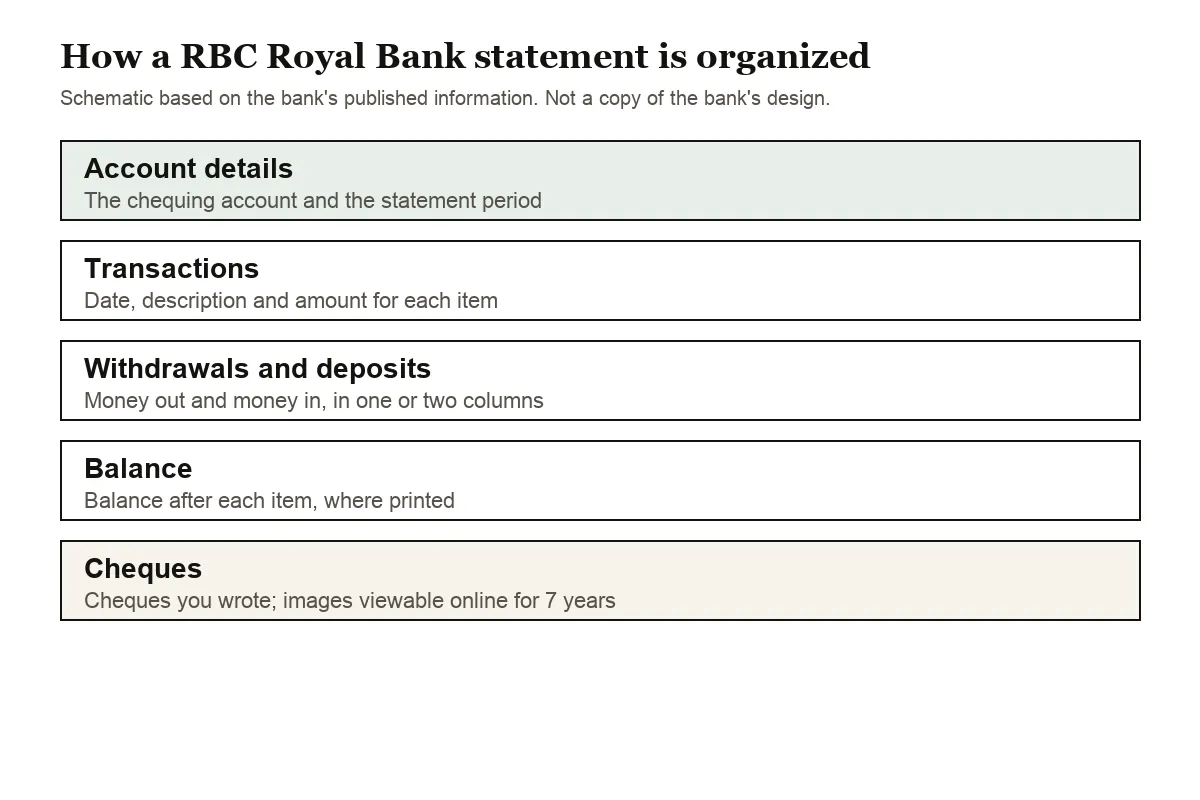
An RBC chequing statement starts with the account details and the statement period. The transaction list gives each item's date, a description, the amount and, on most chequing statements, the balance afterwards. Withdrawals and deposits may sit in separate columns; the converter puts them into one amount column with withdrawals as negative numbers. Dates can be numeric or written, such as Mar 12, and when a row has no year the converter takes it from the statement period.
Cheques you write show up as transactions on the statement. RBC lets you view cheque images for free for the last 7 years, which helps when a cheque line on the statement doesn't tell you who it was paid to.
RBC credit card statements are laid out differently, and RBC explains them in detail. Each transaction shows two dates: the transaction date, when the amount was charged or credited, and the posting date, when it was processed. The new balance is your previous balance, minus payments and credits, plus new purchases, cash advances, interest and fees. Payment is due at least 21 days after the end of the statement period, and if you don't pay the full new balance by then, you pay interest on what's left. Interest on cash advances starts when the advance is processed. In the converted file, card purchases are negative amounts and payments to the card are positive. Check which of the two dates ends up in the date column before you import the file.
RBC PDFs that need a second look
A running balance that doesn't add up
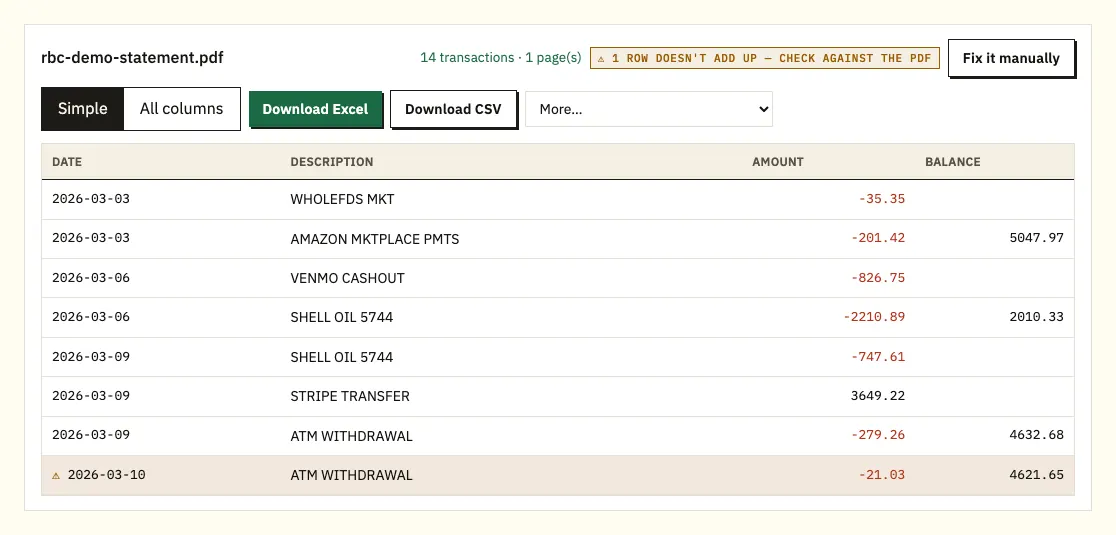
On a chequing statement with a running balance, every balance should follow from the previous one. A ⚠ marks the first row where it doesn't. Check that row against the eStatement: the cause is usually a figure read wrongly, a missing page, or a file altered after RBC issued it. Downloading the eStatement again from Account Documents fixes a damaged file.
Descriptions on two lines
Bill payments and e-transfers with a reference can run onto a second line of the eStatement. That second line is merged into the item it belongs to, so each one stays a single row in the CSV.
Password-protected files
If a file you've been sent is locked, type its password when the converter asks. It opens the file once and isn't kept.
Paper statements and scans
A scanned paper statement is read with text recognition, which is less exact than an eStatement. Check the totals against the paper copy.
Older RBC statements, paper fees and closed accounts
Statements older than 7 years aren't in the eStatement archive; call RBC at 1-800-769-2511 to ask about them. eDocuments for closed accounts aren't available online, so download what you need before you close an account.
Paper costs extra. RBC lists monthly paper statements at $3.00 a month without cheque images and $3.50 with them, an interim statement ordered through a branch at $0.75, and branch pickup at $5.00. Fees vary by account type, and some customers, such as seniors, are exempt. To switch to eStatements in the app, go to Settings, then Statements, and turn on Switch all to electronic, or choose per account.
For a quick check between statements, an RBC ATM can print a mini statement: enter your PIN, select Account Information, then Mini Statement, then the account.
Getting RBC data into QuickBooks, Xero or Sheets
In QuickBooks, upload the CSV, or a QBO file from a paid plan; our guide to importing into QuickBooks has the steps. Xero takes the CSV or OFX as a bank statement, explained in importing into Xero. Google Sheets opens the CSV through File, Import, Upload.
Check that your software reads the date order in the CSV the way you expect, because 03/04 can mean March 4 or April 3. Import one statement first before you load a full year.
Is it safe to upload an RBC eStatement?
Your eStatement is sent over an encrypted connection, used only to create your file, and never shared. Uploads made without an account are deleted after 24 hours. On a free account they're kept for 7 days, and you can turn on auto-delete or delete them earlier. Our security page explains more.
Keep your own copies of the original eStatements, especially for accounts you might close. The Canada Revenue Agency explains how to keep your business records.
RBC tax slips and void cheques
Tax documents
RBC keeps tax documents such as T5 slips beside your statements, under Statements/Documents, then Tax Documents. Our guide to using statements for tax covers how interest rows on a converted statement can help when you file.
Void cheques for direct deposit
Employers and billers often ask for a void cheque, and RBC lets you print one. In Online Banking, open Account Services in the My Services box, select View and Print Void Cheque, choose the account, accept the terms and select View and Print. In the app, tap the account, then Details, then Get a Void Cheque, and tap Download to save, text or email the PDF. It shows three numbers: the 5-digit transit number for your branch, the 3-digit institution number for the bank, and your account number.
eStatements in the RBC Mobile app
The app's Statements screen shows your last 6 statements automatically, and only for accounts you've switched to electronic. If a statement you expect isn't there, RBC says you may not be enrolled for eStatements on that account; check Settings, then Statements, in the app.
Disputed RBC charges
If a charge on your statement looks wrong, compare it with the original PDF, then call RBC's cards line at 1-800-769-2512 or use the steps on RBC's statement help page.
Common RBC eStatement questions
How far back can I get RBC statements online?
Up to 7 years of archived eStatements, free. For a credit card, View eDocuments shows the last 6 statements. For anything older than 7 years, call 1-800-769-2511.
Can I download an RBC statement as CSV?
RBC eStatements are read-only PDFs. Converting the PDF gives you a CSV or Excel file with every row and balance from the statement.
Where are statements in the RBC Mobile app?
Tap More in the navigation bar, then Statements under Services, then choose the account.
How much are RBC paper statements?
On many accounts, $3.00 a month without cheque images or $3.50 with them. Some accounts and customers are exempt, and eStatements are free.
Can I get statements for a closed RBC account?
RBC says eDocuments for closed accounts aren't accessible online, so download the statements you need before closing. Call RBC for older records.
Can I see cheque images with RBC eStatements?
RBC says you can view cheque images for free for the last 7 years. Monthly paper statements with cheque images cost $3.50 a month.
Guides for other Canadian banks
See the guides for TD Canada Trust statement to Excel, Scotiabank statement to Excel and BMO statement in Excel, or browse all supported banks.
When your PDF is ready, open the bank statement converter (or the upload box at the top of this page) to turn your RBC statement to CSV. RBC's own tutorial shows how to access your account statement.