
Scotiabank keeps up to 7 years of statements in online banking and the Scotia app, and any of them can become a spreadsheet. To get a Scotiabank statement to Excel, download the PDF and upload it to our free bank statement converter.
Quick answer: In online banking, go to Accounts, pick the account and open Documents. Save the statement PDF, upload it in the box above, check the rows, then download Excel or CSV. Scotiabank keeps up to 7 years of statements online.
On this page
- Getting a Scotiabank statement to Excel from Documents
- Notes for Scotiabank customers working through these steps
- What Scotiabank's QuickBooks and QFX downloads do
- The details Scotiabank prints on each statement
- When a Scotiabank statement trips up the conversion
- Checking and disputing a Scotiabank charge
- Scotiabank account statements: cycles, fee wording and cheques
- Scotia OnLine statement problems, and what to do
- Tax documents in the Scotia app
- Moving Scotiabank data into QuickBooks, Xero or Google Sheets
- Keeping your Scotiabank statements safe
- Questions about Scotiabank statements
- More guides for Canadian banks
Getting a Scotiabank statement to Excel from Documents
- Save the PDF. Online: Accounts page → the bank account → Documents → open the statement → save. In the Scotia app: Home → the account → Manage → View all statements → pick the month → save or share.
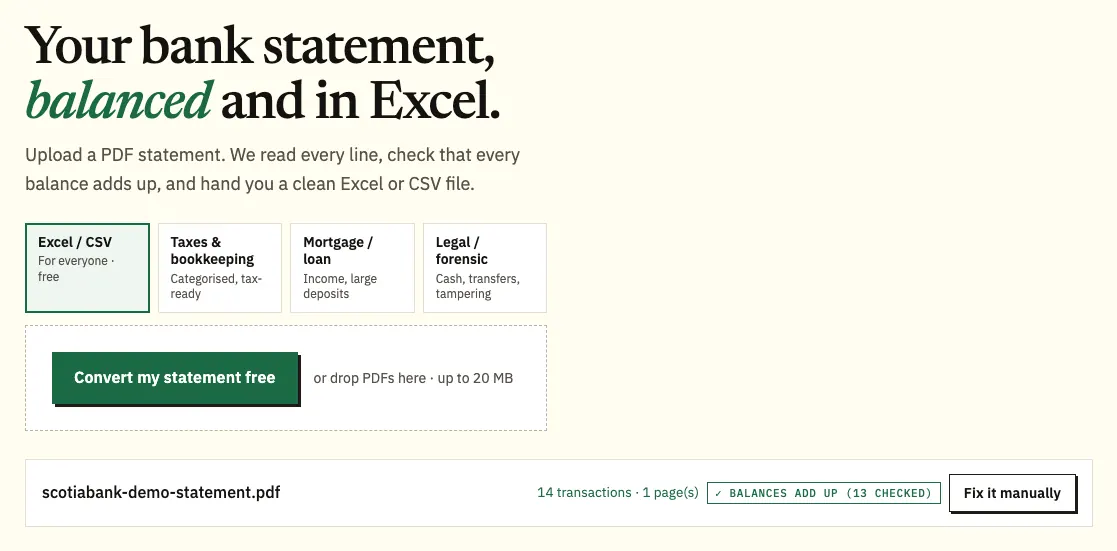
- Upload it here, in the box near the top of this page, or open the full bank statement converter.
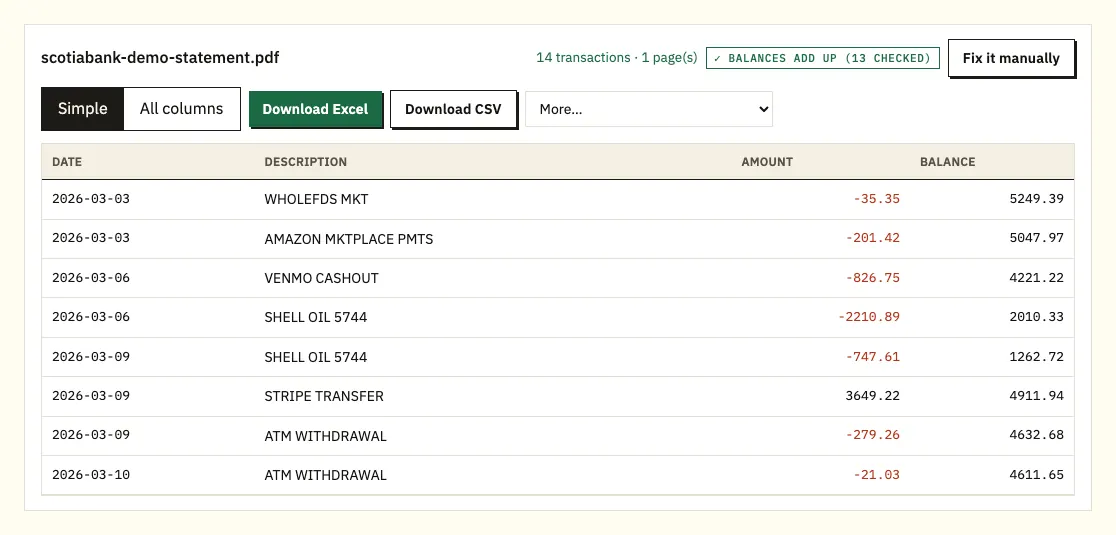
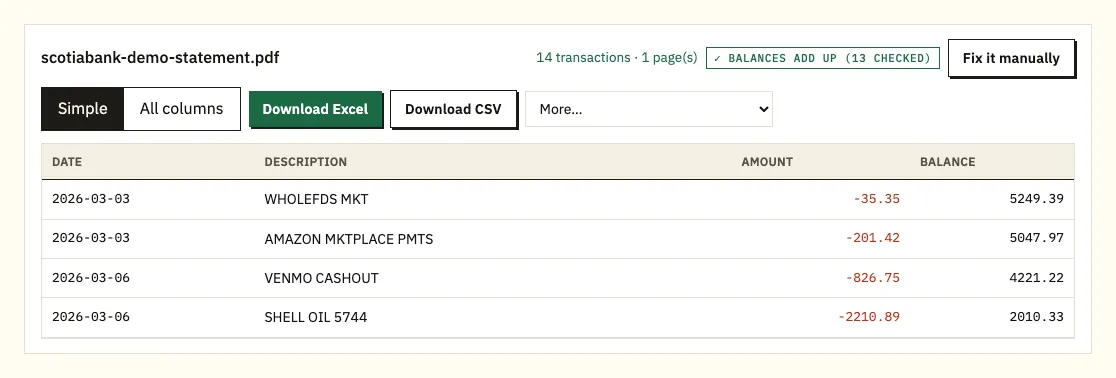
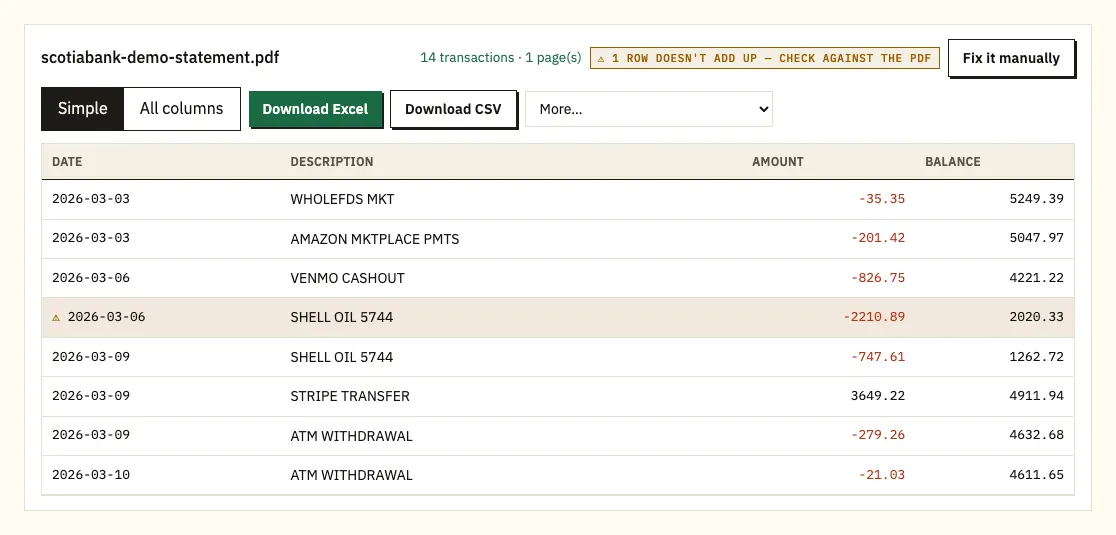
- Check the preview. Lines whose printed balance doesn't agree with the line above carry ⚠.
- Download Excel (.xlsx) or CSV.
Notes for Scotiabank customers working through these steps
One statement per account
Every Scotiabank account has its own statement, so a chequing account, a savings account and a credit card each mean a separate download. Name each file by account and month as you save it; it saves confusion later. Chequing, savings and card statements can still go into the converter in the same batch.
What to look for in the preview
Scan for anything odd: a deposit in the wrong direction, a date that looks off. Where the statement prints balances, each is recalculated from the line above. Click a line to see the matching part of the Scotiabank PDF.
Free pages and paid formats
Up to 3 pages a day are free with no account; signing up for a free account raises that to 15. If your software wants QBO, OFX or QIF, those come with paid plans under More, as set out on our pricing page.
What Scotiabank's QuickBooks and QFX downloads do
Scotiabank's help pages describe a transaction download built for accounting software rather than for Excel. On the Accounts page, select the account, choose a statement period from the dropdown and scroll to the bottom of the list. If the list stops early, click Load more until you reach Current statement period total. Then click the download icon at the top of the screen and choose Download as QuickBooks. Scotiabank's Statement Downloads also offer QFX files for Quicken.
That works well if you use QuickBooks or Quicken. It's less handy if you just want a spreadsheet, and the download covers one statement period at a time, so a year of transactions means twelve downloads. We haven't found a Scotiabank page that confirms a CSV option for personal accounts, so check your own online banking.
| Scotiabank transaction download | Converting the PDF statement | |
|---|---|---|
| Formats | QuickBooks, QFX (Quicken) | Excel or CSV; QBO, OFX, QIF with a paid plan |
| Periods per download | One statement period | Several statements in one file |
| How far back | Periods shown in the dropdown | Any statement you can download, up to 7 years |
| Balance check | None | Each printed balance recalculated |
| Branch paper copies | Not usable | Scan first; results need a careful check |
The details Scotiabank prints on each statement
Unlike most banks, Scotiabank spells out what its statements contain, so this part is based on its own description.
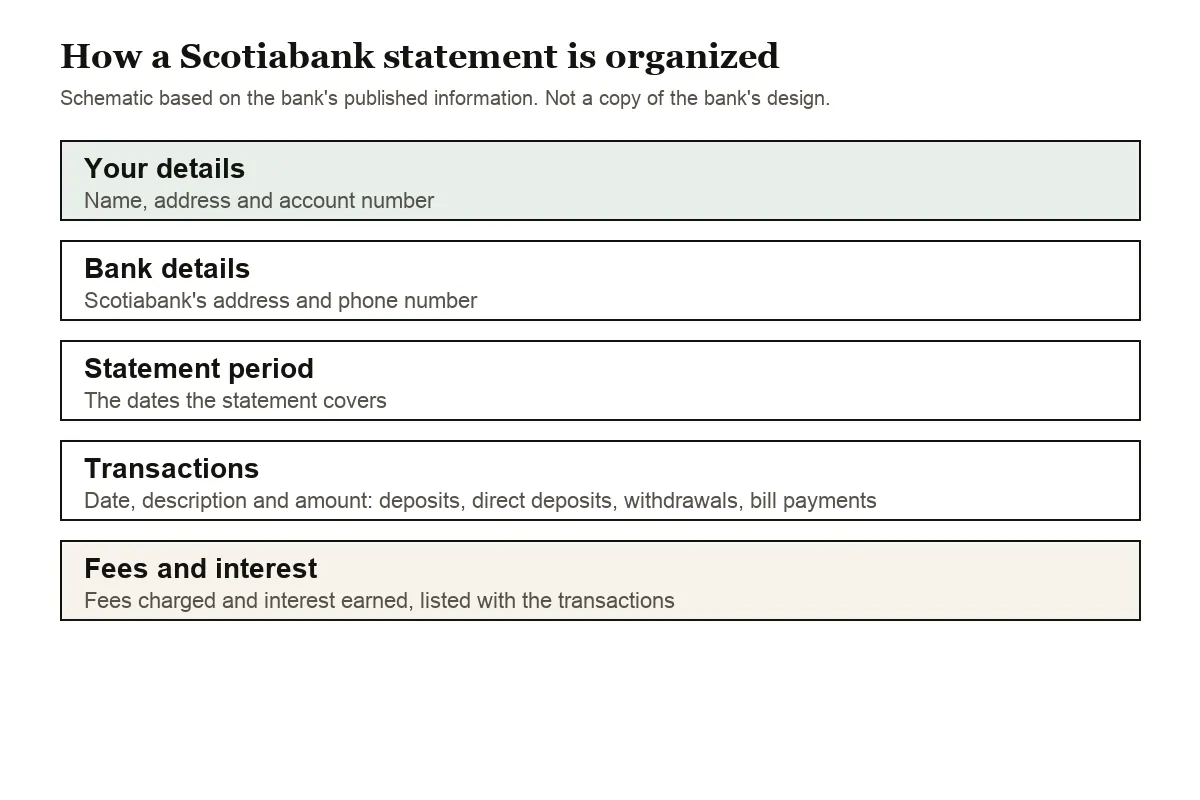
Your name, address and account number sit at the top, together with Scotiabank's address and phone number and the statement period. Because that phone number is on every statement, you always have a contact to hand if a line needs explaining.
Under that, each transaction is dated. Scotiabank names the types: deposits, direct deposits, withdrawals, bill payments, fees and interest earned. Give the last two a separate read. A plan fee looks like any other withdrawal, and savings interest shows up as a small deposit that's easy to skip past.
Statement timing depends on the product. Chequing, savings and credit card statements come monthly, investment statements quarterly and mortgage statements once a year.
For the spreadsheet, day-and-month dates get the year from the statement period, and withdrawals become negative numbers in a single amount column, whether Scotiabank printed one column or two. Scotiabank Visa purchases are negative too, with payments positive.
When a Scotiabank statement trips up the conversion
A running balance that doesn't add up
When ⚠ appears, the balance Scotiabank printed on that line doesn't match the one before it plus the amount. Look at the PDF there. A page dropped during download, a line split by a page break, or a file changed after it left Scotiabank are the usual reasons. Fetch it again from Documents.
Long bill payment descriptions
Payee names and direct deposit references sometimes spill onto a second line. That spill-over is merged into its own transaction.
Statements from several accounts
Each Scotiabank account has a separate statement. Convert them in one go and filter on the source-file column to keep chequing, savings and card lines apart.
Passwords and scans
A locked PDF asks for its password once, and it isn't kept. A scanned branch copy is read by text recognition, so recheck its numbers by eye.
Checking and disputing a Scotiabank charge
A charge that looks wrong on the statement can be disputed from the posted transaction in the Scotia app once it has posted. Scotiabank's page on disputing a transaction has the steps and time limits.
Scotiabank account statements: cycles, fee wording and cheques
Scotiabank's day-to-day lineup runs from the Basic Bank Account through the Preferred Package to the Ultimate Package, and its statements centre explains how each kind of account reports. All Scotiabank chequing accounts issue monthly statements. Savings accounts do too, with one exception: the MomentumPLUS Savings Account has no statement of its own, and its balance shows up only if you also hold investment products with the same ownership. The Scotia Power Savings Account is paperless only, so its statements are always online.
You can change the date your chequing statement cycle ends by visiting a branch, except on the Ultimate Package and the MomentumPLUS Savings Account. Lining the cycle up with the calendar month makes monthly bookkeeping simpler, because each converted statement then matches one month in your accounts.
Fee lines are where Scotiabank statements need the closest reading, because the bank uses four different terms:
- Waiver: the monthly account fee doesn't appear on your statement at all.
- Rebate: the fee is charged at the end of the statement period and credited back within 10 days of the following month.
- Discount: the full fee is charged and a credit for the discount posts the same day.
- Refund: a one-time credit that Scotiabank processes by hand.
A rebate is the one that confuses spreadsheets. The fee sits on one statement and the matching credit on the next, so a single month looks more expensive than it really was. Total fees across two statements before you decide a charge is wrong.
Cheques issued within the last 90 days can be viewed online or in the app. For older cheque images, call Scotiabank or visit a branch. Your overdraft protection limit is under Account Details for the account online.
Scotia OnLine statement problems, and what to do
The app only shows two years
Scotiabank's eStatements guide says you can view, print or download 24 months of history, with statements archived for up to 7 years. Its Help Centre says up to 7 years can be viewed online. If a month older than two years is missing from the app, look in online banking from a computer before ordering a copy.
Switching to eStatements in the app
From the app's Home screen, tap More, then Profile and settings, then Manage document delivery and follow the prompts. Online, the statements centre points to Manage My Accounts, then Document Delivery, on the Accounts page.
Printing or getting an official copy
To print, go to your Accounts page, open the Communications Centre, choose Documents and pick the eStatement. For an official statement, Scotiabank says to visit a branch, and a fee may apply.
Tax documents in the Scotia app
Scotiabank posts tax documents under Communications Centre, then Tax Documents, on your Accounts page. Our guide to bank statements and tax explains how to total interest lines when no slip arrives.
Moving Scotiabank data into QuickBooks, Xero or Google Sheets
QuickBooks users already have Scotiabank's own QuickBooks file for single periods. To load several months at once, use the converted CSV, or a QBO file on a paid plan, as shown in importing into QuickBooks. Xero accepts the CSV or OFX as a bank statement; see importing into Xero. Google Sheets opens the CSV through File and Import. Test with one month before adding the rest.
Keeping your Scotiabank statements safe
Uploads are encrypted in transit and used only to produce your file. They aren't passed on. Unsigned-in uploads are erased after 24 hours, free-account files after 7 days, and either can be deleted by you sooner, or set to auto-delete. Our data protection page explains more.
Scotiabank notes that people use statements for budgeting, taxes and loan or mortgage applications, so archive the PDFs, not just the spreadsheet. The Canada Revenue Agency's guidance on keeping business records covers how long.
Questions about Scotiabank statements
Does Scotiabank offer a CSV or Excel download?
The download Scotiabank describes gives QuickBooks and QFX files, one statement period at a time. We haven't seen a confirmed CSV option for personal accounts, so converting the statement PDF is the reliable route to Excel or CSV.
How many years of statements can I see in the Scotia app?
Up to 7 years online or in the Scotia app. For a paper copy, ask at a branch; Scotiabank says a fee may apply.
Why don't I get a monthly mortgage statement?
Scotiabank issues mortgage statements yearly and investment statements quarterly. Chequing, savings and credit card statements are monthly.
Can I dispute a pending Scotiabank charge?
No. Scotiabank says pending charges can't be disputed; wait until it posts, then follow its dispute steps.
Why is there a fee on one statement and a credit on the next?
That's a rebate. Scotiabank charges the monthly fee at the end of the statement period and credits it back within 10 days of the following month.
Can I turn a year of Scotiabank statements into one file?
Yes. Add all twelve PDFs in one upload. The download is a single sheet, and a source column tells you which month each line came from.
More guides for Canadian banks
For accounts at other Canadian banks, read RBC statement to CSV, TD Canada Trust statement to Excel or BMO statement in Excel. The full list is at all supported banks.
Downloaded your PDFs from Documents? Send them through the bank statement converter (or the upload box at the top of this page) and download the spreadsheet. Scotiabank's Help Centre shows how to view your bank account statements.