
EasyWeb hands out TD statements as PDFs only, so getting a TD Canada Trust statement to Excel takes one extra step: save the PDF and upload it to our free bank statement converter.
Looking for TD Bank in the US? It's a different bank with different statements, so see the TD Bank statement guide instead.
Quick answer: In EasyWeb, open Statements and Documents, filter by year and save the PDF. Upload it in the box above, check the rows against the PDF, then download Excel or CSV. TD keeps up to 7 years of statements online.
On this page
- Converting a TD Canada Trust statement to Excel, step by step
- Details that help with each EasyWeb step
- What EasyWeb's Spreadsheet (.CSV) download covers
- How far back EasyWeb goes, and ordering paper copies
- Reading a TD chequing account statement
- When a TD PDF doesn't convert cleanly
- Disputing a charge on your TD statement
- TD chequing plans and what shows up on their statements
- Fixing common EasyWeb statement delivery problems
- Your T5 slips in EasyWeb
- Bringing TD transactions into QuickBooks, Xero or Google Sheets
- Privacy when you upload TD PDFs
- Common questions about TD statements and EasyWeb
- Guides for other Canadian banks
Converting a TD Canada Trust statement to Excel, step by step
- Save the PDF. In EasyWeb: account name at the top → Statements and Documents → pick the account under Get statements & documents by account → Filter by year → open the statement → save icon or download arrow.
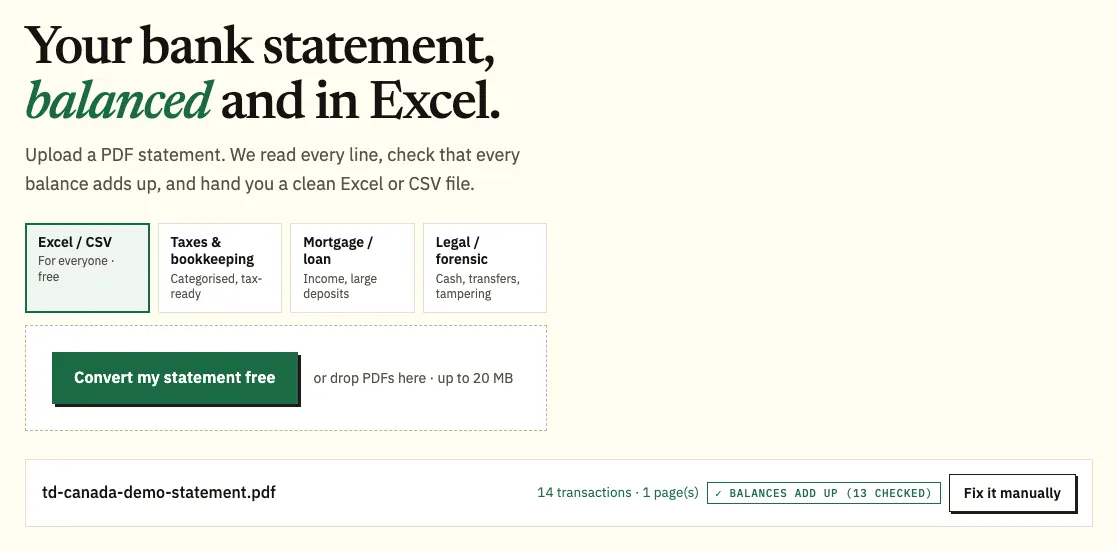
- Upload it here, in the box near the top of this page, or open the full bank statement converter.
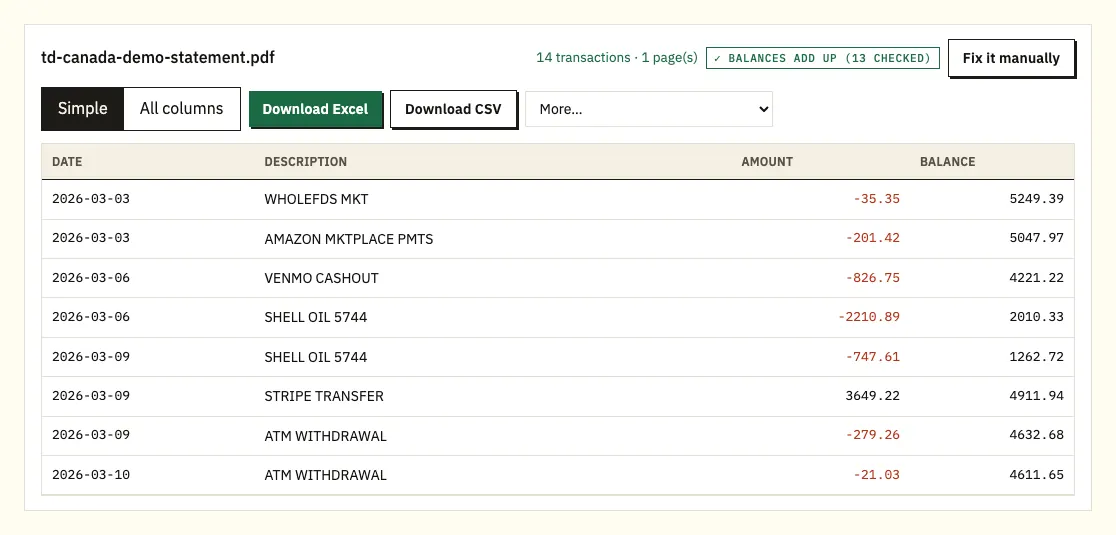
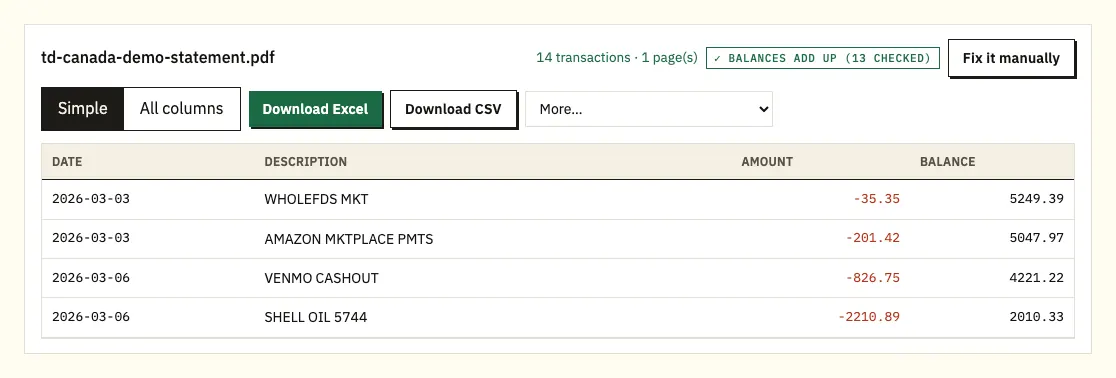
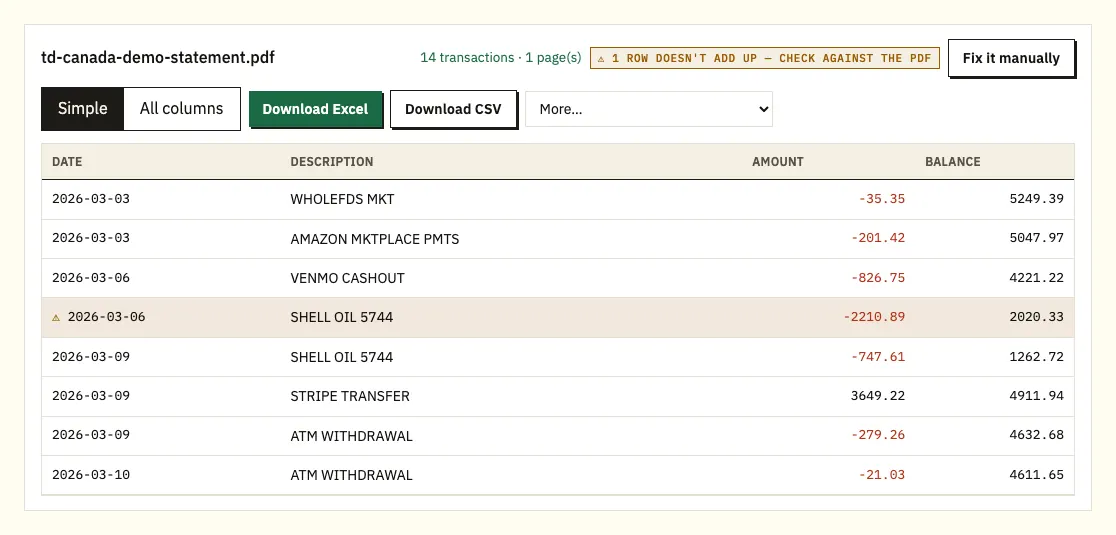
- Check the preview against the PDF. A ⚠ marks any line where the printed balance doesn't follow from the line before.
- Download Excel (.xlsx) or CSV.
Details that help with each EasyWeb step
Another way into your statements
TD also describes a second route in EasyWeb: the profile icon, then Settings & Services, then Statements & Documents. Both lead to the same list. For the TD app, check TD's help pages for the current menu, because we haven't confirmed the app steps.
Keep the original file
Save the PDF itself rather than a screenshot. A photo of the screen loses detail, and the original file is also the copy a lender or accountant will expect.
Page limits and file types
The free allowance is 3 pages a day with no sign-up, or 15 with a free account, so glance at the page count of your EasyWeb files before sending a whole year. Our pricing page lists the paid plans, which add QBO, OFX and QIF files under More.
Reading the preview
Each TD transaction should appear once, with its date, description, amount and balance. Selecting a line takes you to its place in the PDF, so a flagged row can be checked in seconds.
What EasyWeb's Spreadsheet (.CSV) download covers
Yes, for recent activity. In EasyWeb, open Account Activity, choose the period, and go to the bottom of the page. Next to Download, pick Spreadsheet (.CSV). Excel opens that file directly, so for a quick look at last month's spending this is often all you need.
The limits are in how far back it goes. The activity view covers the last 30, 60, 90 or 120 days, or roughly 18 months if you use Search by Month. For TD credit cards, activity goes back about 6 statements. The download also follows the dates you choose rather than the statement period, so it won't line up with a statement a lender has asked for.
| EasyWeb activity download | Converting the PDF statement | |
|---|---|---|
| How far back | Up to 120 days, or about 18 months with Search by Month | Any statement in EasyWeb, up to 7 years |
| Formats | Spreadsheet (.CSV) | Excel and CSV free; QBO, OFX, QIF paid |
| Matches the statement period | You pick a period | Yes, row for row with the PDF |
| Running balance tested | No | Line by line |
| Paper copies from EasyLine | Not covered | Scan, convert, then check by hand |
How far back EasyWeb goes, and ordering paper copies
TD keeps up to 7 years of statements online, counted from when you switched to online statements. If you moved to paperless three years ago, EasyWeb only holds those three years, and anything earlier went to you on paper.
For older months, TD says you can order paper copies through EasyLine at 1-866-222-3456 or at a branch. Copies from the last 90 days are free, and older copies have fees, so ask for the current fee before you order a long run of months. If you need several years for a tax review or a mortgage, check first which months EasyWeb already has and order only the gap.
Reading a TD chequing account statement
TD's exact headings aren't something we've confirmed, so use your own statement as the reference. The reading order that follows fits most chequing statements and makes mistakes quicker to find.
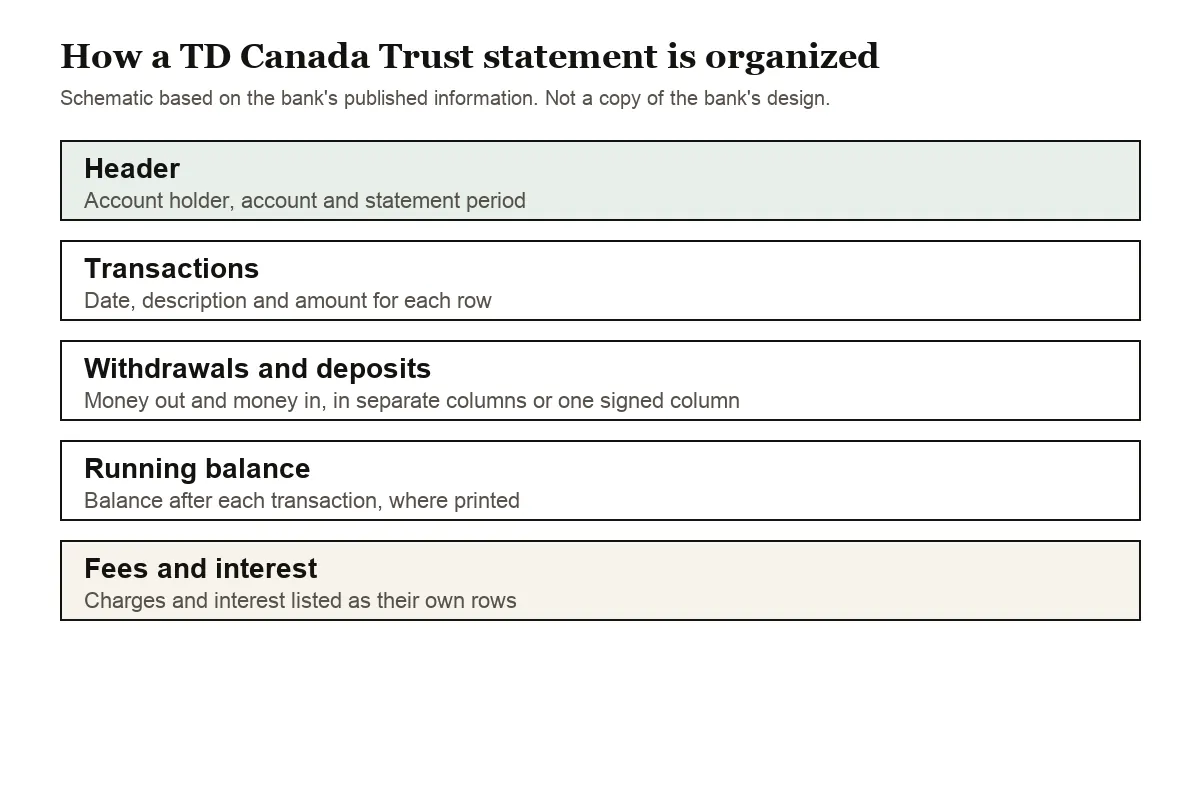
First comes who and what: the account holder, the account and the statement period. Watch the period dates. A payment made on the last day of the cycle can show up on the following month's statement, which explains many "missing" transactions.
Then the list of transactions. Withdrawals and deposits may have their own columns, or money out may carry a minus sign in a single column; either way the spreadsheet gets one amount column with withdrawals negative. Where TD prints a balance after each line, you can follow the account day by day. A row dated only 12 Mar takes its year from the statement period.
Fees and interest sit among the other lines. An overdraft charge or monthly plan fee looks like any other withdrawal, so read the descriptions rather than only the closing figure.
TD credit card statements run the other way: spending raises what you owe. In the converted file, card purchases are negative and payments to the card are positive.
When a TD PDF doesn't convert cleanly
EasyWeb PDFs are usually straightforward. Three situations deserve a look.
A running balance that doesn't add up
A ⚠ on a line means TD's printed balance there isn't the previous balance plus that amount. Open that spot in the PDF. Most often a page went missing in the save, a line was split, or someone edited the file after TD issued it. Save it again from Statements and Documents and re-run it.
Bill payments with long references
TD bill payment and transfer lines can run over two lines of text. The overflow is attached to its own transaction, so you don't get half-rows.
EasyLine paper copies and locked files
Copies TD mails you need scanning first, and scans go through text recognition, so compare every figure with the paper. A PDF that opens with a password prompts you once; the password isn't saved.
Disputing a charge on your TD statement
TD says a non-fraud debit dispute should be submitted within 30 days of the transaction, so read each statement when it arrives. The steps are on TD's page on disputing debit card charges.
TD chequing plans and what shows up on their statements
TD's bank accounts page lists the TD Unlimited Chequing Account, the TD All-Inclusive Banking Plan and the TD Every Day Savings Account, and mentions a TD Student Chequing Account in its FAQ. The plan you hold changes what you should expect to see among the fee lines.
In October 2026, TD listed Unlimited Chequing at a monthly fee of $17.95, or $0 if you maintain a daily balance of $4,000 or more. The All-Inclusive Banking Plan was $30.95, or $0 with a daily balance of $6,000 or more. The Every Day Savings Account showed a $0 monthly fee. If a plan fee appears on a chequing statement and you expected it to be waived, sort the converted sheet by the balance column to find the lowest figure of the month, then compare it with the threshold for your plan. TD's fees can change, so check its current page before you query a charge.
Savings and chequing sit on separate statements, so a transfer from one to the other appears twice: once as money out and once as money in. When you combine both in one workbook, tag those transfers so they don't inflate your spending or income totals.
Fixing common EasyWeb statement delivery problems
Paper statements still arriving
To move an account to online delivery, select the name on the account at the top of EasyWeb, then Statements and Documents, the Manage tab and Delivery Preferences. Choose Online in the Statements column, select Save Changes and accept the consent. Tick Notify by email (online only) and TD emails you when each new statement is ready to view. TD notes you may still get paper while the request is processed.
A credit card switched along with its documents
For TD credit cards, mortgages and lines of credit, Statements and Other Documents share one delivery method. Switching one switches the other, but it doesn't change your other credit products.
Your T5 slips in EasyWeb
Most TD tax slips are posted to EasyWeb under Statements & Documents, with Filter by Type set to Tax Slip. Our guide to bank statements at tax time explains how the interest lines on your statements fit in.
Bringing TD transactions into QuickBooks, Xero or Google Sheets
For QuickBooks, the CSV works through its bank upload, and paid plans add a QBO file; our page on importing into QuickBooks has the details. Xero takes the CSV or OFX as a statement import, covered in importing into Xero. In Google Sheets, use File, Import, Upload and pick the CSV. Start with a single TD month and confirm the dates aren't swapped before loading the rest.
Privacy when you upload TD PDFs
The connection is encrypted, and a TD statement you upload is used for nothing except converting it. Nobody else receives it. Files go after 24 hours if you're not signed in, or after 7 days on a free account, and you can remove them earlier or turn on auto-delete. Read how we protect your data for more.
Your EasyWeb PDFs are also tax records. The Canada Revenue Agency sets out how long businesses must keep records, so store the originals alongside your spreadsheets.
Common questions about TD statements and EasyWeb
Can I download a TD Canada Trust statement in Excel format?
Statements come from EasyWeb as PDFs. You can download recent account activity as Spreadsheet (.CSV) from Account Activity, or convert the PDF to get a file that matches the statement period.
How many years of statements does EasyWeb keep?
Up to 7 years, counted from when you switched to online statements. For older months, order paper copies through EasyLine or a branch; copies older than 90 days have a fee.
Is TD Canada Trust the same as TD Bank?
No. TD Bank serves customers in the US, and its statements and online banking are different. Use the TD Bank guide for US accounts.
How long do I have to report a mistake?
TD says to submit a non-fraud debit dispute within 30 days of the transaction. Its page on debit card disputes has the details.
Why didn't I get a T5 from TD?
TD issues a T5 only when total interest is over $25, or $50 on a Multi-Holding Account. See our tax guide for using statement interest lines instead.
How much TD credit card activity can I download as CSV?
For TD credit cards, the activity download goes back about 6 statements. For anything older, save the statement PDFs from EasyWeb and convert those; purchases come out as negative amounts and payments as positive ones.
Guides for other Canadian banks
If you also bank with RBC, Scotiabank or BMO, there's a guide for each: RBC statement to CSV, Scotiabank statement to Excel and BMO statement in Excel. Every bank we cover is listed on all supported banks.
Have your EasyWeb PDF ready? Our homepage bank statement converter turns it into a spreadsheet you can sort and total. For TD's own walkthrough, see how to access your online statements.