
If you bank with TD Bank in the US, you can export a TD Bank statement to Excel by downloading the PDF from Online Banking or the TD Bank app and uploading it to our free bank statement converter. The transactions come back as dated rows to compare with the PDF and save as Excel or CSV.
Looking for TD Canada Trust? This guide covers TD Bank in the United States. Canadian accounts have their own TD Canada Trust statement to Excel guide.
Quick answer: Download the TD Bank statement PDF from Online Banking or the app, upload it in the box above, compare the rows with the PDF and save Excel or CSV. You can convert 3 pages a day free, with no account.
On this page
- How to export a TD Bank statement to Excel
- TD Bank's Quicken and QuickBooks download
- What TD's statement guide says to look for
- TD Bank statements back to April 2010, on paper or in Braille
- Wrapped lines, notices and other TD Bank snags
- TD's six checks for every statement
- Using TD Bank data in QuickBooks, Xero or Sheets
- Is your TD Bank PDF safe with us?
- TD Beyond, TD Complete and TD Essential Banking
- Your TD Bank Form 1099-INT
- Common TD Bank statement questions
- Banking with TD and someone else?
How to export a TD Bank statement to Excel
Four steps, and only the first happens at TD.
- Save the PDF. Sign in to TD Bank Online Banking or the TD Bank app, open the statements list for the account, pick the date and download it. TD's Help Center tutorial Find statements and go paperless shows the current menu for each.
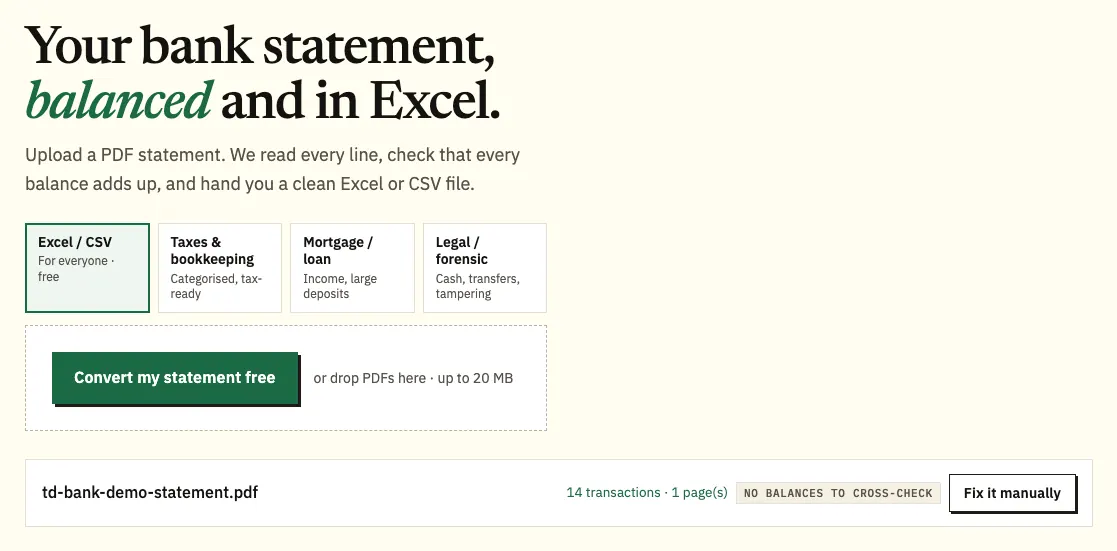
- Upload it here, in the box near the top of this page, or open the full bank statement converter. Three pages a day are free with no account, 15 with a free one.
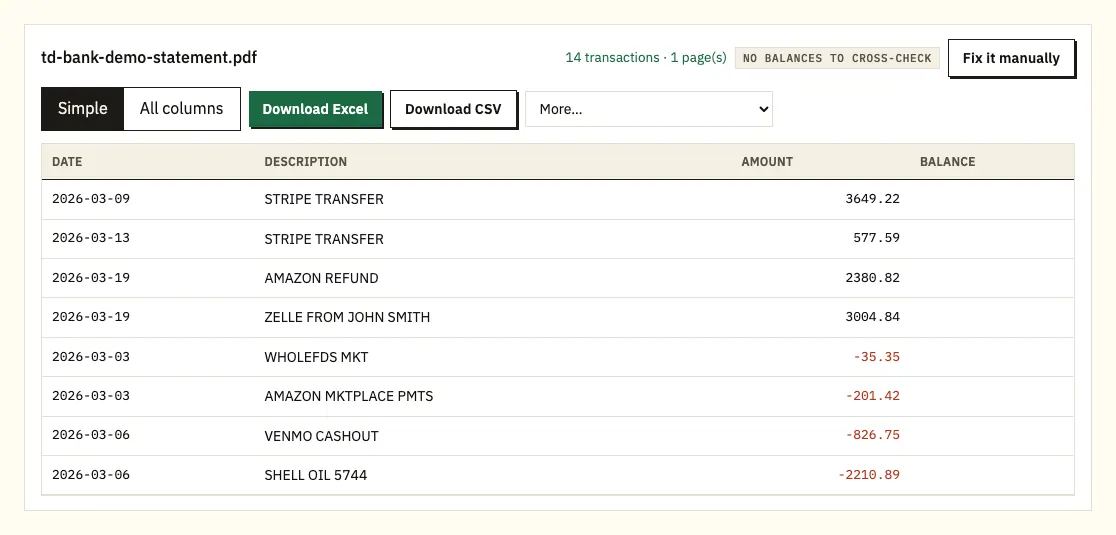
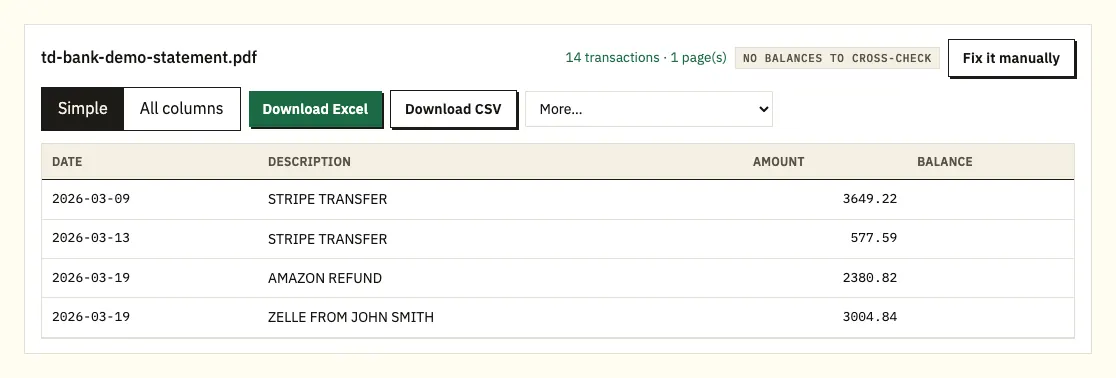
- Compare the rows with the PDF. A ⚠ flags any row where the printed balances break the sequence; click it to jump to that line.
- Download .xlsx or CSV. The paid plans add QuickBooks (.qbo), OFX and QIF under More.
TD Bank's Quicken and QuickBooks download
TD Bank can send your account information straight to Quicken or QuickBooks. The download carries balances and transaction history for checking, savings and money market accounts, and once it's in your software you can view the accounts side by side and run spending reports.
TD's public pages don't name the file formats behind that download or how many months it covers, and we couldn't confirm a plain CSV or Excel option. Check the download screen in Online Banking for your account's choices.
A download also doesn't reproduce a statement. When a landlord or an underwriter asks for a particular month, they want TD's period with its beginning and ending balance, which is what a converted PDF keeps.
| TD's software download | TD PDF, converted | |
|---|---|---|
| Destination | Quicken or QuickBooks only | Any spreadsheet, plus QBO, OFX, QIF on paid plans |
| Oldest month | Not published by TD | Statements from April 2010 onward |
| Same dates as the statement | Not guaranteed | Always |
| Balance cross-check | None | Every printed balance |
| Paper statements | Can't be used | Scans read by text recognition |
What TD's statement guide says to look for
TD Bank publishes a general guide to reading a bank statement. It isn't tied to one TD account, so hold it up against your own statement.
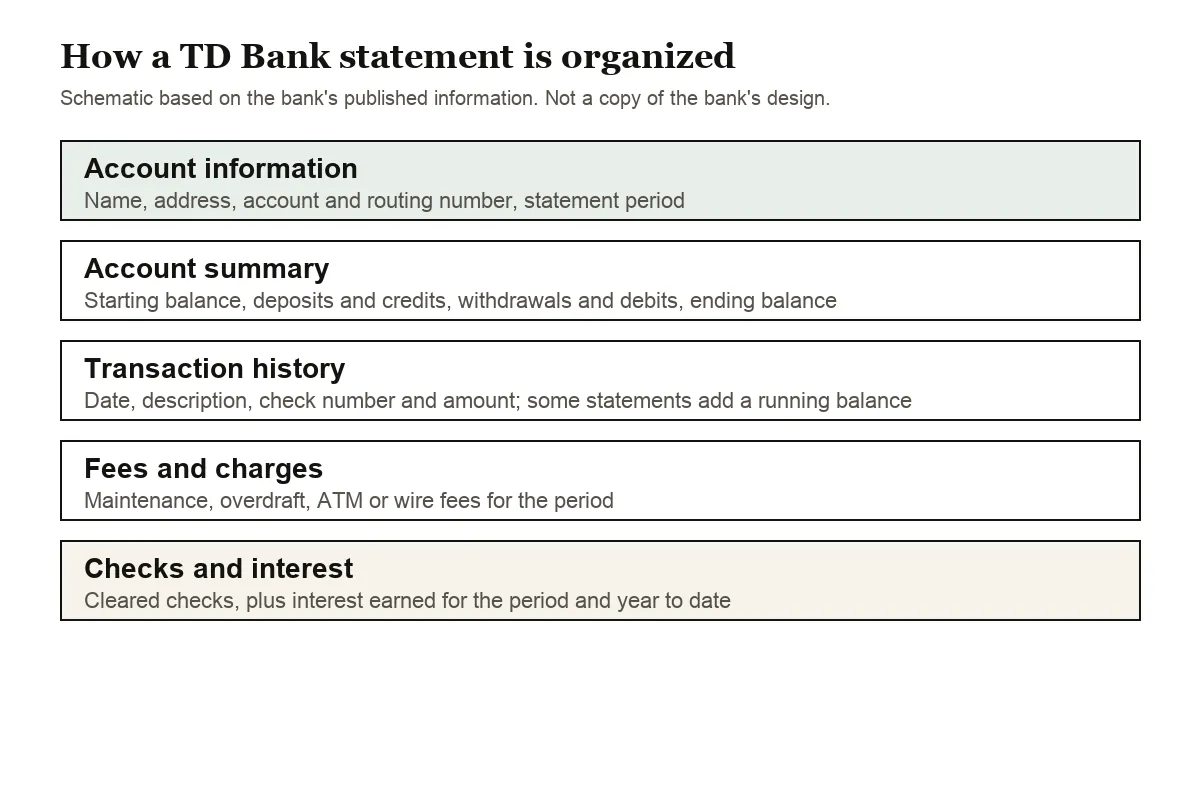
The guide describes an account summary (starting balance, total deposits and credits, total withdrawals and debits, ending balance) and an account information block with your name, address, account and routing numbers and the statement period. The transaction history lists date, description, check number and amount, and some statements add a running balance.
It also mentions fees and charges, cleared checks or check images, and interest earned. TD points out that the December year-to-date interest figure previews your Form 1099-INT, and that pending transactions never appear on a statement, only in Online Banking and the app.
When deposits and withdrawals sit in separate sections, the withdrawals print without a minus sign. The converter gives them one, and takes the year from the statement period if a row shows only month and day.
TD Bank statements back to April 2010, on paper or in Braille
Online Banking gives free access to up to 7 years of statements and notices: statements issued on or after April 2010 and notices issued on or after March 2015.
One surprise for new customers: TD keeps mailing paper statements to Online Banking users as well as posting them online, until you change Statement Settings. Do that in Online Banking, in the app, by calling 1-888-751-9000 or at a TD Bank store. TD's Help Center mentions paper statement fees, so check your fee schedule if you keep paper. TD says online statements are available straight away, while paper ones typically take 2 to 4 business days by mail.
TD emails you when a statement is ready, and also when an overdraft or stop-payment notice is issued on checking. If the email doesn't come, sign in and look at the statements list directly, and check the email address TD has on file. The app handles paperless statement settings, while Online Banking shows more deposit images in your history.
TD also produces statements in Braille, large print, e-text, accessible PDF and audio CD, with enlarged check images. The number for that is 1-866-251-3552.
Wrapped lines, notices and other TD Bank snags
Descriptions on two lines
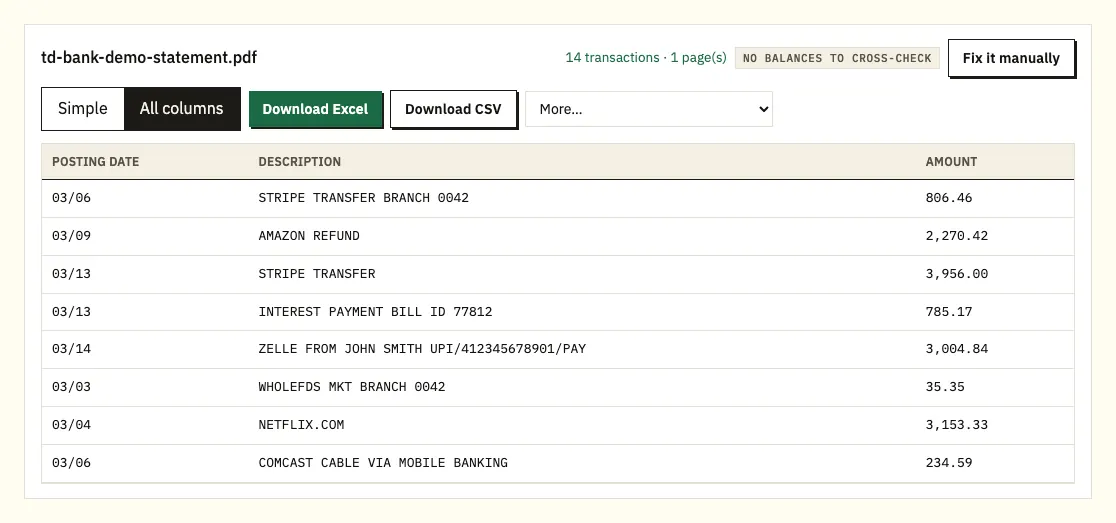
ACH payments and card purchases with long merchant names can wrap in a TD PDF. Pasting the text by hand leaves the overflow as a blank-amount row. The converter merges that overflow into the transaction above it, so the payment reads as one line.
A notice instead of a statement
Because notices and statements share one list, it's easy to grab a notice. It has no transactions, so go back for the statement. For several accounts, upload the statements together and filter on the file-name column.
A beginning balance that doesn't follow last month
TD's own guide asks you to compare each beginning balance with the previous month's ending balance. When you convert a run of statements together, do the same in the spreadsheet: a mismatch usually means a month is missing from the upload, and statements from April 2010 onward can be downloaded again.
Check numbers in the transaction list
TD's guide says the transaction history can show a check number beside the date, description and amount. Check that it stays in the description and doesn't get mistaken for an amount, especially on a page full of cleared checks.
Passwords, scans and unusual pages
If the PDF is locked, you're asked for the password, which unlocks that one file and is then forgotten. A scanned paper statement is read by text recognition and can contain misreads, so check it line by line; a TD download from April 2010 or later is more reliable. For a layout the converter misreads, Fix it manually lets you mark the columns, and paid plans reuse that layout.
TD's six checks for every statement
TD's guide suggests working through a statement in order: confirm the statement period, compare the beginning balance with last month's ending balance, scan withdrawals for unfamiliar merchants, make sure each deposit arrived in full, review the fees against your account, and match big payments to receipts. A sorted spreadsheet makes each check faster.
If you spot an error, TD says to contact the bank right away, and its Help Center covers disputing a TD Bank Visa debit or credit card transaction.
Using TD Bank data in QuickBooks, Xero or Sheets
If TD's direct download already keeps QuickBooks current, use converted statements for older months or for periods that must match a PDF. For QuickBooks, upload a CSV or, on a paid plan, a QBO file (QuickBooks guide). For Xero, import CSV or OFX as a bank statement (Xero guide). Google Sheets opens the CSV through File, Import. Test a single month first.
Is your TD Bank PDF safe with us?
Uploads use an encrypted HTTPS connection, and your statement is processed only to produce your spreadsheet; it isn't passed to anyone. Files from visitors who aren't signed in are wiped after 24 hours. Free accounts hold them for 7 days, and you can switch on auto-delete or delete them yourself whenever you like. See how we protect your data.
Hold on to the TD PDFs as well. The IRS sets out how long to keep tax records, generally at least 3 years.
TD Beyond, TD Complete and TD Essential Banking
TD Bank's personal checking page lists three accounts, and two of them measure their fee waivers per statement cycle, which makes the statement itself the place to check whether you qualified.
| Account | Monthly fee | Waived with (one of) |
|---|---|---|
| TD Beyond Checking | $25 | $5,000+ in direct deposits per statement cycle, a $2,500 minimum daily balance, or $25,000 combined across linked eligible TD accounts |
| TD Complete Checking | $15 | $500+ in direct deposits per statement cycle, a $500 minimum daily balance, $5,000 combined across linked personal deposit accounts, or a primary holder aged 17 to 23 |
| TD Essential Banking | $4.95 | A primary holder aged 13 to 17; no overdraft fees |
If a monthly fee appears that you thought was waived, convert that month's statement and filter the descriptions for your payroll deposits. The total tells you at once whether you cleared the $500 or $5,000 line for that cycle, and the date column shows whether a deposit landed just after the cycle closed. TD Beyond also pays interest, so its statements carry an interest line worth keeping for tax time.
Your TD Bank Form 1099-INT
TD produces a Form 1099-INT when interest across your accounts under one Tax ID totals $10 or more, and the December statement's year-to-date interest previews it. Our guide to bank statements for your taxes shows how to total the twelve months yourself and compare.
Common TD Bank statement questions
Does TD Bank offer statements in Excel?
TD provides PDF statements and a direct download to Quicken or QuickBooks. A spreadsheet that mirrors a statement comes from converting the PDF.
How old can a TD Bank online statement be?
Up to 7 years, free, for statements issued on or after April 2010.
Why does TD still mail me paper statements?
Online Banking customers get paper and online copies until they switch off paper in Statement Settings, by phone or at a store.
Is TD Bank the same as TD Canada Trust?
No. TD Bank serves the US and TD Canada Trust serves Canada, with separate statements and online banking.
Does a TD Bank statement show pending transactions?
No. Pending items show in Online Banking and the app, so a converted statement includes only posted ones.
Can I get TD Bank statements in large print or Braille?
Yes, along with e-text, accessible PDF and audio CD. Call 1-866-251-3552.
How quickly do TD Bank statements arrive?
Online statements are available straight away, and TD emails you when one is ready. Paper statements typically take 2 to 4 business days by mail.
Can I see TD Bank notices online as well as statements?
Yes. Online Banking keeps notices issued on or after March 2015 in the same list as statements, so check you've picked a statement before you convert.
Why did I pay a monthly fee I thought was waived?
TD Beyond and TD Complete measure direct deposits per statement cycle. Convert that month's statement and total the deposits to see whether you reached the line, and check whether a deposit landed just after the cycle closed.
Banking with TD and someone else?
Customers who also hold accounts at Chase, Bank of America, Wells Fargo, Capital One, PNC or Truist can follow the matching guide, each written around that bank's own statements. Every guide is listed under supported banks.
TD Bank's page on Online Banking statements covers settings and history. Once the PDFs are saved, export a TD Bank statement to Excel with our bank statement converter.