
Truist keeps your statements as PDFs in its online document center. To convert a Truist bank statement PDF to Excel, save the file and upload it to our free bank statement converter, which lays out every transaction as a dated row you can check and download as Excel or CSV.
Quick answer: Save your Truist statement PDF from Documents in Online Banking, upload it in the box above, look over the rows, and download Excel or CSV. The free allowance is 3 pages a day, no account required.
On this page
- How to convert a Truist bank statement PDF to Excel
- Inside the Truist document center
- Truist Download Services versus the PDF
- What to expect on a Truist statement
- Why some Truist statements disappear sooner
- Truist PDF problems and fixes
- Spotting an error on a Truist statement
- Bringing Truist transactions into your books
- Uploading Truist PDFs: what happens to them
- Truist One, Marquee and the Confidence Account
- Truist mortgage statements and Form 1098
- Truist statements: quick answers
- Truist plus another US bank
How to convert a Truist bank statement PDF to Excel
Four steps. Do the first one soon, because some Truist statement types leave the document center quickly.
- Save the PDF. Online Banking: Documents → Accounts → choose the account, then open and save the statement. Truist app: More → Documents.
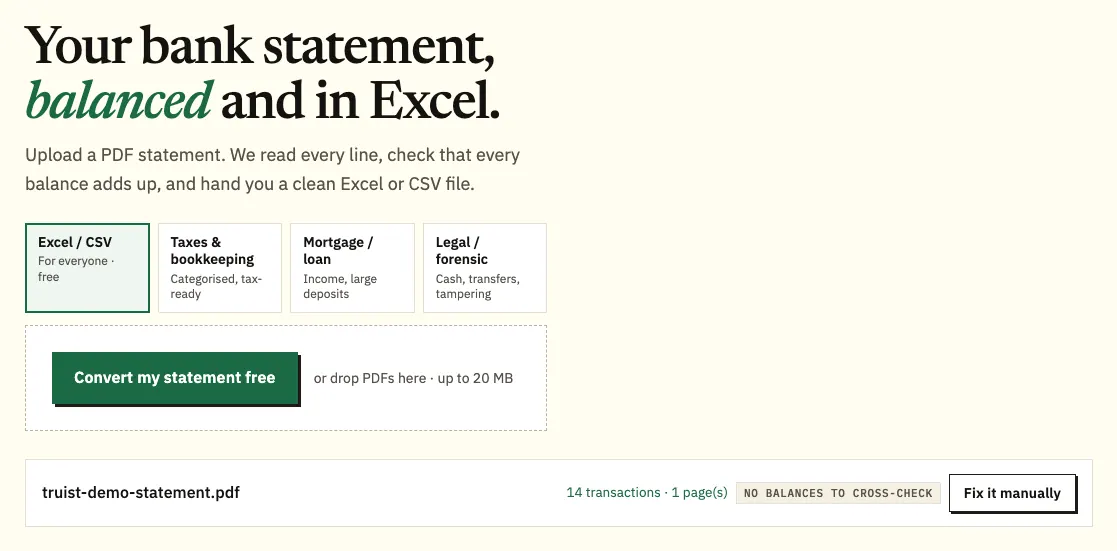
- Upload it here, in the box near the top of this page, or open the full bank statement converter. A year of PDFs can go in one batch; 3 pages a day are free, 15 with a free account.
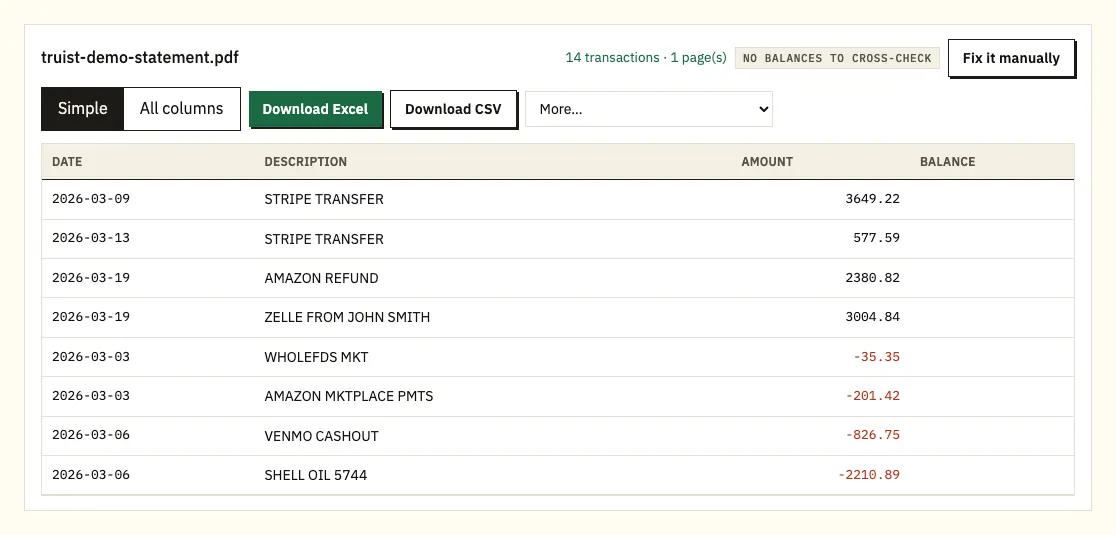
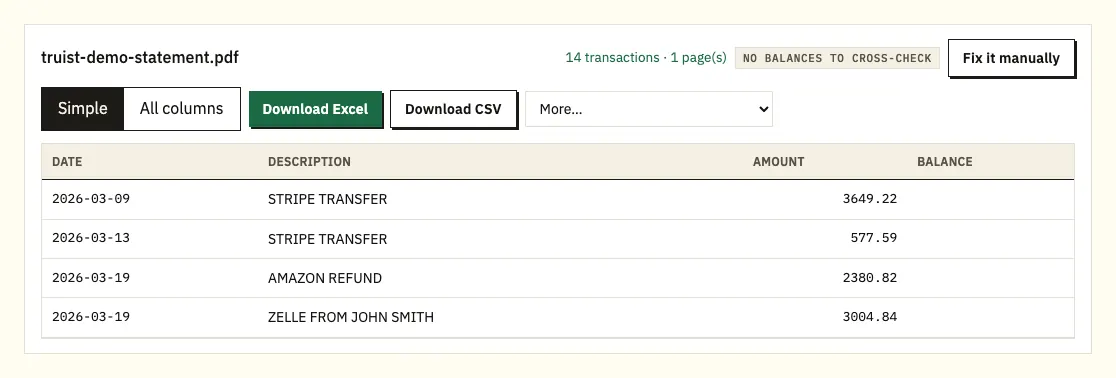
- Look over the rows. A ⚠ marks a row where a printed balance doesn't follow from the one before; click it to see the line on the PDF.
- Download Excel (.xlsx) or CSV. The paid plans add .qbo, OFX and QIF in the More menu.
Inside the Truist document center
Documents holds far more than statements: confirmations and account documents sit beside banking, brokerage and tax forms and year-end summaries. You can create, rename and arrange folders there, which helps if you file statements by year or account. Truist describes the document center as mobile-friendly, so the same files are in the app. Clients who don't use Truist Online and Mobile Banking find electronic statements in Wealthscape Investor, PortfolioView or Digital Treasury instead.
A once-a-year routine keeps the gaps closed. Each January, save the year-end summaries and tax forms into a folder for that year, add the twelve deposit statements, and then pull anything on a shorter clock: credit card statements before they pass 2 years, and loan or home equity statements before 24 months. Converting the whole folder at once gives you one spreadsheet per account for the year, with a file column showing which statement each row came from. That is usually what a tax preparer wants, and it means nothing depends on how long Truist keeps the file.
Truist Download Services versus the PDF
Truist's Download Services send account activity into Quicken or QuickBooks under the terms of its service agreement, and business clients can download up to 18 months of history. We couldn't find a Truist page confirming a plain CSV or Excel download for personal accounts, so check Online Banking for your options. On a business account, those 18 months make Download Services the quicker route for recent bookkeeping, with converted PDFs covering anything older.
A software feed is handy for daily bookkeeping. It isn't the statement, though, so a lender or tax preparer who wants a specific Truist statement period still needs the PDF, and anything older than the download window needs it too.
| Truist Download Services | Truist PDF through the converter | |
|---|---|---|
| Output | Into Quicken or QuickBooks | Excel or CSV; QBO, OFX, QIF on paid plans |
| History | Up to 18 months for business clients | Whatever is still in the document center |
| Follows statement dates | No, you choose | Yes |
| Balance test | No | Yes |
| Paper statements | No | Scans, via text recognition |
What to expect on a Truist statement
Truist doesn't publish a sample statement on the help pages we checked. Use your own statement's headings as the guide; most checking statements show the account, the period, a summary of money in and out with opening and closing balances, then the transactions.
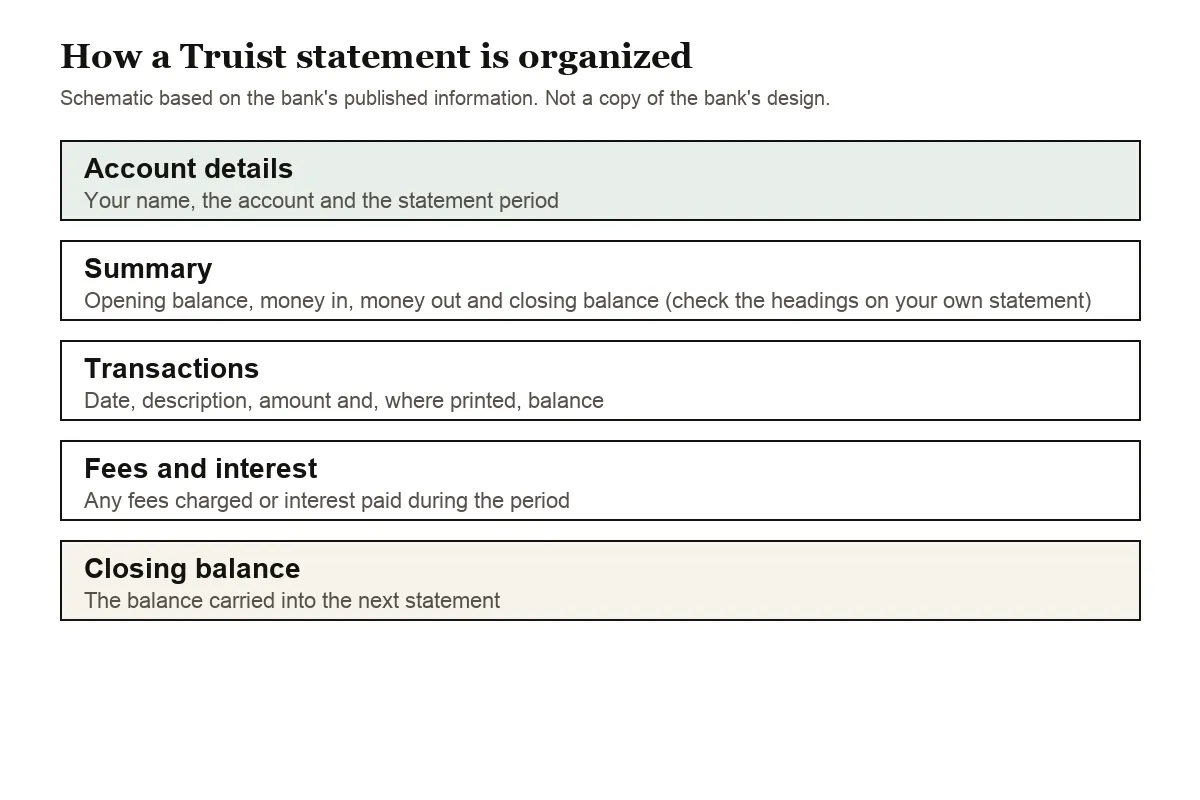
The converter copes with either common style. Amounts may sit in one column with minus signs, or be split into deposits and withdrawals; both end up as a single signed column, with all sections merged by date. Rows that give only month and day take their year from the statement period.
On a Truist credit card statement, card purchases come out negative and payments positive, so a spending total adds up the way you'd expect.
Why some Truist statements disappear sooner
Truist keeps statements online for very different periods depending on the product:
- Deposit and brokerage accounts: up to 7 years
- Credit cards: up to 2 years
- Home equity lines of credit, personal loans and auto loans: up to 24 months
- Mortgage and trust accounts: up to 18 months
Two years of card statements and 18 months of mortgage statements leave little slack. If a tax return, a refinance or an expense claim depends on them, save each PDF as it arrives, or convert a year at a time so you have both the original and the spreadsheet.
Truist's paperless option, eDelivery, sends a notification when a document lands. The document center also lets you upload and exchange documents with your Truist team, which is useful when someone at the bank asks you for paperwork. Year-end summaries and tax forms sit in the same place, so you can file them in the same folder as that year's statements.
Truist PDF problems and fixes
Descriptions on two lines
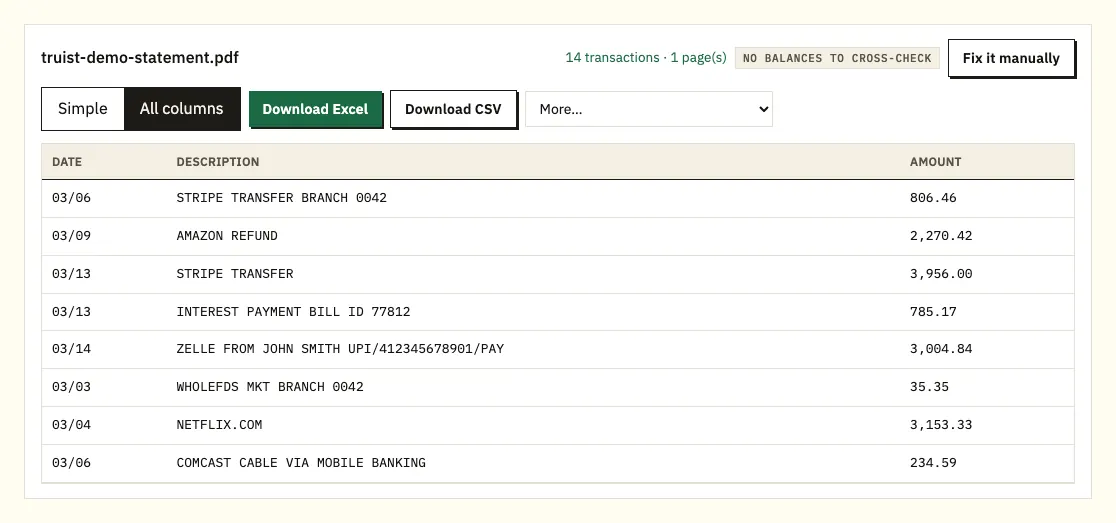
Card purchases that include a merchant location, online transfers and bill payments can spill onto a second line in a Truist PDF. A manual copy turns that spill into a row with nothing in the amount column. The converter folds it back into the transaction it belongs to.
A tax form instead of a statement
The document center lists statements beside tax forms and year-end summaries, which have no transactions. Pick the monthly statement. When converting several accounts, upload them together; a file column in the spreadsheet tells you which account each row came from.
Protected, scanned or unusual files
For a password-protected file, type the password when asked; it's used to open that file and not stored. Scans of old paper statements are read with text recognition and deserve a line-by-line check. If the columns come out wrong, draw them with Fix it manually, which paid plans remember.
Spotting an error on a Truist statement
Before you raise anything, sort the converted rows by amount and by description to rule out a duplicate or a charge you forgot. If a transaction still looks wrong, Truist explains how to open a claim or dispute on its official help page.
Bringing Truist transactions into your books
If Download Services already feed QuickBooks, converted statements cover the months the feed can't reach. QuickBooks takes the CSV, or a QBO file on paid plans, through its bank upload (steps for QuickBooks). Xero imports CSV or OFX as a bank statement (steps for Xero). In Google Sheets, import the CSV from the File menu. Run one month as a test.
Uploading Truist PDFs: what happens to them
Your Truist file is sent encrypted and used for nothing except your conversion. It is never shared. When you aren't signed in, it and the results are erased after 24 hours; a free account keeps them a week, and you can erase them earlier or turn on auto-delete. More on our security page.
With card and mortgage statements leaving the document center within two years, your own archive matters. The IRS page on keeping records explains how long tax records should be kept.
Truist One, Marquee and the Confidence Account
Truist's checking page lists three personal accounts, and each one changes what you'll see on the statement:
- Truist One Checking: the everyday account. Truist lists its overdraft fees as none, and eligible clients get a Balance Buffer that allows overdrawing by up to $100.
- Truist Marquee Checking: pays interest on the balance and waives some fees, so its statements carry interest you'll want for tax records.
- Truist Confidence Account: built so you spend only what you have.
Student checking is offered through Truist One. One of the Truist One fee waivers is $500 or more in total qualifying direct deposits per statement cycle. If a maintenance fee shows up, convert that statement, filter for your payroll description and add up the deposits for the cycle; the dates show whether a deposit landed just after the cycle closed. Overdraft Protection on Truist One and Marquee needs a linked Truist deposit account, credit card or line of credit, so transfers from that account show up on both statements.
Truist mortgage statements and Form 1098
Mortgage statements leave Truist's document center fastest, after 18 months online, so save them as PDFs; Truist's mortgage statements page has the details. Form 1098 sits under the loan's Tax Forms in Documents by January 31, and our bank statements at tax time guide covers what to keep for a return.
Truist statements: quick answers
Can I get a Truist statement as an Excel file?
Statements come as PDFs, and Download Services send activity to Quicken or QuickBooks. For an Excel copy of a statement, convert the PDF.
How far back do Truist statements go?
Up to 7 years for deposit and brokerage accounts, 2 years for credit cards, 24 months for loans and home equity lines, and 18 months for mortgage and trust accounts.
Where does Truist put statements?
In Documents, its document center, in Online Banking and the app.
How long are Truist credit card statements kept online?
Up to 2 years, which is much shorter than the 7 years for deposit accounts. Save each card statement when it arrives if you'll need it for expenses or a tax return later.
Can I convert a Truist credit card statement?
Yes. Purchases come out as negative amounts and payments as positive ones, so a column total gives your net spending for the cycle.
Can I combine statements from two Truist accounts?
Upload them in one batch. The spreadsheet adds a column showing which file each row came from, so checking and card activity stay easy to separate.
Why can't I find an old Truist mortgage statement?
Mortgage and trust statements stay online for only 18 months, so older ones may have gone.
I don't use Truist Online Banking. Where are my statements?
Truist points to Wealthscape Investor, PortfolioView or Digital Treasury, depending on your service.
Truist plus another US bank
Have money at another bank? We cover Chase, Bank of America, Wells Fargo, Capital One, PNC and TD Bank too, plus the rest of our bank list.
Truist describes the document center and its retention periods on its own site. With your files saved, convert a Truist bank statement PDF to Excel using our bank statement converter.