
Bank of America hands out statements as PDFs only, so getting a Bank of America statement to Excel means converting that PDF. Download it from the Statements & Documents tab and upload it to our free bank statement converter; each transaction becomes one dated row you can sort, total and import.
Quick answer: In Bank of America Online Banking, open the account, go to the Statements & Documents tab and download the PDF. Upload it in the box above, check the rows against the PDF, then download Excel or CSV. The first 3 pages a day are free.
On this page
- Bank of America statement to Excel in four steps
- Step notes for Bank of America customers
- Bank of America's transaction download or the PDF?
- Reading a Bank of America checking statement
- Getting copies of older Bank of America statements
- Spotting errors and filing a Bank of America dispute
- What goes wrong with Bank of America PDFs
- Moving Bank of America data into QuickBooks, Xero or Sheets
- Keeping Bank of America statements private
- Finding Bank of America tax forms
- Paperless Bank of America statements
- Questions people ask about Bank of America statements
- More guides for US banks
Bank of America statement to Excel in four steps
- Get the PDF in Online Banking: select the account → Statements & Documents tab → statement period → Download PDF.
- Upload it here, in the box near the top of this page, or open the full bank statement converter. Three pages a day are free without an account.
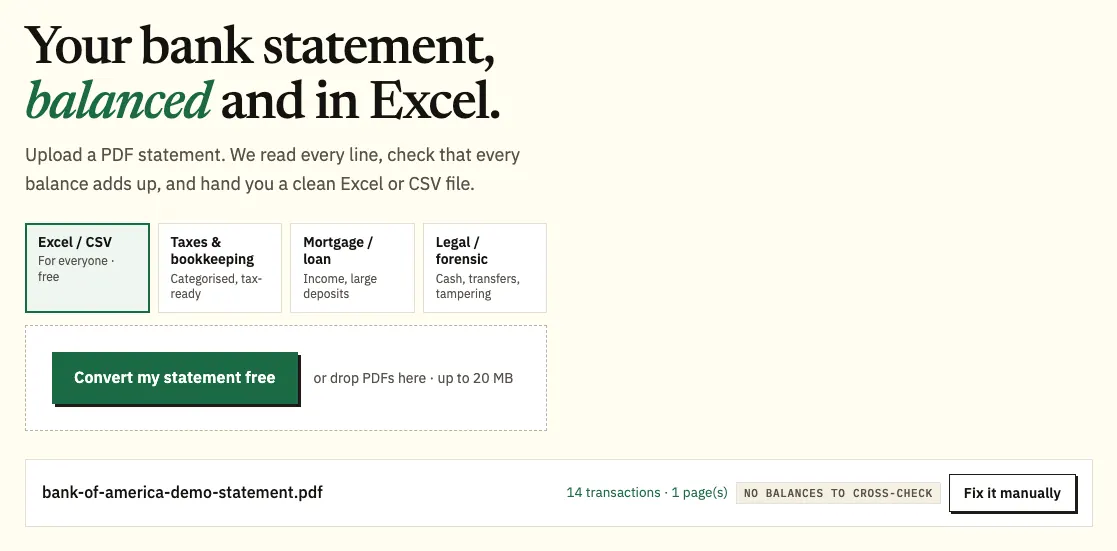
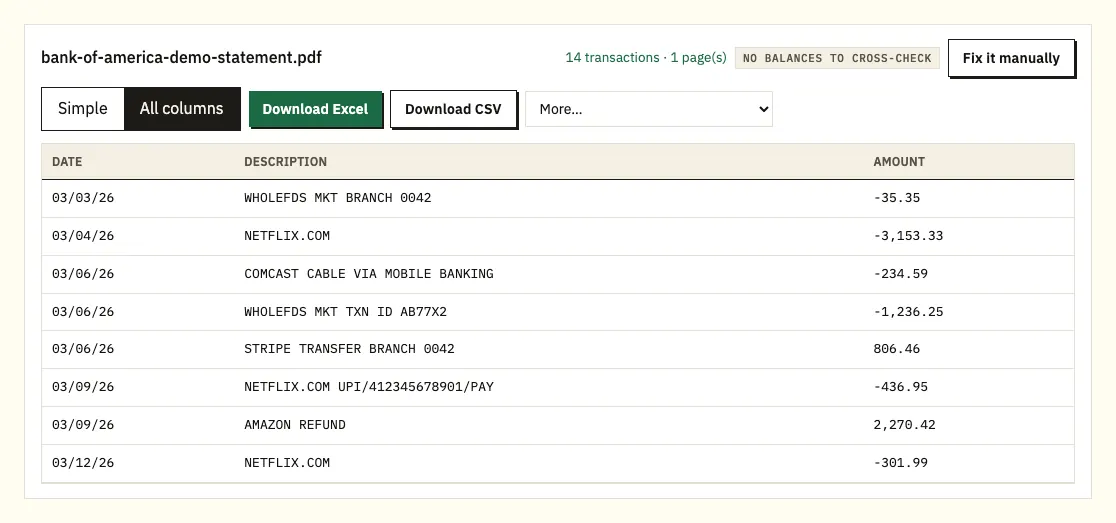
Uploading a demo Bank of America statement. The file name stays with the result. - Compare a few rows with the PDF, and click any flagged row to see it on the page.
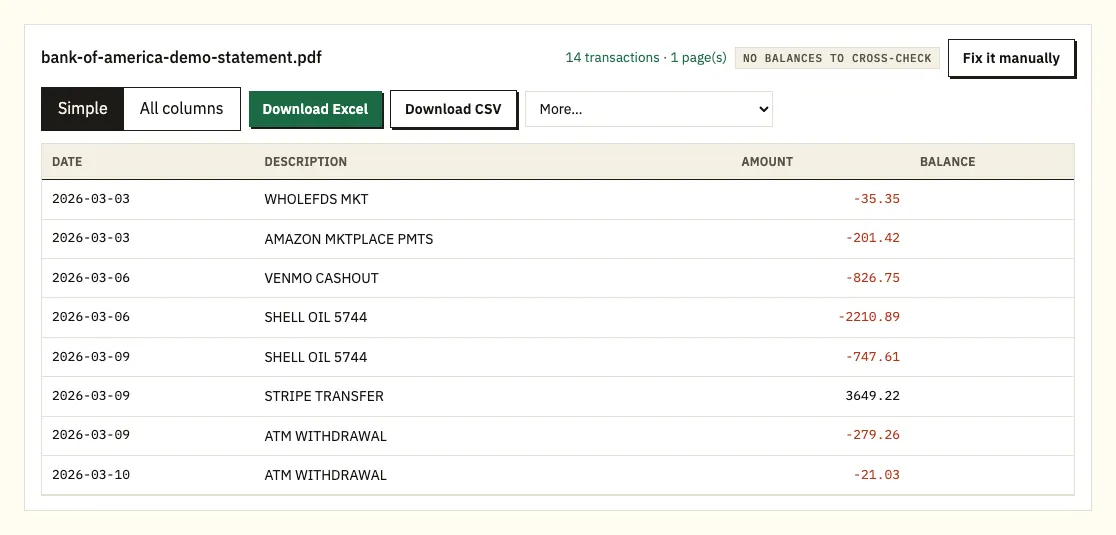
The preview, with each row checked against the statement's balances. - Choose Excel (.xlsx) or CSV and save the file.
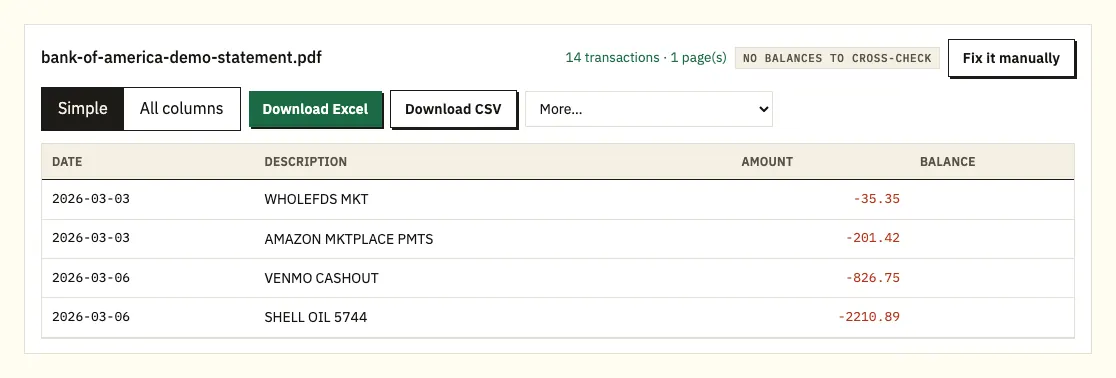
Download Excel or CSV. QuickBooks, OFX and QIF files are under More on paid plans.
Step notes for Bank of America customers
Downloading from Online Banking and the app
On the Statements & Documents tab you can choose View PDF or Download PDF. The same tab is where you manage paperless settings, and Bank of America notes that a change to those settings can take up to 2 statement cycles to apply.
The app steps Bank of America publishes are for credit cards: select the card account, then tap Statements & Documents under Account Management. Once a statement is open you can download, print or email it, depending on your phone and settings. Bank of America says checking and savings statements are in Mobile Banking as well as Online Banking, but doesn't publish separate app steps for them. Small business customers go to Accounts, then Statements and Documents, then the account and the statement period.
Use the PDF file itself. A photo or a screenshot of the statement loses detail and is harder to read accurately.
What the converter checks
Pay most attention to the first and last transaction of each section. The converter checks each printed balance against the row before it, or, when the statement prints only a beginning and an ending balance, checks that the beginning balance plus every amount equals the ending one. A free account raises the daily limit from 3 pages to 15, and accounting formats (QuickBooks .qbo, OFX and QIF) are under More on the paid plans.
Bank of America's transaction download or the PDF?
For recent activity, often yes. Bank of America lets credit card customers request up to 12 months of detailed transaction information in Online Banking and download it for financial management software. Its help page doesn't list the file types, so check which formats your account offers. Business credit card accounts have their own route: the Activity tab, then Download, then a date range and a file type.
Statements are different. The Statements & Documents tab gives you PDFs only. If you need a full statement period in a spreadsheet, or anything older than the activity download covers, the PDF is the source to work from.
| Bank of America transaction download | Converting the PDF statement | |
|---|---|---|
| How far back | Up to 12 months on credit cards | Any statement in Online Banking, up to 7 years |
| Formats | Financial software formats (check your account) | Excel and CSV; QBO, OFX and QIF on paid plans |
| Matches the statement period | You choose the dates | Yes, row for row with the PDF |
| Balances checked | No | Yes, against the statement's balances |
| Scanned or paper statements | Not covered | Read with text recognition, less exact |
Reading a Bank of America checking statement
Bank of America publishes a guide to reading its checking statement. The sample in that guide is several years old, so treat it as a starting point and compare it with your own statement.
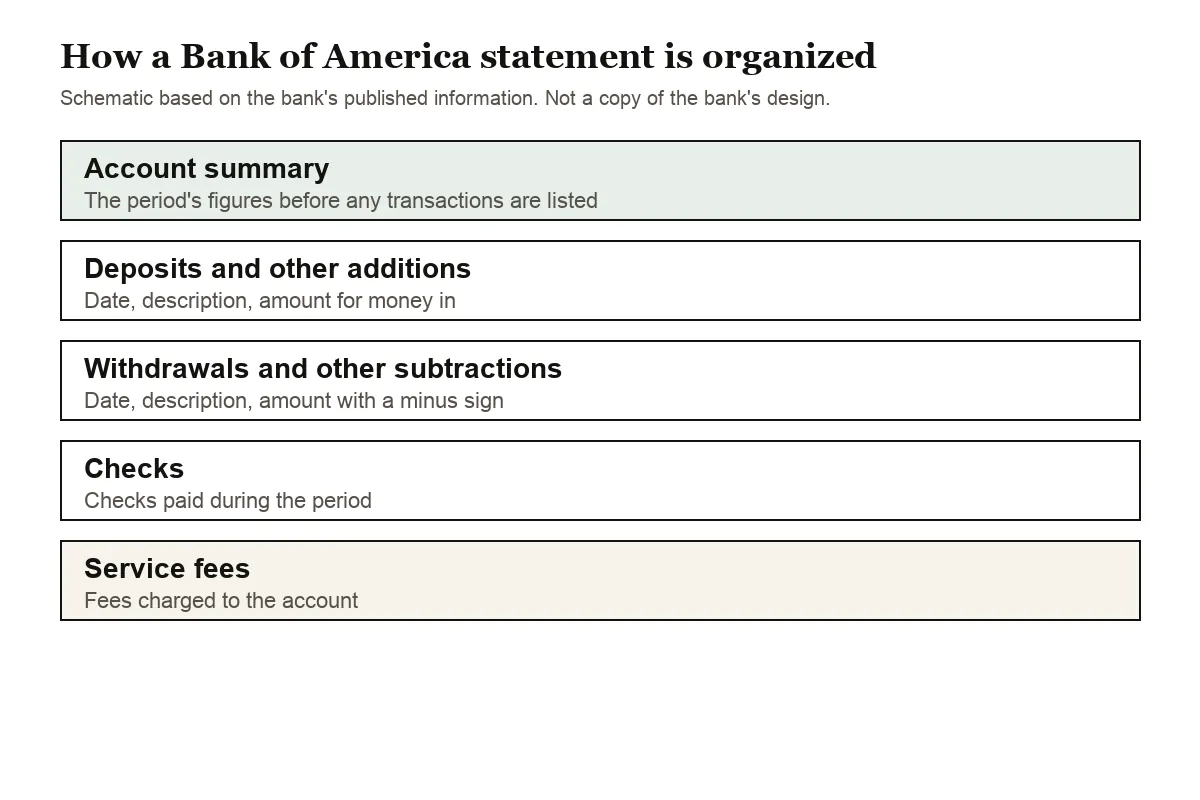
The sample opens with an account summary for the period. Transactions then follow in groups: deposits and other additions, withdrawals and other subtractions, checks, and service fees. Each group lists the date, a description and the amount. Dates appear as MM/DD/YY, so the year is printed on every row, and withdrawals carry a minus sign.
That grouping matters when you work with the numbers. Deposits and withdrawals for the same day sit in different sections, so a copied list isn't in date order until you sort it. The converter reads every section, keeps the minus signs and merges the groups into one list sorted by date.
If you need to see a paid check itself, Bank of America's personal fee schedule (effective August 7, 2026) says Online Banking lets you view and print checks that posted in the last 18 months, at no fee.
Credit card statements use a layout of their own. When you convert a card statement, purchases come out as negative amounts and payments to the card as positive ones.
Getting copies of older Bank of America statements
Online and Mobile Banking keep up to seven years of statements. For eligible accounts, older statements are requested through the Request Statements option in Online Banking. Mortgage and home equity line customers are an exception: Bank of America asks them to contact customer service or visit a financial center for older statement copies.
The personal fee schedule lists statement copies at no fee, available through a financial center or the contact center. Fees and rules can change, so check the current schedule for your account type before you order paper copies.
Spotting errors and filing a Bank of America dispute
Sorting the spreadsheet by amount or description makes a duplicate or unfamiliar charge easy to spot. Bank of America generally gives you 60 days from the statement where the error first appeared, and its page on how to dispute a charge walks through the steps.
What goes wrong with Bank of America PDFs
Most statements convert without trouble. These are the cases to watch for.
Descriptions that wrap onto two lines
Long descriptions, such as online transfers, payroll deposits and payments with a reference number, can run onto a second line in the PDF. Copied by hand, that second line becomes a row with no date or amount. The converter joins it onto the transaction above, so each payment stays one row with its full description.
Sections that span pages
A busy month can push the withdrawals section across two or more pages. Check that the row count in your file matches the statement, and that the last rows of each page are there.
A password on the PDF
If a PDF asks for a password when you open it, the converter asks for it too. It is used once to unlock the file and isn't stored.
Scanned or photographed statements
A scan of a paper statement is read with text recognition, which is less exact than a downloaded PDF. Compare the totals with the paper copy, or download the PDF from Online Banking if the statement is within the last seven years.
A layout the converter doesn't recognize
Use Fix it manually to draw the table yourself. Paid plans remember that layout for the next statement from the same account.
Moving Bank of America data into QuickBooks, Xero or Sheets
A spreadsheet from your statement can go straight into your books.
- QuickBooks: upload the CSV, or a QBO file on a paid plan, through bank upload. See importing into QuickBooks.
- Xero: import the CSV or OFX file as a bank statement. See importing into Xero.
- Google Sheets: choose File, Import, Upload and pick the CSV.
Import one month first and check that dates and amounts land in the right columns. Then do the rest of the year.
Keeping Bank of America statements private
Files go over an encrypted connection and are used only to convert them for you. They aren't shared. Without an account, the file and its results are deleted after 24 hours; with a free account they stay for 7 days, and you can switch on auto-delete or remove them yourself at any time. The details are on our security page.
Keep the original PDF as well. The IRS explains how long to keep records that support your tax return, and a bank statement is often part of that record.
Finding Bank of America tax forms
Bank of America posts the 1099-INT on the same Statements & Documents tab as your statements, and only for accounts that earn at least $10 in interest in the year. Our guide to bank statements for a tax return shows how to total interest from converted statements when no form arrives.
Paperless Bank of America statements
With paperless statements, Bank of America sends a monthly email when your statement is ready to view and print online, and keeps copies for up to 7 years. If you're already enrolled in Online or Mobile Banking, you can switch to paperless straight away.
Paperless settings live on the same Statements & Documents tab as the PDFs. Bank of America notes that a change can take up to 2 statement cycles to apply, so you may get one more paper statement after switching, or wait a cycle or two for paper to start again if you switch back.
The email is only a notice. The statement itself stays in Online Banking, so download the PDF each month or in a batch before it ages past the seven-year window.
Questions people ask about Bank of America statements
Can I download a Bank of America statement in Excel format?
Statements come as PDFs from the Statements & Documents tab. Credit card customers can download up to 12 months of transactions for financial software, and you can convert the PDF itself to get a spreadsheet that matches the statement period.
How far back can I get Bank of America statements online?
Up to seven years in Online and Mobile Banking. For eligible accounts, older statements can be ordered through Request Statements.
Does Bank of America charge for a statement copy?
The personal fee schedule effective August 7, 2026 lists statement copies at no fee. Check the schedule for your own account, since terms differ between account types and can change.
Can I convert a Bank of America credit card statement?
Yes. Download it from the card's Statements & Documents tab and convert it the same way. Purchases show as negative amounts and payments as positive ones.
Why do some rows have no amount when I copy and paste?
That is usually a description that wrapped onto a second line. The second line has no date or amount of its own, so it belongs to the transaction above it.
How do I get an old mortgage or home equity statement?
Older statements for most accounts are ordered through Request Statements in Online Banking. Mortgage and home equity line customers are the exception: Bank of America asks them to contact customer service or visit a financial center.
Why are deposits and withdrawals in separate lists?
A Bank of America checking statement groups transactions by type, so deposits, withdrawals, checks and service fees each have their own section. The converter reads every section and puts the rows into one list in date order.
Can I see copies of my Bank of America checks?
Yes. The personal fee schedule says Online Banking lets you view and print checks that posted in the last 18 months, at no fee. Older check copies can be requested through a financial center or the contact center.
More guides for US banks
Have accounts elsewhere too? See the guides for Chase statement to Excel, Wells Fargo statement to CSV, Capital One statement to Excel, Citi statement to Excel, American Express statement to Excel and U.S. Bank statement to Excel, or browse all supported banks.
To change a Bank of America statement to Excel, download the PDF and open the bank statement converter (or the upload box at the top of this page). Bank of America's own help page covers finding your statements and transaction downloads.