
Citi Online sorts credit card statements into two lists, Recent Statements you can download straight away and Older Statements you request first. Either way you end up with a PDF, and to export a Citi statement to Excel you upload that PDF to our free bank statement converter and download the rows as a spreadsheet.
Quick answer: Log in to Citi Online, click Statements (PDF), pick the statement date and download it. Upload it in the box above, check the rows and the balance check, then download Excel or CSV. Older statements need a request and can take 48 to 72 hours.
On this page
- Steps to export a Citi statement to Excel
- Details behind the Citi steps
- Can Citi Online give you a spreadsheet?
- Reading a Citi credit card statement
- Ordering older Citi statements
- Questioning a charge on your Citi card
- When a Citi card PDF needs attention
- Putting Citi card data into QuickBooks, Xero or Sheets
- How your Citi statement is handled when you upload it
- Citibank checking and savings statements
- Errors and tax forms on Citibank accounts
- Your Citi Online statement questions answered
- Statement guides for other US banks
Steps to export a Citi statement to Excel
- Log in to Citi Online → Statements (PDF) → Recent Statements → pick the date and format → Download.
- Upload it here, in the box near the top of this page, or open the full bank statement converter.
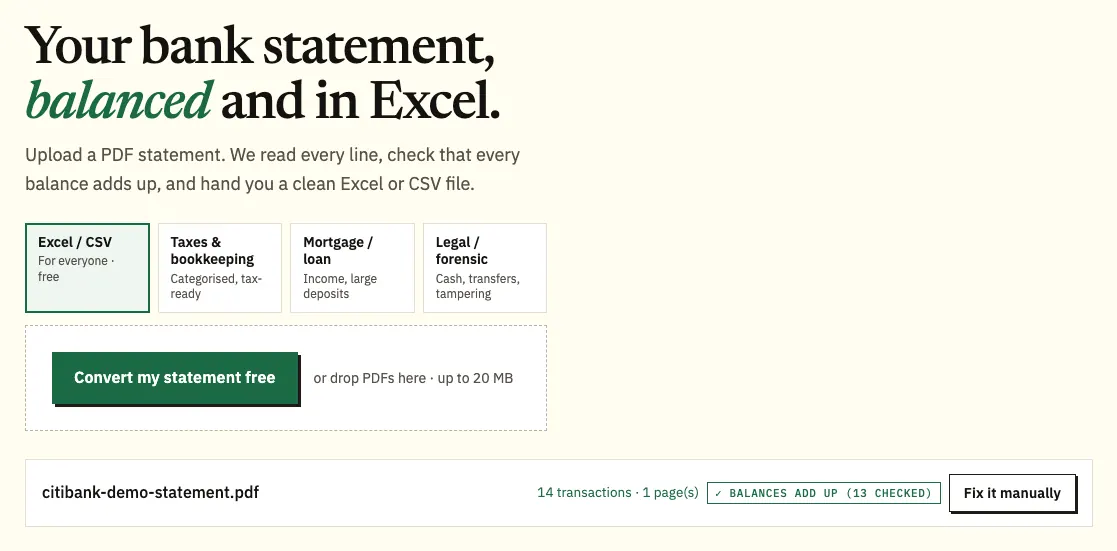
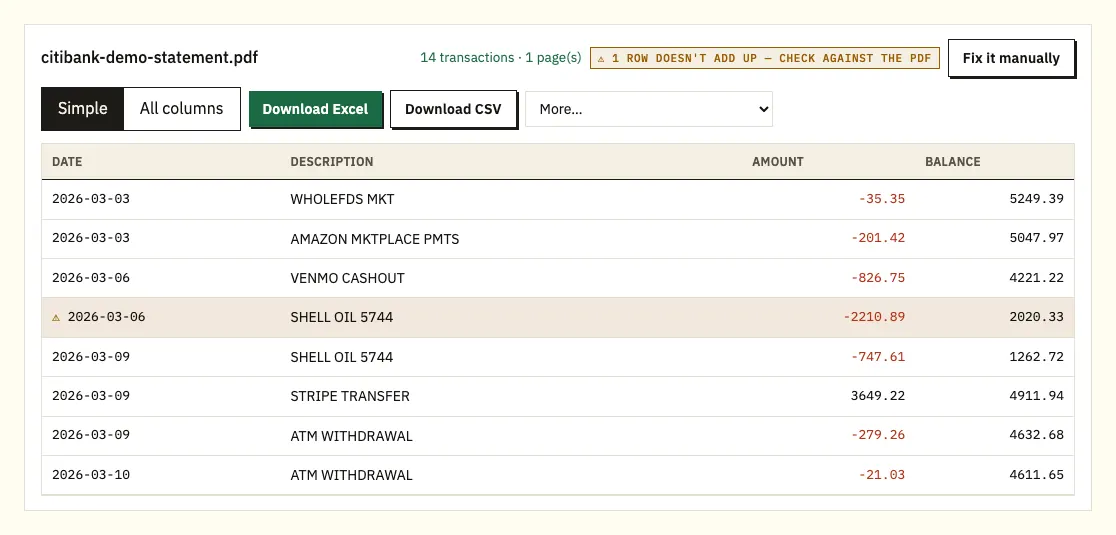
Uploading a demo Citi card statement. The file name appears with the result. - Check the rows and the ⚠ marks against the PDF.
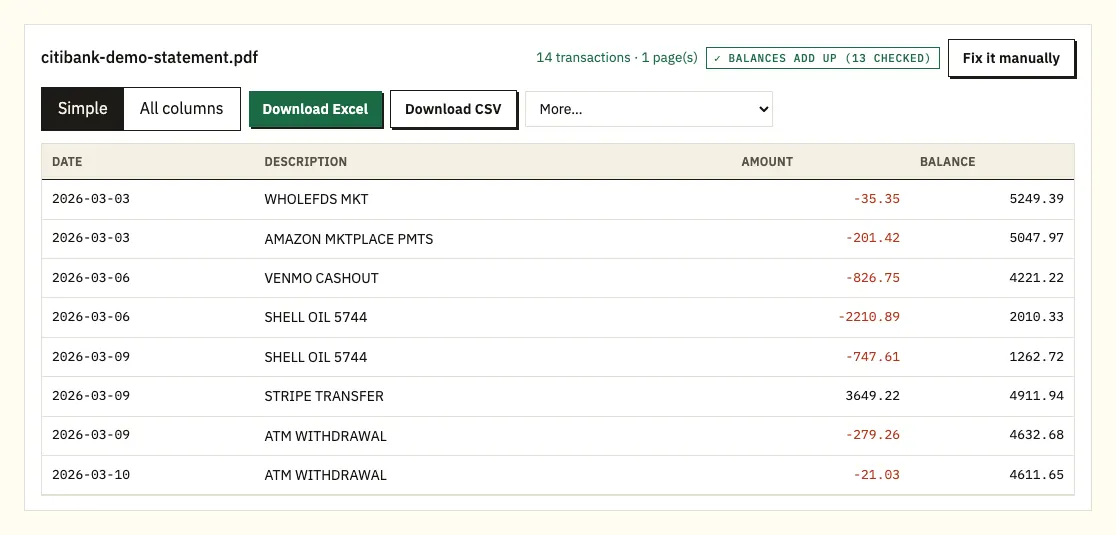
The preview, with the rows added to the previous balance and compared with the new balance. - Save it as Excel or CSV.
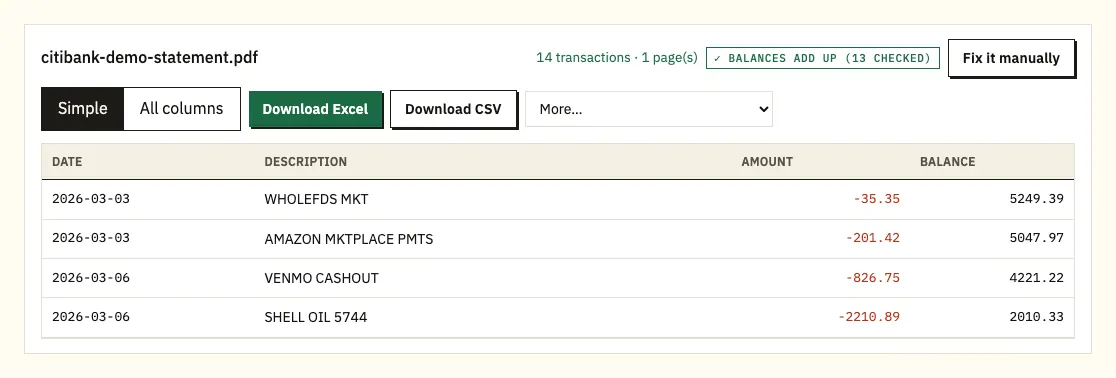
Download Excel or CSV. QuickBooks, OFX and QIF files are under More on paid plans.
Details behind the Citi steps
These steps follow Citi's own tutorial for credit card accounts. For Citibank checking and savings, see the bank account section further down. After you click Download, the PDF opens in a pop-up window, where you can view it or save it to your computer. If nothing appears, allow pop-ups for the Citi site and try again.
Recent Statements only includes statements issued after your card was registered for Citi Online. If the month you need isn't there, request it from the Older Statements section instead. Citi's statement guide also notes that paperless statements can be viewed or downloaded in the mobile app as well as the online account.
A Citi card statement lists both a purchase date and a posted date, so decide which one you want as the main date in your spreadsheet. The converter adds every amount to the previous balance and compares the result with the new balance on the statement. On a bank account statement that prints a balance on every line, each balance is checked against the row before, and clicking a flagged row opens that spot on the PDF.
Up to 3 pages a day are free without an account, and 15 a day with a free account. If you use QuickBooks or another ledger, the paid plans add .qbo, OFX and QIF files under More.
Can Citi Online give you a spreadsheet?
Citi Online lets you browse card transactions on screen. Scroll down your Account Details page to see what's posted since your last statement, and use the tabs to filter: Show All, Pending, Purchases, Payments/Adj/Credits and Fees/Interest. To look at an earlier cycle, pick a statement date from the Activity Since Last Statement drop-down.
The Citi pages we checked don't confirm a spreadsheet download of that activity for US personal accounts, so look in your own account before relying on one. The statement PDF is always there, and it is the version that matches what Citi billed you, with the fees, interest and new balance for the cycle.
| Citi Online activity view | Converting the PDF statement | |
|---|---|---|
| What you get | Transactions on screen, filtered by tab | An Excel or CSV file of the whole statement |
| Older cycles | Earlier statement dates from a drop-down | Any Recent or Older statement PDF |
| Fees and interest | On the Fees/Interest tab | As rows, alongside purchases and payments |
| Totals checked | No | Previous balance plus all rows against the new balance |
| Accounting formats | Not confirmed for personal accounts | QBO, OFX and QIF on paid plans |
Reading a Citi credit card statement
Citi's guide to card statements breaks the document into parts. Knowing them makes the converted spreadsheet easier to check, because each part tells you something the transaction rows alone don't.
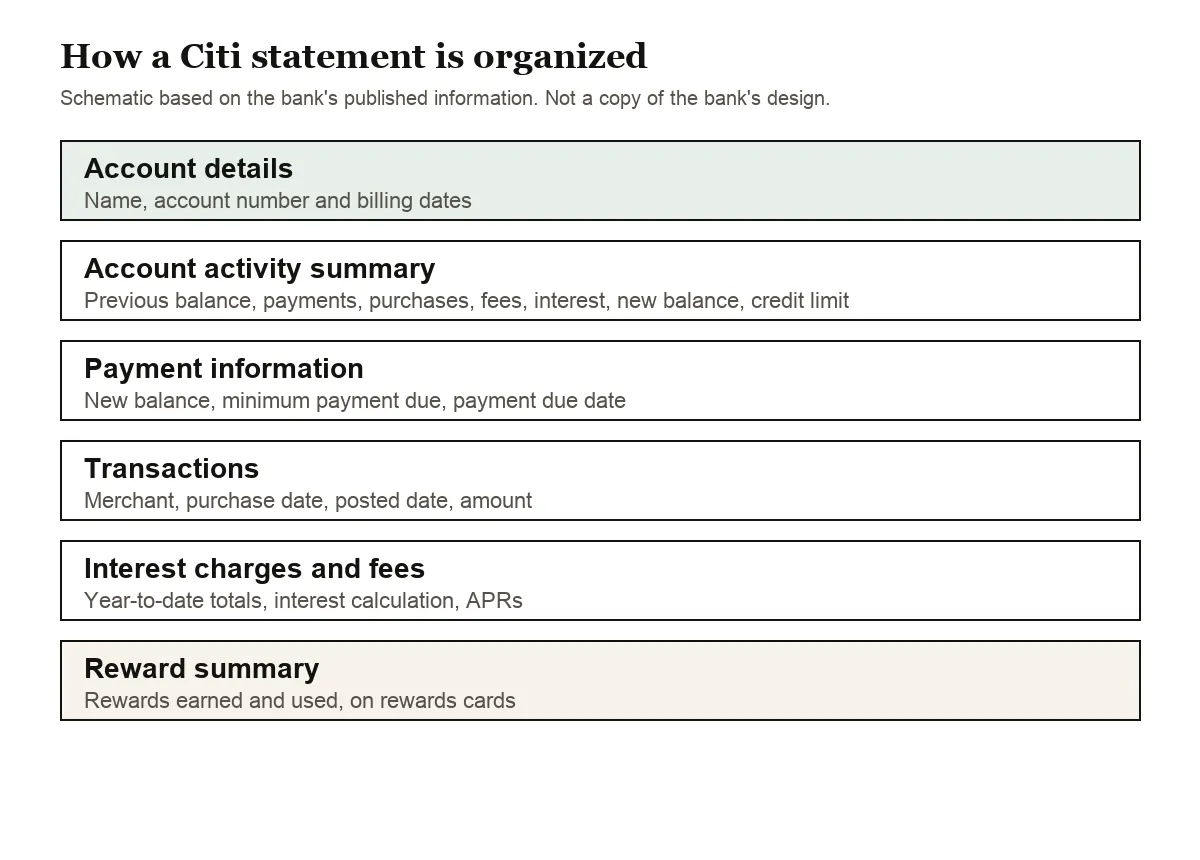
- Account details: your name, account number and the statement's billing dates. Check these first to be sure you have the right month.
- Account activity summary: the previous balance, payments and credits, new purchases, balance transfers and cash advances, fees and interest, and the new balance on the closing date. It also shows your credit limit, available credit and cash access line.
- Payment information: the new balance, the minimum payment due and the payment due date.
- Transactions: each purchase with the merchant name, purchase date, posted date and amount, plus payments, credits, interest charges and cash advances.
- Interest charges and fees: year-to-date totals, how interest was worked out for the cycle, and rates such as the purchase, cash advance and balance transfer APRs.
- Reward summary: on rewards cards, what you earned during the period and how you used it.
The statement also carries a late payment warning and a minimum payment warning, which explains that paying only the minimum means more interest and a longer payoff time.
In the spreadsheet, purchases, fees and interest come out as negative amounts and payments and credits as positive ones. Add them to the previous balance and you should reach the new balance shown in the summary.
Ordering older Citi statements
For statements that aren't in Recent Statements, Citi's tutorial uses a request:
- In Statements (PDF), go to Older Statements, pick the year and month, and click Request. The request appears under Older Statement Request Status as Processing Request.
- Click Make Another Request for each extra month you need.
- Come back after 48 to 72 hours, open Statements (PDF) again and click Ready for Download.
Save or print each one straight away. Citi says requested older statements are only available for 7 days.
Questioning a charge on your Citi card
Sorting the converted rows by merchant or amount makes a duplicate easy to spot. If a charge is wrong, the Consumer Financial Protection Bureau explains how to dispute a charge on a credit card bill with a written notice within 60 days of the charge appearing on your statement.
When a Citi card PDF needs attention
A new balance or running balance that doesn't add up
If the rows plus the previous balance don't reach the new balance, or a printed running balance doesn't follow from the row before, the converter marks it with ⚠. Usually a page is missing from the PDF, a row was read twice, or the file was changed after Citi issued it. Click the flag to compare with the page, then download the statement again from Citi Online.
Two dates on every row
Card rows carry a purchase date and a posted date. Check that the column you sort by is the one you want, since a purchase at the end of a cycle can post in the next one.
Interest and fees in their own section
Interest charges and fees can appear apart from purchases. Make sure they're in your file, or your totals will be short of the new balance.
Locked or scanned files
A password-protected PDF asks for its password once and doesn't keep it. A scanned paper statement is read with text recognition, which is less exact, so compare the totals with the paper copy.
Putting Citi card data into QuickBooks, Xero or Sheets
- QuickBooks: add the CSV through bank upload, or a QBO file on a paid plan. See importing into QuickBooks.
- Xero: import the CSV or OFX file into the card's account. See importing into Xero.
- Google Sheets: File, Import, Upload, then choose the CSV.
Set the card up as a credit card account in your software, so negative purchases and positive payments land on the right side.
How your Citi statement is handled when you upload it
The file travels over an encrypted connection and is used only for your conversion. It isn't shared. Without an account it's deleted after 24 hours; with a free account it's kept for 7 days, and you can turn on auto-delete or delete it whenever you like. See our security page.
Keep the PDFs too, especially older ones that took a request to get. Remember that a requested older statement disappears from Citi Online after 7 days.
Citibank checking and savings statements
Citi's bank accounts work differently from its cards. With paperless statements you can immediately see up to 24 months of checking and savings statements online, and Citi emails you each month when a new one is ready. You can switch back to paper at any time through Manage Paperless Settings on Citi Online or Citi Mobile.
- If you opened a consumer checking or savings account online, you agreed to paperless statements at the start. Digital features such as Mobile Check Deposit and Zelle also need electronic statements.
- Archived bank statements become available 24 to 48 hours after you request them.
- Accounts held in an IRA and stand-alone CDs have no online statements. Customers with only CD or IRA accounts don't receive Account Statements at all and contact Citibank for account information.
- The paperless statement service isn't available for business accounts managed through Citi Online.
Citi's Consumer Deposit Account Agreement (effective November 14, 2024) adds three details that affect your spreadsheet. A statement period is any 28 to 31 days, so it may not match a calendar month. Several accounts can be combined on one statement, which Citi calls Customer Statement Grouping, and in some cases you can ask to separate them. Statements go to the first titled owner on the account.
Unless you are in a Relationship Tier or own a Citi Miles Ahead Savings account, you can ask to change your statement period date. A change affects every Checking Plus account on that statement.
Errors and tax forms on Citibank accounts
For a wrong electronic transfer on a bank account, Citi needs to hear from you no later than 60 days after it sent the first statement showing the problem; the Consumer Deposit Account Agreement gives the phone number and mailing address.
Interest is reported on Form 1099-INT, issued to the first titled owner on the account. Our guide to bank statements at tax time explains how converted statements help you check that figure.
Your Citi Online statement questions answered
Why isn't my statement under Recent Statements?
Recent Statements only shows statements issued after your card was registered for Citi Online. Request earlier ones in the Older Statements section.
How long does a Citi older statement request take?
Citi's tutorial says requests may take 48 to 72 hours. Once ready, the statement stays available for 7 days.
Can I see past Citi transactions without downloading a statement?
Yes. On the Account Details page, use the Activity Since Last Statement drop-down to pick an earlier statement date.
Which date should I use, purchase or posted?
For budgeting, the purchase date shows when you spent the money. For matching the statement and its totals, the posted date is usually the one that places a charge in a cycle.
Can I convert a Citibank checking statement?
Yes. Download the statement PDF from Citi Online and convert it the same way. Where a balance is printed on each line, each one is checked against the row before.
How far back are Citibank checking statements online?
With paperless statements, up to 24 months show up straight away. Archived bank statements can be requested and become available 24 to 48 hours later.
Why doesn't my Citibank statement match the calendar month?
Citi's deposit agreement says a statement period is any 28 to 31 days. Unless you're in a Relationship Tier or own a Citi Miles Ahead Savings account, you can ask to change your statement period date.
Why are several Citibank accounts in one PDF?
Citi can combine accounts on one statement, which it calls Customer Statement Grouping. Check the account heading above each block of rows before you import, and ask Citi about separating them if you want one account per file.
Statement guides for other US banks
Banking with someone else too? See the guides for Chase statement to Excel, Bank of America statement to Excel, Wells Fargo statement to CSV, Capital One statement to Excel, American Express statement to Excel and U.S. Bank statement to Excel, or browse all supported banks.
When you have the PDF, export your Citi statement to Excel with the bank statement converter (or the upload box at the top of this page). Citi's own guide explains how to read a credit card statement.