
U.S. Bank's own download gives you up to 18 months of transactions as CSV, but only in online banking and never in the app. For anything older, or for a spreadsheet that matches one statement exactly, turn the U.S. Bank statement to Excel by saving the e-statement PDF and uploading it to our free bank statement converter.
Quick answer: In U.S. Bank online banking, choose Accounts from the top menu, pick the document type, account and year, and download the statement. Upload it in the box above, check the rows, then download Excel or CSV.
On this page
- Getting a U.S. Bank statement to Excel
- U.S. Bank step notes
- U.S. Bank's own CSV, QFX and QBO download
- How much statement history U.S. Bank keeps
- Checking the details on a U.S. Bank e-statement
- Paper copies and closed U.S. Bank accounts
- Disputing a U.S. Bank card transaction
- Fixing problems with U.S. Bank PDFs
- U.S. Bank data in QuickBooks, Xero or Sheets
- Your U.S. Bank PDF and our servers
- Interest totals and 1099-INT forms at U.S. Bank
- U.S. Bank e-statement and download questions
- More US bank guides
Getting a U.S. Bank statement to Excel
- In online banking: Accounts → document type → account → year → select the document → download. In the app: main menu → Statements & docs, then the same choices.
- Upload it here, in the box near the top of this page, or open the full bank statement converter.
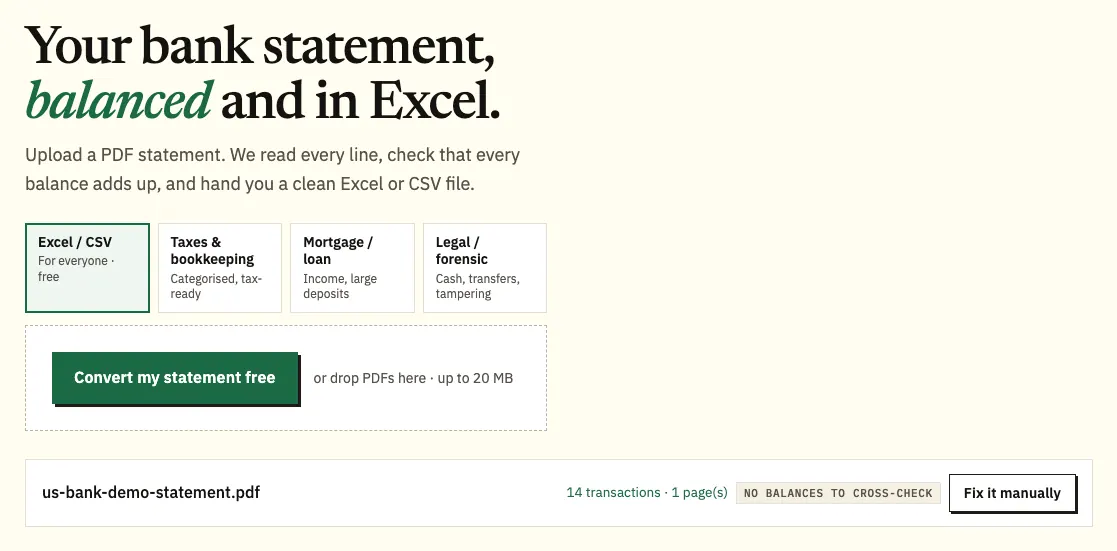
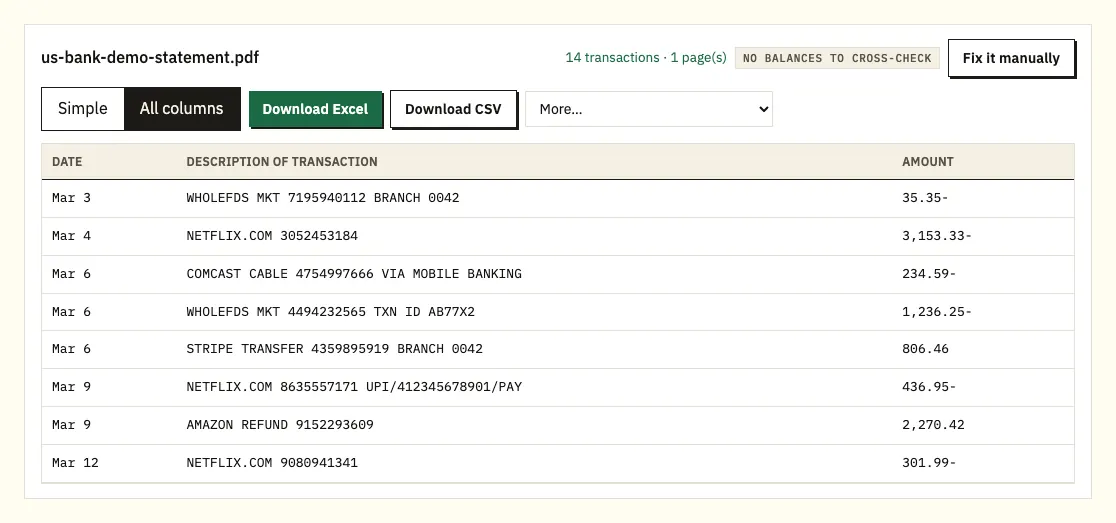
Uploading a demo U.S. Bank e-statement. The file name appears with the result. - Compare the rows with your statement and look at anything marked.
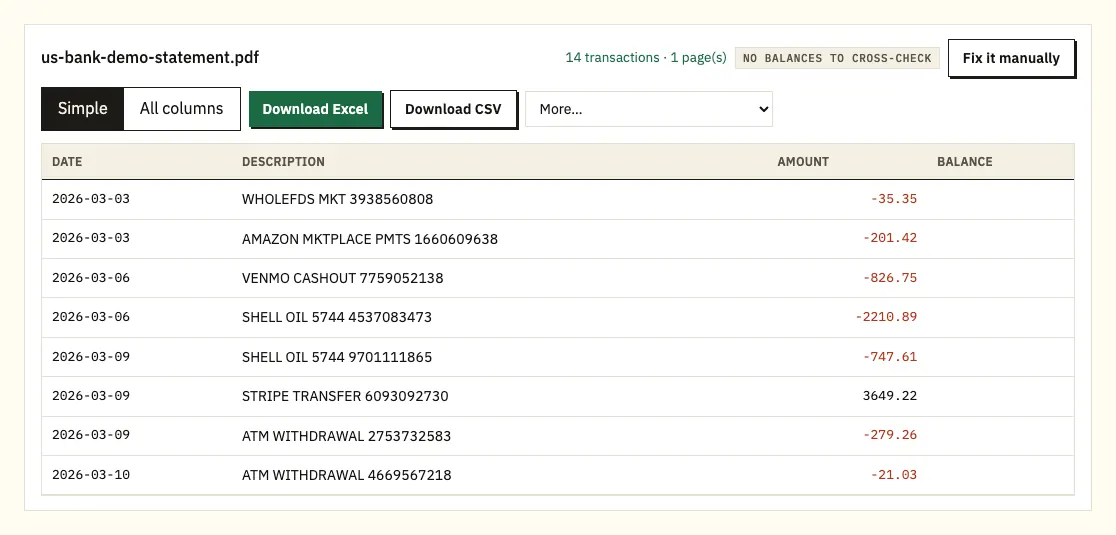
The preview, with the balances checked against each row. - Download Excel or CSV.
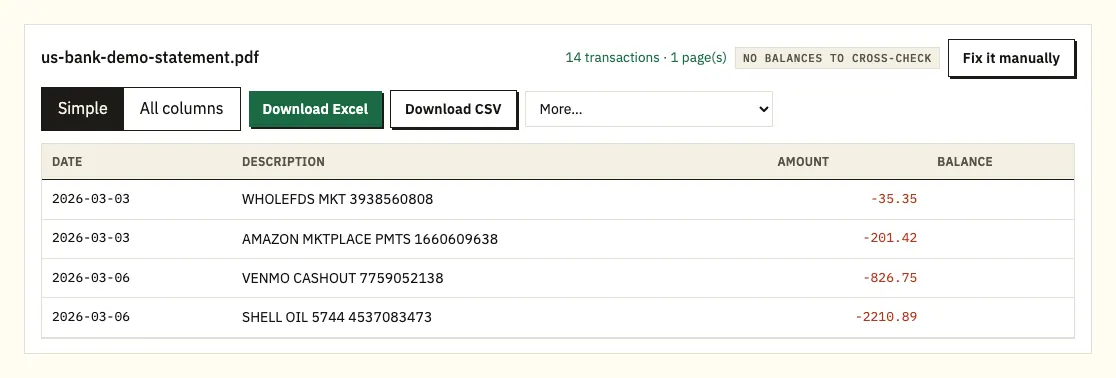
Download Excel or CSV. QuickBooks, OFX and QIF files are under More on paid plans.
U.S. Bank step notes
These steps cover U.S. Bank checking, savings and credit card e-statements. To see older documents, select a different year in the year menu. Your newest e-statement appears after the billing cycle closes. If you're enrolled in e-statements, U.S. Bank sends an email or text each time a new one is posted, and a notice in the online banking message center.
Several statements can go into the converter together. Each transaction becomes one row with its date, description and amount. If the statement prints a balance beside the transactions, each one is checked against the row before. If it prints only a beginning and an ending balance, the converter checks that the beginning balance plus every amount gives the ending balance. Clicking a marked row shows it on the PDF.
You can convert 3 pages a day without an account, or 15 with a free account. The paid plans add QuickBooks (.qbo), OFX and QIF under More.
U.S. Bank's own CSV, QFX and QBO download
U.S. Bank offers a transaction download in online banking. Open the account, click the download icon in the upper-right corner of the Transactions tile, set the date range and the file format, then click Download. The formats are CSV (spreadsheet), QFX (Quicken) and QBO (QuickBooks).
It has two limits. It reaches back up to 18 months, and U.S. Bank says older transactions require your account statements. It also isn't available in the U.S. Bank Mobile App, so you need a computer or a browser for it.
Inside those limits it's often the quickest option. Outside them, or when someone asks for the statement itself, work from the PDF.
| U.S. Bank transaction download | Converting the PDF statement | |
|---|---|---|
| How far back | Up to 18 months | Up to 7 years of e-statements, depending on the account |
| Formats | CSV, QFX, QBO | Excel and CSV; QBO, OFX and QIF on paid plans |
| Mobile app | Not available | Upload the PDF from your phone |
| Matches the statement period | You set the dates | Yes, row for row with the PDF |
| Balances checked | No | Yes, against the statement's balances |
How much statement history U.S. Bank keeps
U.S. Bank says you can view up to seven years of e-statements in digital banking, but how much you actually see depends on the account and when you went paperless.
- Checking, savings and money market: statements go back to August 13, 2017 if you went paperless after August 2017. If you enrolled earlier, history starts from your enrollment date.
- Credit cards and lines: history builds up over time to seven years.
- Mortgage: up to two years available right away.
- Consumer loans and home equity lines: up to seven years available right away.
Certificates of deposit don't get regular statements. They get maturity notices and an end-of-year interest statement instead, so there's no monthly CD statement to convert.
Checking the details on a U.S. Bank e-statement
U.S. Bank doesn't publish a full sample statement on the help pages we checked. It does say your account number appears in the top-right corner of the first page, which is the quickest way to confirm you have the right account before you convert. For everything else, check the headings on your own PDF.
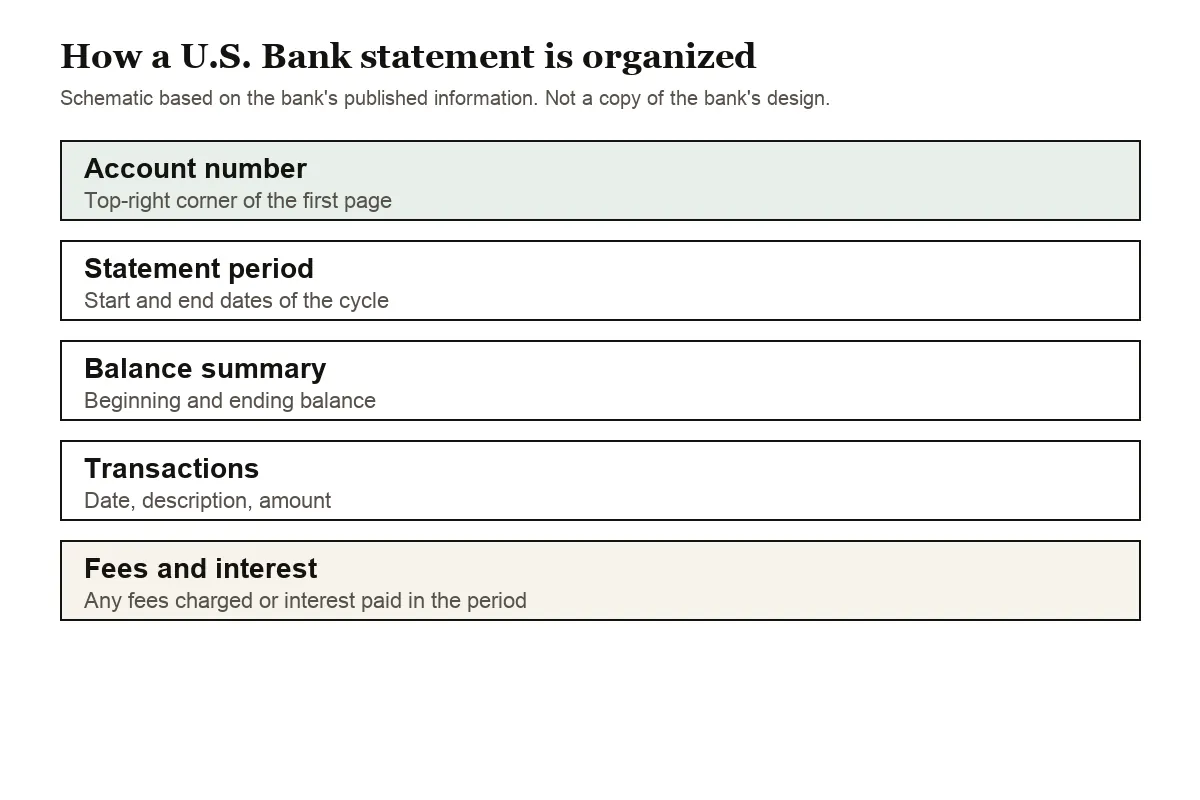
Look for these parts as you compare your spreadsheet with the PDF:
- The statement period, which sets the year for rows that show only month and day.
- The balance summary, with the beginning and ending balance used for the totals check.
- The transaction list. Whether it uses one amount column with minus signs or separate columns for money in and money out, the converter gives you one signed amount column.
- Fees and interest, if any were charged or paid during the period.
On a credit card statement, purchases come out as negative amounts and payments as positive ones. If you hold a CD, don't look for it among the monthly statements: U.S. Bank sends maturity notices and an end-of-year interest statement instead.
Paper copies and closed U.S. Bank accounts
E-statements cost nothing. If you're on e-statements and need a mailed copy, U.S. Bank charges a fee per copy for most account types (mortgage and U.S. Bancorp Investments accounts are the exceptions). Copies of canceled checks or deposit slips cost $2.00 each on consumer checking. Small business and nonprofit checking gets the first two free, then $2.00 each, and premium checking is $6.00 per copy.
Closing an account cuts off e-statements early. Once an account reaches pending closure status you lose e-statement access, except for mortgages, so save or print every statement before you close it. You'll get a final paper statement by mail. Credit card customers can still view statements online after closing. For copies from a closed U.S. Bank account, call 800-872-2657 (TDD 800-865-5065).
Disputing a U.S. Bank card transaction
A spreadsheet makes duplicates and unfamiliar merchants easy to spot, and U.S. Bank gives you 60 days from the statement on which a disputed transaction appears. Its help page on disputing a card transaction shows the Dispute this transaction steps and the phone numbers.
Fixing problems with U.S. Bank PDFs
A description that wraps onto two lines
Long descriptions, such as transfers, bill payments and deposits with a reference, can continue on a second line. Copied by hand, that second line becomes a row with no date or amount. The converter joins it to the transaction above, so each payment stays a single row.
A statement that's missing from the list
Check the year drop-down first. If you went paperless after August 2017, deposit statements before August 13, 2017 won't be online; ask U.S. Bank for a paper copy, which may carry a fee.
A password or a scan
A locked PDF asks for its password once, and it isn't stored. Scanned paper statements are read with text recognition, which is less exact, so check the totals against the paper copy.
An unusual layout
Use Fix it manually to draw the table. Paid plans remember the layout for next month's statement.
This month's statement isn't posted yet
The newest e-statement appears only after the billing cycle closes. If you're enrolled in e-statements, U.S. Bank sends an email or text and a message center notice when it's posted, so wait for that before you download and convert the month.
The download and the statement disagree
The CSV, QFX and QBO download covers whatever dates you set, up to 18 months back. A statement covers one billing cycle. When you compare the two, set the download to the statement's start and end dates first, and remember the balance check only happens on the converted statement.
Wrong account in the file
U.S. Bank prints the account number in the top-right corner of the first page. When you convert several accounts at once, check that number on each PDF, then use the column that names each file to keep the accounts apart in the spreadsheet.
U.S. Bank data in QuickBooks, Xero or Sheets
- QuickBooks: for the last 18 months, U.S. Bank's own QBO download works. For older months, upload the CSV, or a QBO file on a paid plan. See importing into QuickBooks.
- Xero: import the CSV or OFX file as a bank statement. See importing into Xero.
- Google Sheets: choose File, Import, Upload and select the CSV.
Your U.S. Bank PDF and our servers
Uploads go over an encrypted connection, and your file is used only for your conversion. It isn't shared. If you're not signed in, it's deleted after 24 hours; on a free account it's kept 7 days, with auto-delete and a delete option for any file. Read more on our security page.
Keep the original PDFs, especially before closing an account. The IRS sets out how long to keep records for a tax return.
Interest totals and 1099-INT forms at U.S. Bank
U.S. Bank issues a 1099-INT when a deposit account earns $10 or more in interest, and the forms appear in online banking, not in the app. A converted statement shows each monthly interest payment as its own row; our guide to bank statements for tax season explains how to use them.
U.S. Bank e-statement and download questions
Can I download U.S. Bank transactions to Excel?
Yes, up to 18 months, as a CSV file from the Transactions tile in online banking. For older periods, convert the statement PDFs.
Why can't I download transactions in the U.S. Bank app?
U.S. Bank says transaction downloads aren't available in the mobile app. Statements are, under Statements & docs in the main menu.
How far back do U.S. Bank e-statements go?
Up to seven years, depending on the account. Checking and savings statements start no earlier than August 13, 2017 for customers who went paperless after August 2017.
Does U.S. Bank charge for paper statements?
E-statements are free. A mailed copy carries a fee per copy on most account types if you're enrolled in e-statements.
Can I get statements after closing my U.S. Bank account?
E-statement access ends once the account is pending closure, except for mortgages and credit cards. Call 800-872-2657 for copies.
When does a new U.S. Bank e-statement appear?
After the billing cycle closes. U.S. Bank sends an email or text when it's posted if you're enrolled in e-statements, plus a notice in the online banking message center.
Can I get copies of canceled checks from U.S. Bank?
Yes. On consumer checking, copies of canceled checks or deposit slips cost $2.00 each. Small business and nonprofit checking get the first two free, then $2.00 each, and premium checking is $6.00 per copy.
Do CDs get U.S. Bank statements?
Not monthly ones. Certificates of deposit get maturity notices and an end-of-year interest statement, so there's no monthly CD statement to convert.
More US bank guides
Banking elsewhere too? See the guides for Chase statement to Excel, Wells Fargo statement to CSV, Bank of America statement to Excel, PNC statement to Excel, TD Bank statement to Excel and Truist statement to Excel, or browse all supported banks.
Once your PDFs are saved, change each U.S. Bank statement to Excel with the bank statement converter (or the upload box at the top of this page). U.S. Bank's help page explains how to view, print or download statements.