
To convert a Chase statement to Excel, download the statement from Chase as a PDF, then upload it to our free bank statement converter.
Quick answer: On chase.com, open the Main Menu, choose Statements & documents and save the statement as a PDF. Upload it in the box above, check the rows against the PDF, then download Excel or CSV.
On this page
- How to convert your Chase statement to Excel
- Step details: the Chase app, balances and file formats
- Can you export a Chase statement straight to Excel?
- What's on a Chase statement
- How long Chase keeps statements and how to get older copies
- Spotted an error on your statement?
- Chase credit card statements
- Using Chase statements for a mortgage
- Common problems when converting Chase PDFs
- Import into QuickBooks, Xero or Google Sheets
- Is it safe to upload a Chase statement?
- Chase tax forms and interest records
- FAQ
- Other US banks
How to convert your Chase statement to Excel
- Download the PDF from chase.com: Main Menu → Statements & documents → account → year → open or save icon.
- Upload it here, in the box near the top of this page, or open the full bank statement converter. The first 3 pages a day are free.
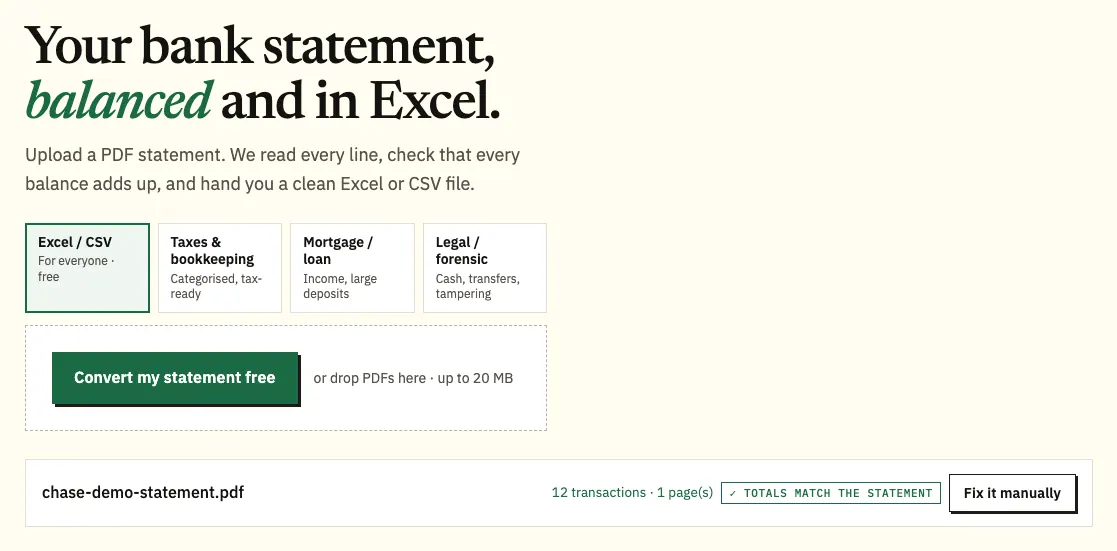
The Chase demo statement dropped into the upload box. - Check the rows: a green note means the amounts add up to the ending balance; a warning means something is off.
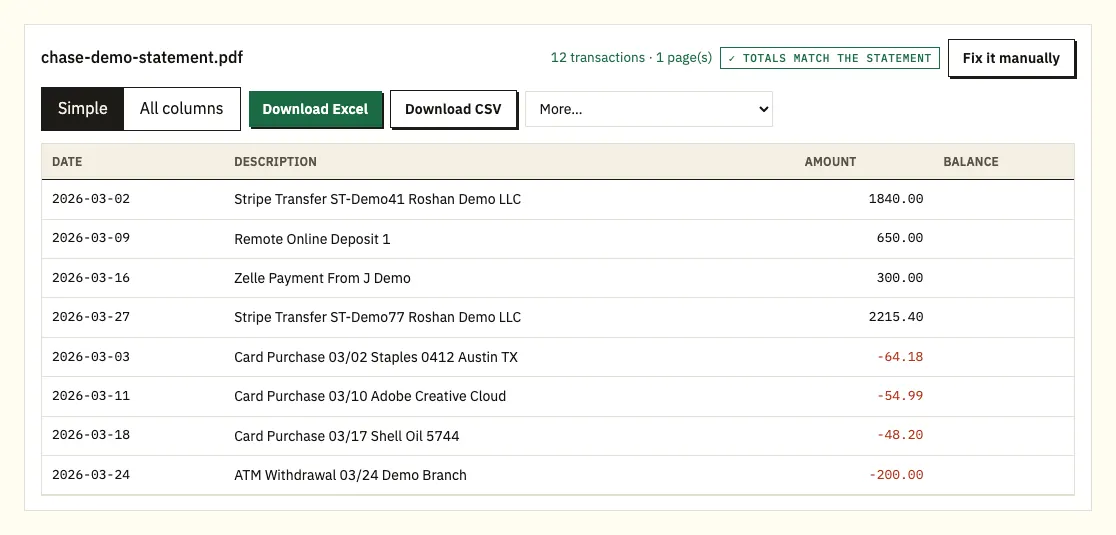
The preview, with the totals matched against the statement's ending balance. - Download Excel or CSV.
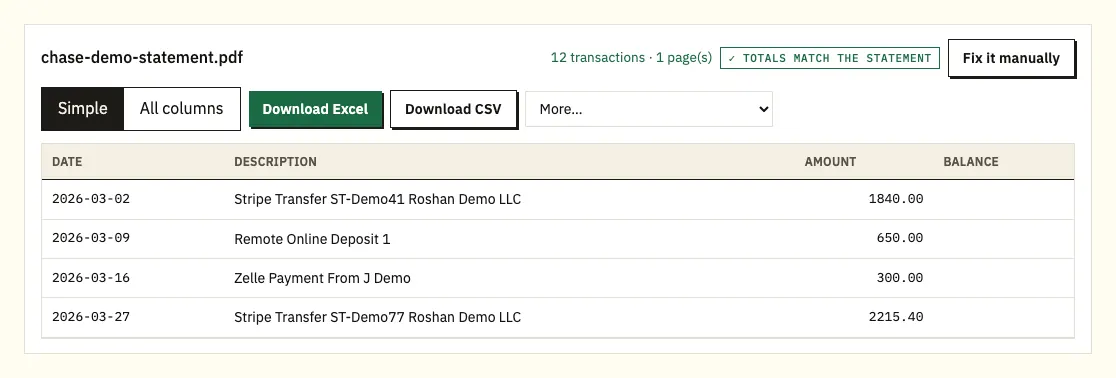
Download Excel or CSV. QuickBooks, OFX and QIF files are under More on paid plans.
Can't find the statement? Follow the full download guide.
Prefer to watch? This 90-second video follows the same steps with a sample statement.
Step details: the Chase app, balances and file formats
The Statements & documents page lists statements for all of your Chase accounts, so pick the right account before you choose the year. In the Chase Mobile app the route is different: tap the Profile & Settings icon at the top right, then Document manager, Statements & documents, Statements, the account and the year. The statement opens as a PDF that you can save or send to a computer.
Save the original PDF rather than taking screenshots. A screenshot or a phone photo loses detail, and the PDF is the version a lender or accountant will accept. You can upload several months in one go.
A Chase statement prints a starting and an ending balance, so the converter adds every amount to the starting balance and compares the result with the ending balance. If they don't match, click any row to see where it sits on the original page. The download has four columns: date, description, amount (money out as a negative number) and balance. QuickBooks (.qbo), OFX and QIF files come with the paid plans.
Can you export a Chase statement straight to Excel?
Not your statements, but you can export recent transactions. On a computer, Chase's Spending Planner downloads transactions as a CSV spreadsheet, as Quicken files (QFX or QIF) or as QuickBooks Web Connect (QBO) files, covering roughly the last two years. On mobile, Chase offers PDF statements only.
The export is handy for recent activity. A converted statement is the better choice when you need the exact period the bank issued, for a lender, an accountant or a dispute, or when the statement is older than two years. The Chase CSV export vs PDF statement comparison shows which file fits each job.
| Chase transaction download | Converting the PDF statement | |
|---|---|---|
| How far back | About the last two years | Any statement you can download, up to 7 years on most accounts |
| Matches the statement period | No, you pick a date range | Yes, row for row |
| Starting and ending balance | Not included | Included and checked |
| On a phone | Not available | Upload the PDF from your phone |
What's on a Chase statement
A Chase statement is the official record of your account for one statement period. Chase's own explainer lists what it contains: the statement period, your starting and ending balances, completed transactions with their date, amount and payee, any fees and interest, and the bank's contact details.
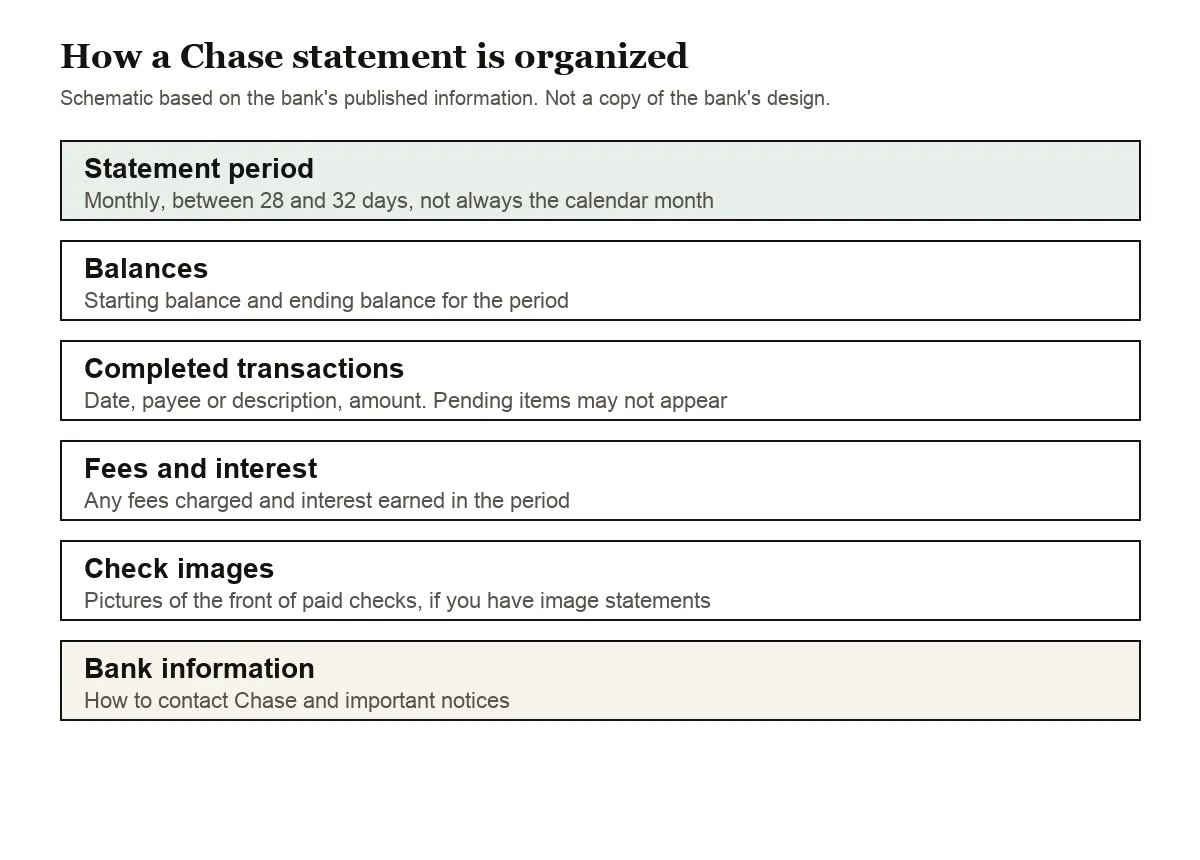
A few details are easy to miss:
- The period isn't always a calendar month. Chase's deposit account agreement says a statement period won't be more than 32 days or less than 28. Business Complete Checking statements end on the last business day of the month.
- Pending transactions may not appear. Only completed transactions are listed, so a payment made on the last day can show up on the next statement.
- Accounts that share an owner can be combined on one statement. You can ask Chase to separate them, which changes future statements only.
- If you have image statements, you also get pictures of the front of your paid checks.
- Chase calls the monthly statement the official record of your account, so it is the document to keep, not a screenshot of recent activity.
- A statement may not be mailed for a period where the only activity is interest, so a gap in a paper file isn't always a missing statement.
- Check enclosures aren't offered with paperless statements. If you go paperless, the check pictures come with image statements instead.
When you convert, the starting balance, every transaction and the ending balance come across as numbers, so you can total a month, sort by amount or filter by payee in seconds.
How long Chase keeps statements and how to get older copies
You can see up to 7 years of statements online, depending on the account type. Some credit cards keep fewer, such as six years.
For anything you can't find online, each owner listed on a statement can ask Chase for a copy. Chase lists 1-800-935-9935 for personal accounts and 1-800-242-7338 for business accounts. Chase's personal fee schedule effective June 2026 doesn't list a fee for statement copies.
To stop paper statements, go to Profile & Settings, then Account settings, then Paperless. You can switch back to paper at any time, and it can take about a month for mailed statements to stop.
Spotted an error on your statement?
Report it to Chase quickly: for electronic transfers on a personal account, the Chase deposit account agreement gives you 60 days from the first statement that shows the problem, and business accounts get 30. For a card charge, Chase explains the steps in its guide to disputing a credit card charge.
Chase credit card statements
Card statements work differently from checking statements. Chase's guide to reading one names the parts: previous balance, minimum payment due, notice of changes, interest charges, fees, recent transactions, credit limit and a minimum payment warning.
The statement covers one billing cycle, which ends on the statement closing date, usually the same day each month. Chase says statements usually arrive about 21 days before the payment is due. To dispute a charge, you typically have 60 days from the statement date; your cardmember agreement has the exact terms.
When you convert a card statement, purchases appear as negative amounts and payments as positive ones, matching how they affect your money.
Using Chase statements for a mortgage
Chase's mortgage pages list bank statements as a common request for proof of assets, and the lender will want the original PDFs, not an edited copy. Our guide to bank statements for a mortgage application covers what lenders usually look at.
Common problems when converting Chase PDFs
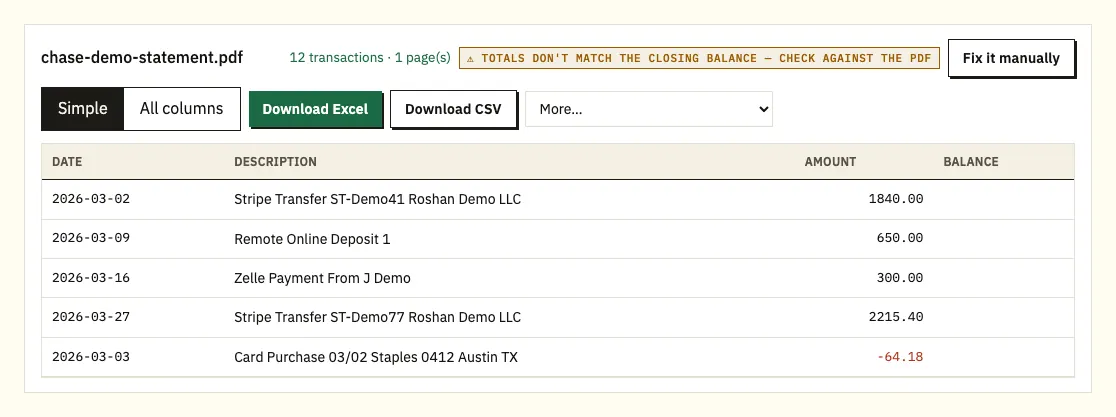
The totals don't match
If the amounts don't add up to the ending balance, the converter shows a warning instead of the green note. The usual cause is a missing page. Download the statement again from Chase and convert the fresh copy.
Descriptions on two lines
Long descriptions, such as payroll or online transfers, often wrap onto a second line. The converter joins the second line onto its transaction, so each payment stays one row.
A password on the PDF
If a PDF asks for a password when you open it, the converter asks too. It uses the password once to open that file and doesn't store it.
Scanned statements
A scan of a paper statement is read with text recognition, which is less exact than a PDF downloaded from Chase. Check scanned results against the paper copy.
A payment missing from the end of the period
Chase lists completed transactions only, so a card payment or transfer made on the last day of the period can land on the next statement. If a row seems to be missing, convert the following month as well. Upload both PDFs together and the spreadsheet gets a column showing which file each row came from.
Months that don't line up with the calendar
Because a Chase statement period runs 28 to 32 days, a statement can start late in one month and end in the next. Rows on Chase statements often show only the month and day. The converter takes the year from the statement period, so a December to January statement still gets the right year on each row.
Two accounts on one statement
When accounts share an owner, Chase can combine them on one statement. Before you import, check which account each block of rows belongs to, and split the sheet if your accounting software expects one account per file. Asking Chase to separate the accounts only changes future statements, so older combined ones stay as they are.
Import into QuickBooks, Xero or Google Sheets
- QuickBooks: upload the CSV through QuickBooks' bank upload. See importing into QuickBooks.
- Xero: import the CSV as a bank statement. See importing into Xero.
- Google Sheets: choose File, then Import, then Upload, and select the CSV.
Import one month first and check that dates and amounts land in the right columns before you import a whole year.
Is it safe to upload a Chase statement?
The file is sent over an encrypted connection, used only to convert it for you, and not shared with anyone. If you're not signed in, it's deleted automatically after 24 hours; with a free account, after 7 days, and you can delete it yourself at any time. See how we protect your data. Keep your own copy of the original PDF as well: it's the official record.
Chase tax forms and interest records
Chase mails Form 1099-INT by January 31 only when the combined interest on all your deposit accounts is $10 or more, so below that your statements are the record of what you earned. See getting bank statements ready for a tax return for how to total interest from a year of statements.
FAQ
Can I download a Chase statement in Excel format?
Chase gives statements as PDFs only. You can download recent transactions as a CSV from Chase's Spending Planner, or convert the PDF statement to get a spreadsheet that matches the statement period.
How far back can I get Chase statements online?
Up to 7 years, depending on the account type. Some credit cards keep fewer. For older statements, ask Chase for a copy.
Why doesn't my statement cover the whole month?
Chase statement periods run between 28 and 32 days and don't always line up with the calendar month. Check the period printed at the top of the statement.
Can I convert a Chase credit card statement?
Yes. Upload the card statement PDF the same way. Purchases appear as negative amounts and payments as positive ones.
When does a Chase card statement arrive?
The billing cycle ends on the Statement Closing Date, which is usually the same day each month. Chase says the statement usually arrives about 21 days before the payment is due.
Why is there no statement for one month?
Chase may not mail a statement when the only activity in a period is interest. Sign in and check Statements & documents for that account, since the online list is the quickest way to see what was issued.
Can I stop paper statements and still keep check pictures?
Turn on paperless under Profile & Settings, Account settings, Paperless. Check enclosures aren't offered with paperless, but image statements show the front of your paid checks.
Can I get older Chase statements as a PDF?
Up to 7 years are online for most accounts. For anything older, each owner on the statement can ask Chase for a copy by phone, at 1-800-935-9935 for personal accounts or 1-800-242-7338 for business accounts.
Other US banks
Have accounts elsewhere too? See the guides for Bank of America statement to Excel, Wells Fargo statement to CSV, Capital One statement to Excel, Citi statement to Excel, American Express statement to Excel and U.S. Bank statement to Excel, or browse all supported banks.
When your PDF is ready, use the bank statement converter to convert a Chase statement to Excel. Chase's help page explains where to find your statements online.