
Barclays only issues statements as PDFs, so getting a Barclays statement to Excel takes one extra step: save the PDF from Online Banking or the Barclays app, then upload it to our free bank statement converter. Every transaction becomes a dated row that you can check against the PDF and save as Excel or CSV.
Quick answer: In Barclays Online Banking pick Online Statements from the menu under your name (or Statements in the app), save the PDF, upload it in the box above, check the rows and download Excel or CSV. Three pages a day cost nothing and need no account.
On this page
- How to convert a Barclays statement to Excel
- Does Barclays offer a spreadsheet export?
- What a Barclays current account statement shows
- Barclays statement history, copies and paper
- Barclays PDF problems worth checking
- A Barclays payment that looks wrong
- From Barclays CSV to QuickBooks, Xero or Sheets
- How we handle your Barclays file
- Barclays current accounts and who holds what
- Barclays statements for proof of address or a mortgage
- Barclays interest summaries
- Barclays statements: what customers ask
- Barclays and your other UK accounts
How to convert a Barclays statement to Excel
Four steps; Barclays supplies the PDF and the converter does the rest.
- Save the PDF. Online Banking: the dropdown under your name → Online Statements → account → open the statement → PDF icon. Barclays app: Help (More on some versions) → Statements.
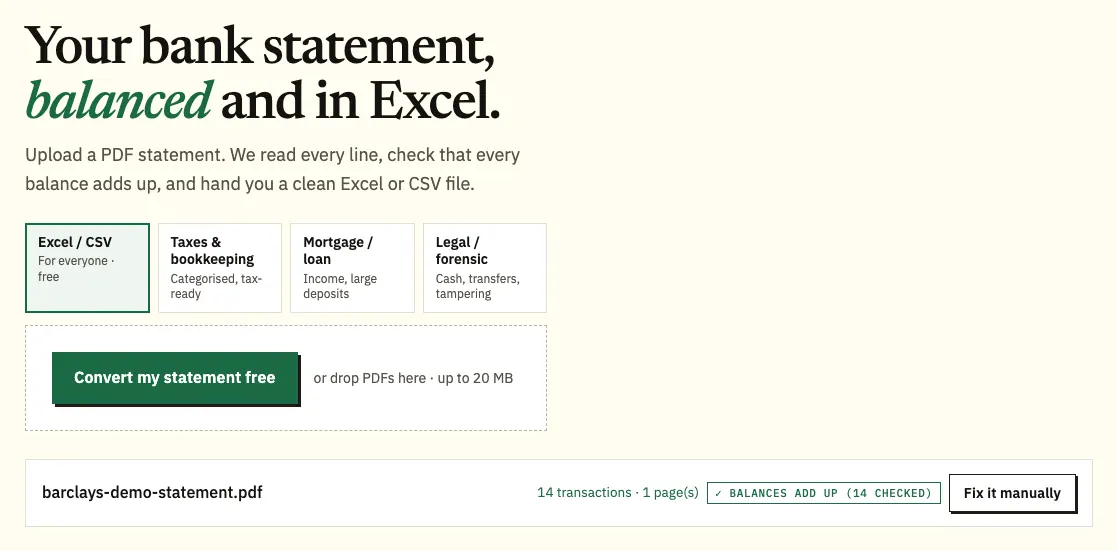
- Upload it here, in the box near the top of this page, or open the full bank statement converter. Guests get 3 free pages a day, free accounts 15.
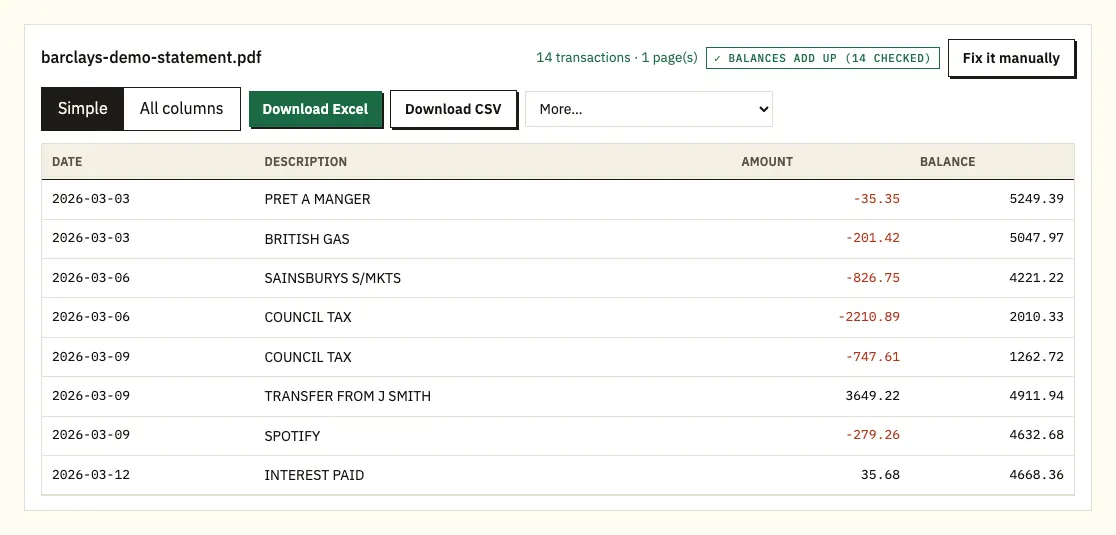
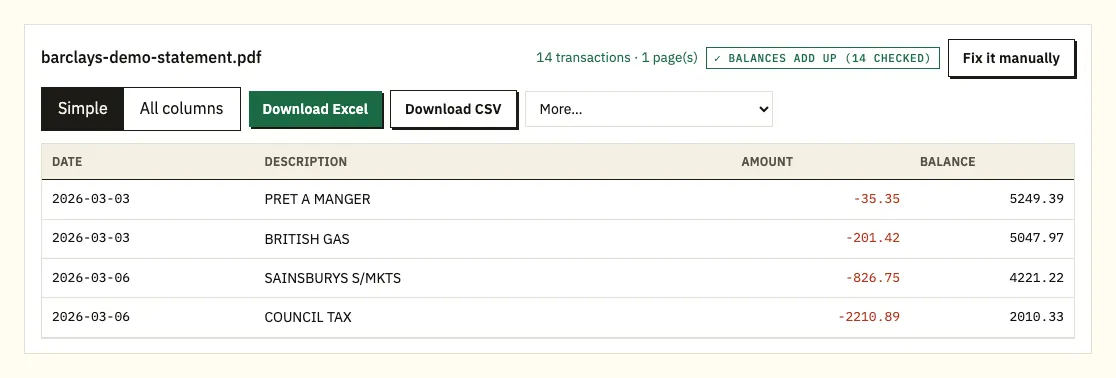
- Check each row. Every printed balance is tested against the one before it, and a row that doesn't follow on gets a ⚠; select it to see the line on the PDF.
- Download an Excel workbook or a CSV file. The paid plans add QuickBooks (.qbo), OFX and QIF under More.
Does Barclays offer a spreadsheet export?
Barclays' statement help pages cover viewing, saving and ordering PDFs. We couldn't find a current Barclays page confirming a CSV or spreadsheet export for personal current accounts, so check the transactions screen in Online Banking for any download button on your account.
A list of transactions, even if your account offers one, isn't a statement. Mortgage lenders and letting agents normally want the statement period as Barclays issued it, with its balances. Converting the PDF keeps both.
| Barclays Online Banking | Barclays PDF, converted | |
|---|---|---|
| File you get | .xlsx or .csv; .qbo, OFX, QIF on paid plans | |
| Years available | 7 while open, 5 after closing | Every PDF you've saved |
| Sums checked | No | Each running balance |
| Posted statements | Read only | Scans converted with text recognition |
What a Barclays current account statement shows
Barclays doesn't publish a sample current account statement on the help pages we checked, so treat this as a general guide and check the headings on your own.
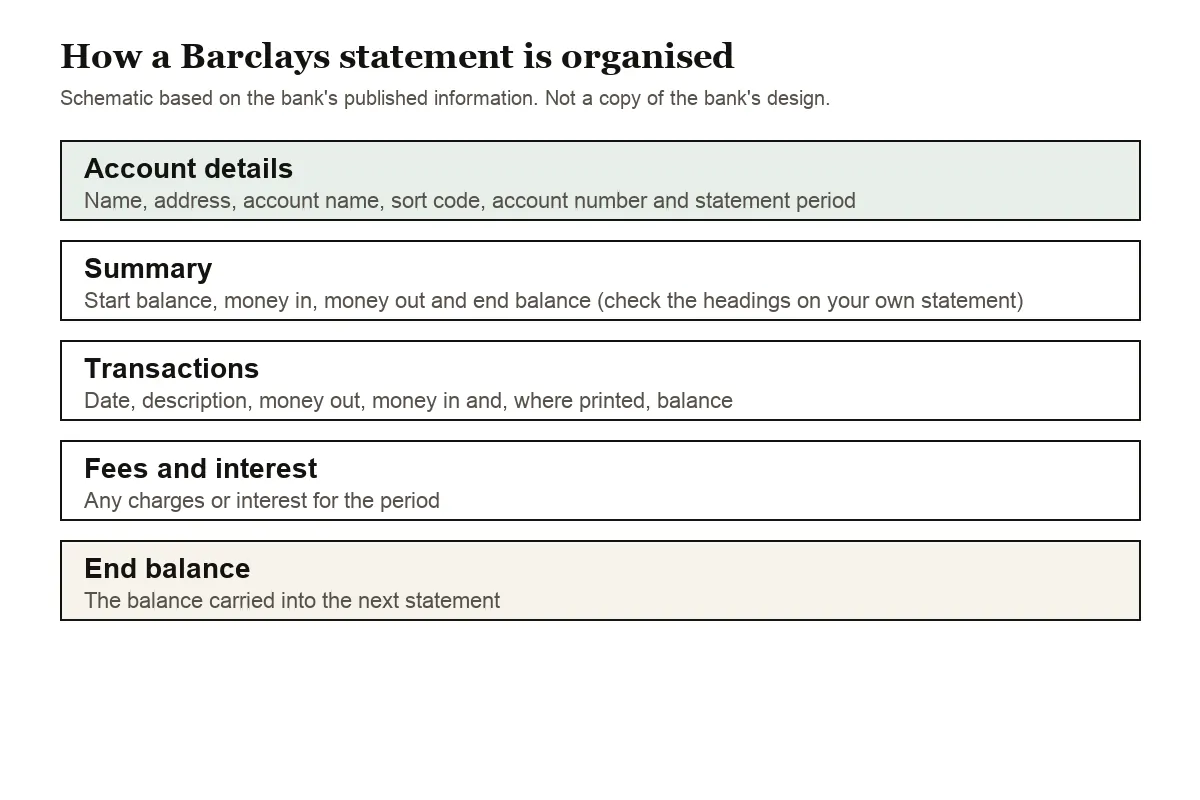
UK current account statements generally open with your name and address, the account name, sort code and account number, and the dates covered. A summary of money in, money out and the start and end balances usually comes next, followed by the transactions, charges and any interest.
UK dates are day first, and the converter reads them that way: 03/02/2026 is 3 February, not 2 March. Written dates like 3 Feb work too, with the year taken from the statement period if a row leaves it out. Money in and money out columns, minus signs and CR or DR markers all end up as one signed amount column.
For a credit card statement, spending shows as a negative number and repayments as positive, matching their effect on your money.
Barclays statement history, copies and paper
Online Statements stay viewable for up to 7 years while the account is open. Barclays has uploaded them automatically since July 2013; if you signed up for Online Statements before that, your archive starts on the day you registered.
Close an account and the window shrinks. Statements for a closed account remain available for up to 5 years, as long as you still bank with Barclays. If you can't see a closed account online any more, ask in a branch or by phone for a copy.
You can order a statement through Online Banking, Telephone Banking on 0345 734 5345, a branch, or a Barclays cash machine for an up-to-date one. Business customers use 0345 605 2345, and Premier customers 0800 085 1115 (or +44 (0)161 869 8012 from abroad). Barclays notes that call charges may apply. Posted copies go second class and should take five to seven working days. One ordered online appears two working days after the working day you ask.
To stop paper statements, open the dropdown under your name, choose Statement and letter preferences under My preferences, and set each account to online only.
Barclays PDF problems worth checking
A running balance that doesn't add up
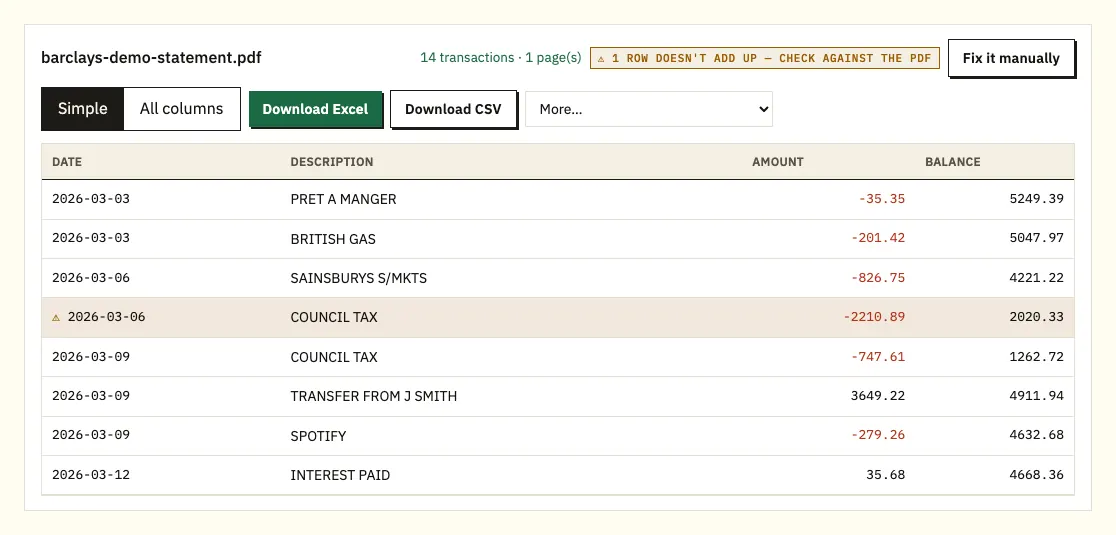
If the converter puts ⚠ beside a Barclays row, the printed balance there doesn't equal the previous balance with that payment applied. Look for a page missing from the PDF, a misread figure, or a file edited after Barclays produced it. Open the flagged row on the PDF to compare. A fresh save from Online Statements fixes a file that was cut short.
Wrapped payee names
Long references sometimes break onto a second line; the converter joins them to the right transaction.
Passwords and scans
A locked PDF prompts for its password, which is used once to open it and then discarded. Text recognition reads scanned paper statements less exactly than Barclays' own PDFs, so check those figures. Where a layout won't convert as expected, draw the table with Fix it manually; paid plans keep that layout for later months.
A Barclays payment that looks wrong
Sorting the converted rows by payee or amount usually shows whether a line is a duplicate, a renamed shop or a subscription you forgot. If it still looks wrong, Barclays sets out what to do on its unrecognised transaction help page.
From Barclays CSV to QuickBooks, Xero or Sheets
A converted Barclays CSV goes into QuickBooks through its bank upload, or as a QBO file on paid plans (QuickBooks steps). Xero accepts the CSV or an OFX file as a bank statement (Xero steps). Google Sheets opens the CSV with File, Import. Check that the day-first dates land correctly on one month before importing more.
How we handle your Barclays file
Barclays files reach us over HTTPS and are processed only for your conversion; we don't share them. Guest uploads are deleted after 24 hours, while a free account keeps them for 7 days with optional auto-delete and a delete button. Our security page explains more.
Save your own copies before closing an account, since the online archive then drops to 5 years. GOV.UK sets out which pay and tax records to keep.
Barclays current accounts and who holds what
Barclays' current accounts page lists these personal accounts:
- Barclays Bank Account: the everyday account, with no monthly fee. Upgrading to Blue Rewards costs £5 a month.
- Premier Current Account: no monthly fee, subject to eligibility criteria, with its own Premier phone line.
- Student Additions and Higher Education: for students and recent graduates.
- BarclayPlus for 11 to 15 year olds, and the Young Person's Account for 16 and 17 year olds.
- Barclays Basic Current Account: for people who aren't eligible for a Barclays Bank Account or lack standard ID or a UK account.
The account matters when you look for statements. A teenager on BarclayPlus uses Barclays' children's version of the app, and the full app starts at 16, so the menus a younger customer sees may not match the steps in this guide. Premier customers have separate numbers for ordering copies and interest summaries. If you've upgraded to Blue Rewards, the £5 a month is worth checking when you total a year's charges in your spreadsheet.
Barclays also keeps documents outside Online Statements. Some help pages route you through Manage accounts, then Statements and documents, which reaches the same files, and copies are stored in Barclays Cloud It, listed as My Barclays documents in the dropdown under your name.
Barclays statements for proof of address or a mortgage
Barclays says some companies accept an Online Statement as proof of address, and if one insists on a posted copy you can order a paper statement by phone or in a branch, allowing 5 to 7 days for second-class post. For lender and visa paperwork, our guide to statements for a mortgage or visa covers what is usually asked for.
Barclays interest summaries
Barclays can give you an interest summary for the current and previous tax years, under Manage accounts then Interest summary in Online Banking. How those figures fit a tax return is covered in our statements at tax time guide.
Barclays statements: what customers ask
Can Barclays give me a statement in Excel?
Barclays provides PDF statements. Converting the PDF gives you an Excel file that matches it.
How many years of Barclays statements are online?
Up to 7 while the account is open, uploaded from July 2013.
How do I order a paper Barclays statement?
Through Online Banking, Telephone Banking on 0345 734 5345 or a branch. Posted copies take five to seven working days.
Where are statements in the Barclays app?
Help or More on the home screen, then Statements.
Can I see statements for a closed Barclays account?
For up to 5 years if you still bank with Barclays; otherwise order a copy by phone or in a branch.
How fast does an ordered statement appear online?
Two working days after the working day you request it.
How do I stop paper Barclays statements?
Open the dropdown under your name, pick Statement and letter preferences under My preferences, and set each account to online only. Statements then arrive in Online Statements instead of the post.
Will the dates come out right in Excel?
Barclays prints UK dates day first, and the converter reads them that way, so 03/02/2026 lands as 3 February. Check the first few rows after importing into other software, since some tools assume US order.
Can I convert several Barclays accounts together?
Yes. Upload the PDFs in one batch and the spreadsheet gets a column naming the file each row came from, which keeps a current account and a savings account apart.
Barclays and your other UK accounts
If you also hold accounts with HSBC, Lloyds, NatWest, Santander UK, Monzo or Nationwide, there's a separate walkthrough for each, and the bank list has everything else we support.
Barclays' help page shows where online statements live. Once the PDFs are saved, turn your Barclays statement to Excel with the bank statement converter.