
The fastest way to get a Monzo statement to CSV is Monzo's own export: the app lets you pick CSV when you download a statement. If what you have is a PDF, such as a statement someone sent you or the password-protected file Monzo emails when an account closes, upload it to our free bank statement converter to get CSV or Excel with every printed balance checked.
Quick answer: In the Monzo app, tap Home, then the three dots under your card, then Bank statements, and choose CSV. Only have a PDF? Upload it in the box above, check the rows, then download CSV or Excel. Up to 3 pages a day cost nothing.
On this page
- Turning a Monzo PDF statement to CSV
- Monzo PDF tips for each step
- Monzo's built-in CSV, QIF and PDF export
- What a Monzo statement PDF contains
- Monzo PDFs that need a closer look
- Using a Monzo statement for a mortgage or visa
- Loading Monzo transactions into QuickBooks, Xero or Sheets
- Is it safe to upload a Monzo PDF?
- Monzo's account letter and Statement of Fees
- Closed Monzo accounts and business statements
- A Monzo payment you don't recognise
- Questions people ask about Monzo statements
- Other UK bank guides
Turning a Monzo PDF statement to CSV
- Get the PDF. In the Monzo app: Home → three dots under your card → Bank statements → choose the dates → PDF. For a closed account, use the statement Monzo emailed you.
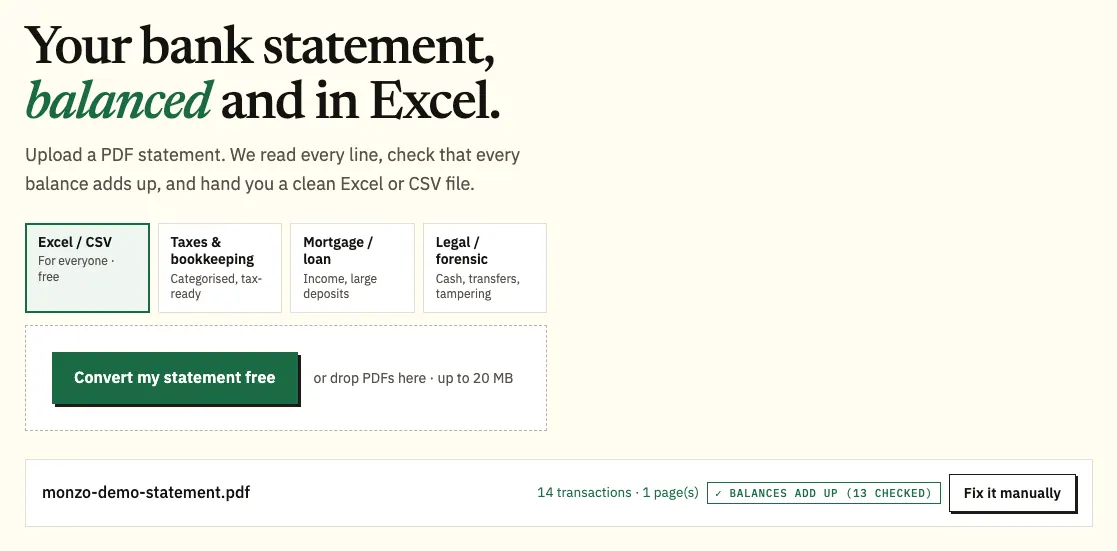
- Upload it here, in the box near the top of this page, or open the full bank statement converter.
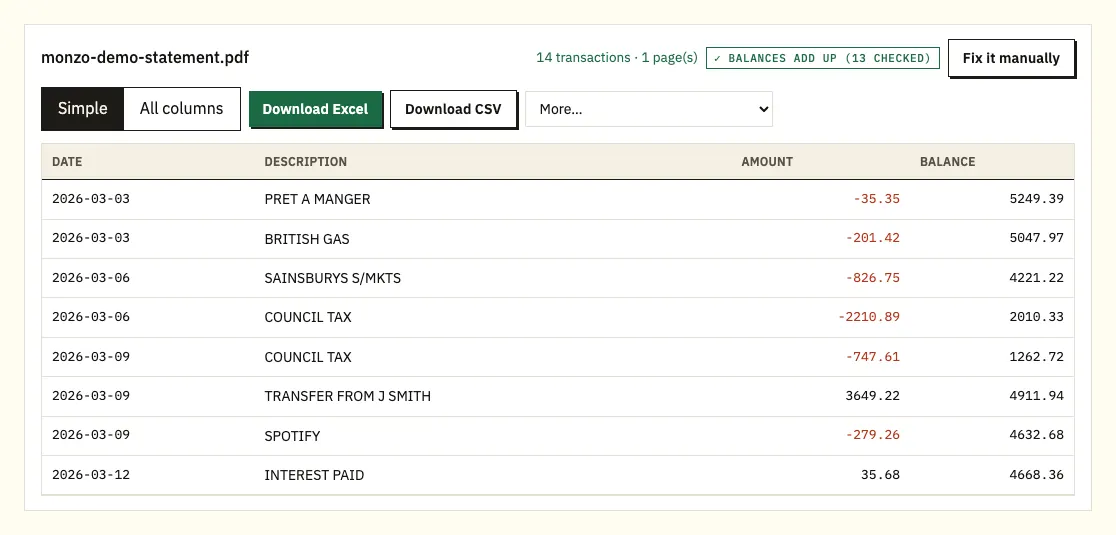
- Compare the rows with the PDF; a ⚠ marks a balance that doesn't follow.
- Download CSV, or Excel if you prefer a workbook.
Monzo PDF tips for each step
Where the PDF comes from
For an open account, the app is the source. For a closed account, keep the text message with the password, because you'll need it to open the emailed file. If someone has sent you a Monzo PDF, use the file as it arrived rather than a screenshot or a printout.
Uploading
Choose the Monzo PDF, or drag it onto the upload box from your desktop, and have the password text to hand for a closed account. Up to 3 pages a day are free without signing in, and 15 with a free account. Our pricing page covers more than that.
Comparing
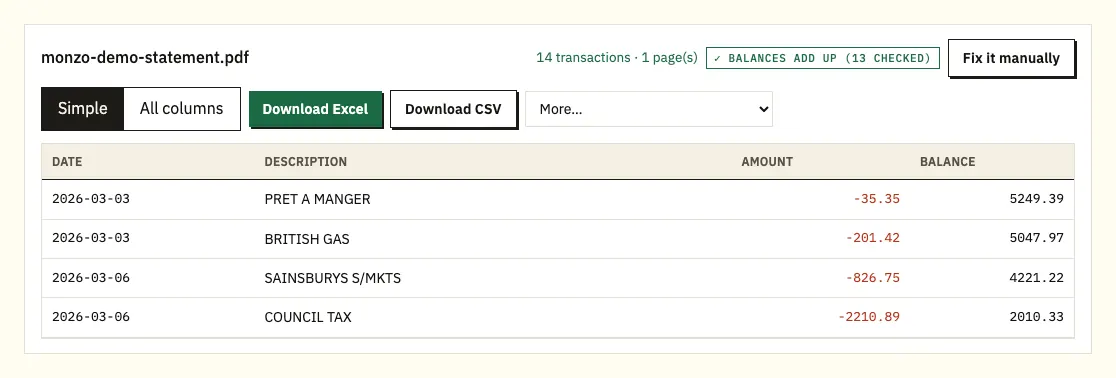
Each Monzo payment appears as a single row showing date, description, amount and balance. When the statement prints a balance after a payment, that figure is tested against the previous row. Select a row to jump to the matching line on the PDF page.
Downloading
CSV is the plain text format that Xero, QuickBooks and spreadsheets all open. Pick Excel (.xlsx) for a workbook. Paid plans also offer QuickBooks (.qbo), OFX and QIF from More.
Monzo's built-in CSV, QIF and PDF export
Yes. In the app you choose a date range and a format: PDF, CSV or QIF. Monzo's help pages say the export can include your Pots, so money you move into a Pot can show up alongside your other spending.
If you have the app and an open account, use that export. Converting a PDF is for the cases the export doesn't cover:
- You only have the PDF. An accountant, bookkeeper or landlord is often sent a PDF rather than given app access.
- The account is closed. Monzo emails a statement with the full payment history, protected by a password sent to you by text.
- You want an Excel workbook, or QuickBooks (.qbo) and OFX files, rather than CSV or QIF.
- You want to check that the file matches the statement as issued, balance by balance.
- You're putting statements from several banks into one spreadsheet.
| Monzo app export | Converting the PDF statement | |
|---|---|---|
| What you need | The Monzo app and an open account | The PDF file only |
| Formats | PDF, CSV, QIF | CSV and Excel; QBO, OFX and QIF on paid plans |
| Date range | You choose it | The statement's own period |
| Pots | Can be included | Whatever rows the PDF shows |
| Closed accounts | Monzo emails a statement; see its closed-account help | Yes, using the password Monzo texted you |
| Balances checked | No | Each printed balance checked against the row before |
What a Monzo statement PDF contains
Monzo doesn't publish a guide to its statement layout, and the PDF you get depends on the date range you pick. Use the headings on your own statement as the reference. Below are the parts you'll work with in a spreadsheet.
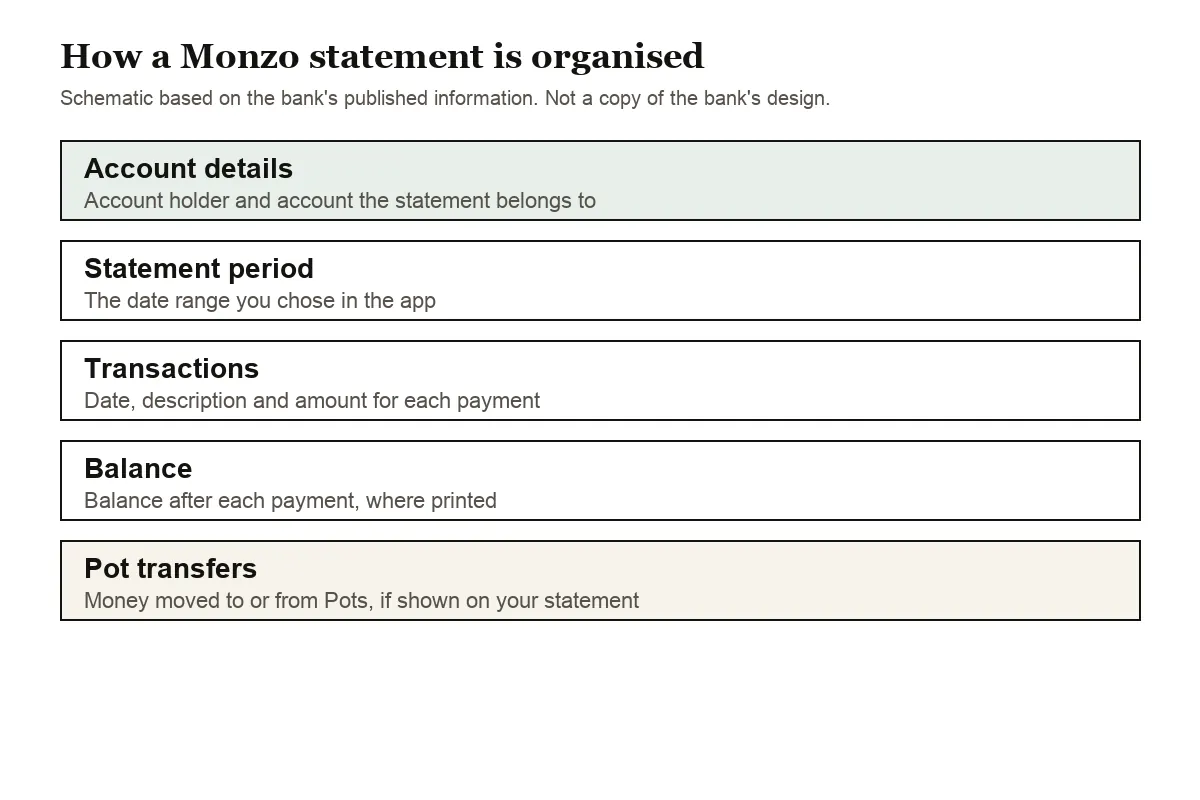
The top of the statement identifies the account holder and the account, and gives the period the statement covers. Because you choose the dates yourself in the app, a Monzo statement can cover a few days or a whole year, so check the period before you send it to anyone who asked for specific months.
The transaction list gives each payment's date, a description and the amount, usually with a balance. UK statements put the day first, so 02/05 is 2 May. If the statement prints written months instead, the converter reads those too, and when a row shows no year it takes the year from the statement period.
Amounts may sit in one column with a minus sign for money out, or in separate columns for money in and money out. The converter handles both, and either way you get one amount column with money out as negative numbers.
Pots need a second look. If Pot transfers appear on your PDF, they show as money leaving or entering the main balance, even though the money is still yours. In a spreadsheet you can filter them out before you total your spending.
Monzo PDFs that need a closer look
A running balance that doesn't add up
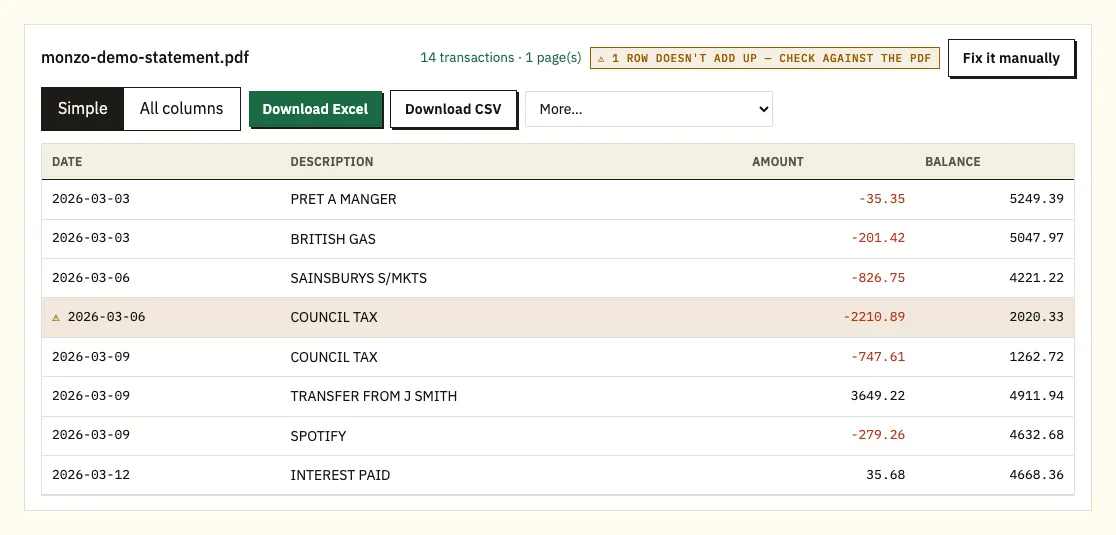
If a printed balance doesn't equal the balance on the row above plus or minus that row's amount, the converter marks the row with ⚠. Common causes are a line read wrongly, a page missing from the file, or a PDF that was changed after Monzo produced it. Select the row to see it on the PDF. If the account is still open, download the same dates again from the app and convert that file.
The closed-account password
The statement Monzo emails for a closed account is password protected. When you upload it, the converter asks for the password from Monzo's text message, uses it once to open the file and doesn't store it.
Descriptions on two lines
A long merchant name or a bank transfer with a reference can spill onto a second line of the PDF. The extra line is attached to the payment it belongs to, so you don't end up with half-empty rows.
Printed or scanned copies
If you only have a paper copy, a scan is read with text recognition, which is less exact than the PDF. Check the totals against the paper.
Using a Monzo statement for a mortgage or visa
Monzo says its bank statements are original documents, so they shouldn't need stamping or signing, and you can ask Monzo for a posted or stamped copy if an organisation insists. Our mortgage and visa statements guide covers what lenders and embassies usually ask for.
Loading Monzo transactions into QuickBooks, Xero or Sheets
A CSV from the Monzo app and a CSV from a converted PDF load the same way.
- Xero: import the CSV, or OFX on a paid plan, as a bank statement. Our Xero import guide explains the steps.
- QuickBooks: upload the CSV, or the QBO file on a paid plan; see importing into QuickBooks.
- Google Sheets: File, then Import, then Upload, and select the CSV.
Make sure your software reads dates as DD/MM/YYYY; if it expects month first, 02/05 becomes 5 February. Import one month first and check it before you load a full year.
Is it safe to upload a Monzo PDF?
The PDF goes over an encrypted HTTPS connection and is only used to produce your file; it isn't passed to anyone else. A closed-account password is used once to open the file and isn't kept. Without an account, files and results are removed after 24 hours. With a free account they stay for 7 days, unless you turn on auto-delete or delete them first. More on our security page.
Keep your original statements too. For tax, HMRC's GOV.UK page on keeping your pay and tax records sets out what to hold on to.
Monzo's account letter and Statement of Fees
Some organisations ask for a letter rather than a statement. Monzo's Account Ownership Letter confirms you have (or had) a Monzo account, with your sort code, account number and opening date, and you download it as a PDF from Manage account under Other documents.
The Statement of Fees is a yearly summary of the interest you've paid or earned and the fees you've paid over the last year. It sits in the same place: three dots on the account card, Manage account, then Statement of fees. Monzo says accounts opened on or after 1 October 2026 won't get one this year. With a year of statements in CSV, you can check its fee total against your own filtered rows.
Closed Monzo accounts and business statements
After an account closes
When Monzo closes your account it emails a statement with your full transaction history, password protected, with the password sent by text or email. If you need another copy later, Monzo has a closed-account statement form for UK accounts. It asks for your full name, the email address and phone number you used on the account, the dates you need, and the account number (or which account, if you had several). You also send a selfie holding your ID, or holding a piece of paper with today's date on it. Monzo aims to reply within 2 working days, though it can take up to 7. If you can't use the form or email, call 0800 088 4040, or +44 20 3872 0620 from overseas.
Monzo Business
Business statements come from a slightly different menu: tap Home, then Manage to the right of your transaction feed, then Bank statements, and pick dates and a format (PDF, CSV or QIF). On the web, log in and use the Export statement button on the home screen. For a stamped and signed copy by post, tap Help, search "getting a business bank statement" and tap Get in touch at the bottom of the article.
On Business Pro or Team, Monzo can export statements for you. Opt in from Home by swiping down and tapping Auto-export documents. Monzo then creates a "Monzo Business" folder in your Google Drive or Microsoft OneDrive and saves last month's statement there on the 1st of each month, in PDF, CSV or QIF, and can add old statements too. You can share the folder with your accountant without adding them to the account, and stop the export by tapping Disconnect account.
A Monzo payment you don't recognise
Filter the converted rows by merchant and date first, since a subscription you meant to cancel or a business trading under another name explains many odd lines. If a payment still looks wrong, Monzo's unrecognised payment help page sets out the next steps.
Questions people ask about Monzo statements
Can I download a Monzo statement as CSV?
Yes. In the app, tap Home, the three dots under your card, then Bank statements, and choose CSV after picking the dates. QIF and PDF are offered there too.
Do Monzo exports include Pots?
Monzo's help pages say you can export transactions in PDF, CSV or QIF, including Pots. Check your file if you want Pot transfers left out of your spending totals.
How do I get a statement for a closed Monzo account?
Monzo emails a statement with the full payment history when the account closes. It's password protected, and the password comes by text message.
Are Monzo statements accepted as official documents?
Monzo says its statements are original documents and shouldn't need stamping or signing for a mortgage or visa. You can ask Monzo for a posted or stamped copy if an organisation insists.
Why convert a Monzo PDF if the app exports CSV?
When you only have the PDF, the account is closed, or you want Excel or accounting files with every balance checked against the statement.
Can I choose the dates on a Monzo statement?
Yes. After tapping Bank statements, you choose the date range before picking PDF, CSV or QIF, so one file can cover a few days or a much longer period.
Other UK bank guides
See the guides for Barclays statement to Excel, HSBC statement to Excel, Lloyds statement to Excel, NatWest statement to Excel, Santander UK statement to Excel and Nationwide statement to Excel, or browse all supported banks.
Holding a PDF? Open the bank statement converter (or the upload box at the top of this page) to turn your Monzo statement to CSV. Monzo's own help page explains how to get a bank statement.