
Santander UK keeps your statements in the app's Mailbox, and that PDF is all you need to get a Santander UK statement to Excel: download it, then upload it to our free bank statement converter. You get one row per transaction, money out as negative numbers and a check on every printed balance, saved as Excel or CSV.
Quick answer: In the Santander app, open Mailbox, then Statements and documents, and download the statement. Upload it in the box above, check the rows against the PDF, then download Excel or CSV. The first 3 pages a day are free and need no account.
On this page
- Turning a Santander UK statement to Excel in four steps
- What to know at each Santander step
- Does Santander UK offer a spreadsheet download?
- What Santander puts on your statement
- Santander PDF problems and fixes
- Ordering older Santander statements and closed-account history
- Using Santander data in QuickBooks, Xero or Google Sheets
- How Santander UK uploads are protected
- Reading Santander fee rows
- A Santander payment you don't recognise
- Santander UK: common statement questions
- More UK bank guides
Turning a Santander UK statement to Excel in four steps
- Save the PDF. In the Santander app: Mailbox (top right) → Statements and documents → open the statement → download icon at the top right. In Online Banking: Statements and documents → open the document → print icon → Save as PDF.
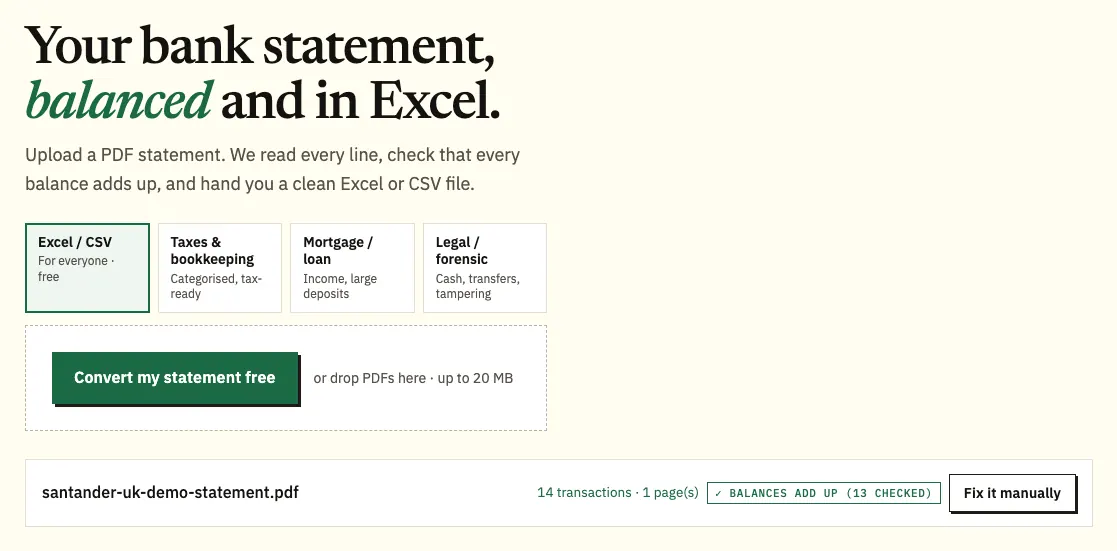
- Upload it here, in the box near the top of this page, or open the full bank statement converter.
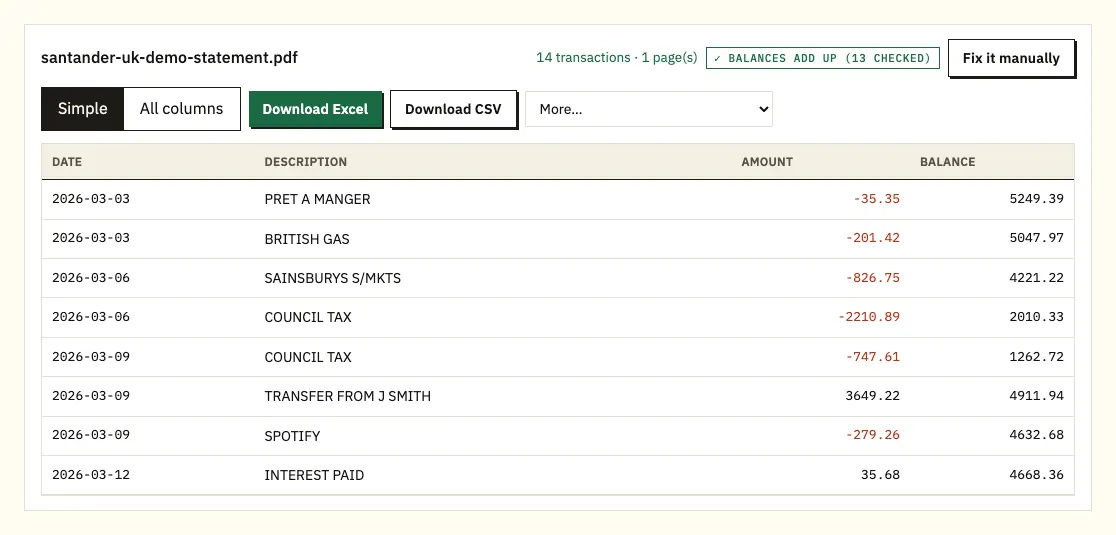
- Look over the rows. A ⚠ marks any printed balance that doesn't follow from the row before.
- Download Excel or CSV.
What to know at each Santander step
Getting the right file
Santander's help page for Online Banking points to the print icon rather than a download button, so use your browser's print window and pick "Save as PDF" if you want a file instead of paper. Santander keeps 7 years of account activity online. Credit card statements are kept for the last 18 months, so save card statements you'll need later before they drop off. Use the PDF itself, not a screenshot, so the text comes through exactly as Santander printed it.
Uploading a year at once
A year of monthly statements can go in together, and the spreadsheet notes which file each row came from. You can convert 3 pages a day without an account, or 15 with a free one. Larger batches are covered on our pricing page.
Checking the result
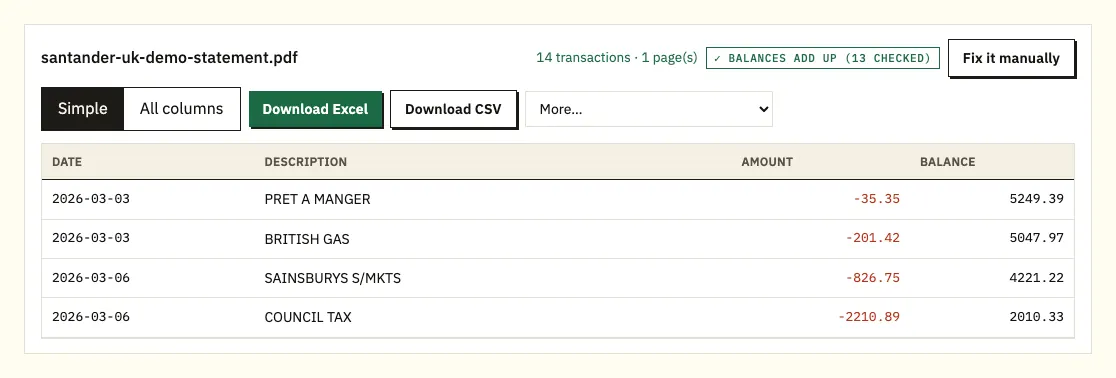
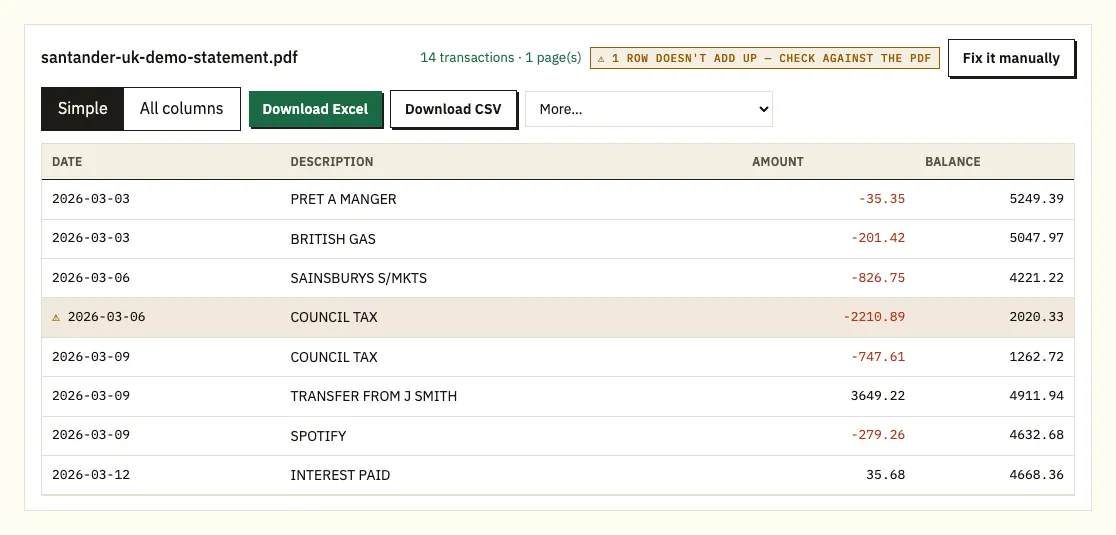
Each Santander transaction sits on its own row with a date, description, amount and balance. Clicking any row shows you that line on the PDF, which is the quickest way to check a row marked ⚠.
Choosing Excel or CSV
Excel gives you an .xlsx workbook; CSV is the plain format most accounting tools accept. On paid plans, the More menu also has QuickBooks (.qbo), OFX and QIF.
Does Santander UK offer a spreadsheet download?
Santander's statements come as PDFs. For transactions, an older Santander Online Banking guide lists downloads in Excel, Quicken, PDF and Microsoft Money formats, with up to 600 transactions per download. That guide is dated, so check which formats Online Banking offers you now.
A transaction download suits a quick look at recent spending. When you need the statement exactly as issued, for an accountant, a mortgage application or a year of bookkeeping, the PDF is the record to work from.
| Santander transaction download | Converting the PDF statement | |
|---|---|---|
| What you get | The transactions you select | Every row on the statement, in order |
| How far back | Check Online Banking for the range | Any statement you can download: 7 years of account activity, 18 months for credit cards |
| Formats | Excel, Quicken, PDF, Microsoft Money (older guide) | Excel and CSV; QBO, OFX and QIF on paid plans |
| Size limit | 600 transactions per download (older guide) | 3 pages a day free, 15 with a free account |
| Balances checked | No | Each printed balance checked against the row before |
| Paper or scanned statements | No | Yes, with text recognition; check the result |
What Santander puts on your statement
Santander says a statement shows your account name, your balance and the transactions you made in the period, along with any interest rates, interest credited, and fees or charges. Section names can differ between account types, so treat the headings on your own statement as the reference.
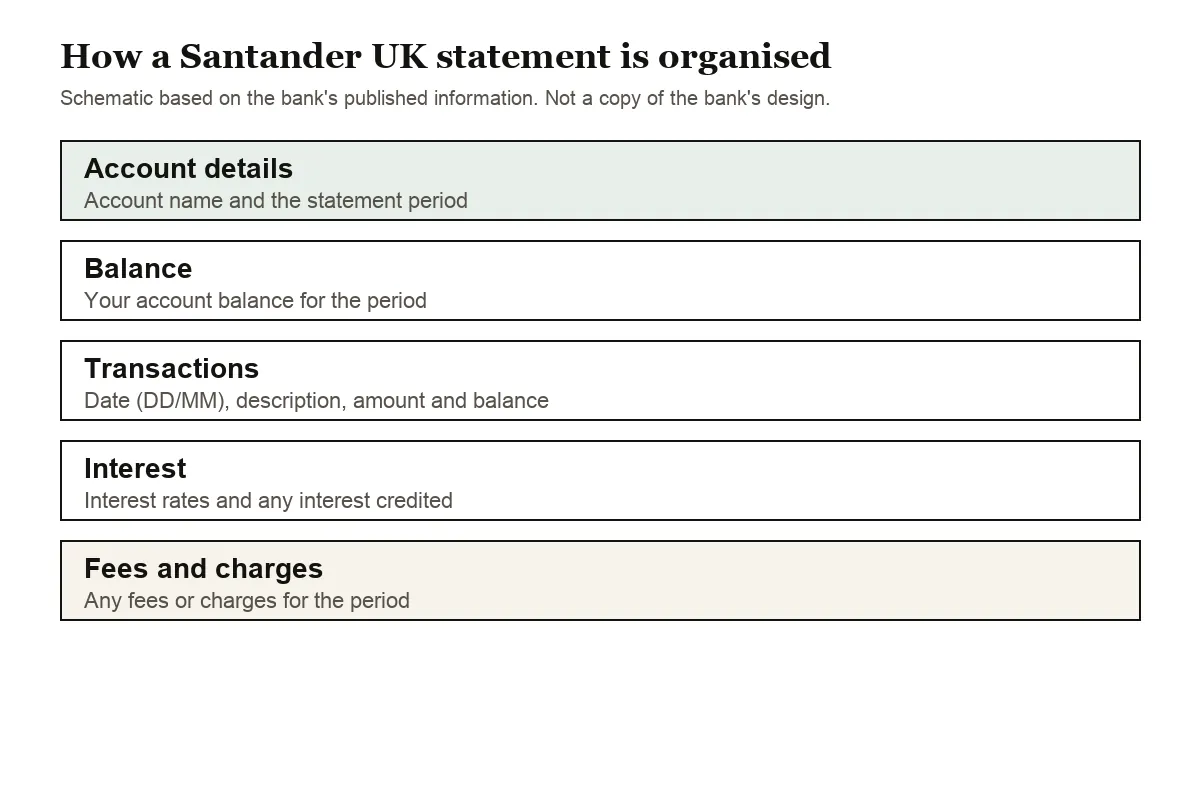
The top of the statement identifies the account and the period it covers. Below that is the transaction list: date, description, amount and, on most current account statements, the balance after each payment. UK statements put the day first, so 04/03 means 4 March. Where a row has a day and month but no year, the year comes from the statement period.
If interest and fees show up as lines in your transaction list, you can filter on them in a spreadsheet to see what the account cost you over a year, or what it paid you.
How often you get a statement depends on the account. Santander sends current account statements monthly, or quarterly if you ask, with quarterly statements arriving in February, May, August and November. Savings accounts typically get one statement a year. If you convert a year of monthly statements together, the rows come out in one spreadsheet with a column showing which file each came from.
Credit card statements work differently, because a purchase increases what you owe. The converter shows card purchases as negative amounts and payments to the card as positive ones.
Santander PDF problems and fixes
Santander PDFs usually convert without trouble. Look closer in these cases.
A running balance that doesn't add up
Each Santander balance should equal the one before it, plus money in or minus money out. When it doesn't, the row gets a ⚠. A misread figure, a missing page or a file edited after Santander produced it are the usual reasons. Open the flagged row next to the PDF; if pages are missing, save the statement again from the app.
A statement saved through the print window
If you save from Online Banking with your browser's "Save as PDF", check that every page made it into the file. A missing page breaks the running balance on the first row after the gap, which is one more reason to look at any row marked ⚠.
Descriptions on two lines
A transfer that carries both a payee name and a reference may run over two lines on the PDF. Those two lines are merged into one transaction, so the row count matches the statement.
Password-protected or scanned files
If a PDF asks for a password, the converter asks too and uses it once without storing it. A scanned paper statement is read with text recognition, which is less exact, so check the totals against the paper copy.
Ordering older Santander statements and closed-account history
To order a paper statement, type "order statement" into Chat in Mobile or Online Banking. Santander says one-off, monthly and quarterly paper statements are free on request; weekly paper statements carry a charge.
If you close your account, you can get up to 5 years of payment transaction history, and you can ask for it up to 5 years after closing. The longer you wait, the less history is left: ask 3 years after closing and you get the 2 years before the account closed. Santander lists 0330 9 123 123 for personal customers and 0330 123 9860 for business customers who need that history in another format.
Using Santander data in QuickBooks, Xero or Google Sheets
QuickBooks accepts the CSV, or a QBO file if you're on a paid plan; our guide to importing into QuickBooks walks through it. Xero takes the CSV or OFX file as a bank statement, covered in importing into Xero. For Google Sheets, use File, Import, Upload and pick the CSV.
Make sure your software reads dates as DD/MM/YYYY; if it expects month first, 04/03 becomes 3 April. Import one statement first and check the dates before you load a full year.
How Santander UK uploads are protected
The upload travels over HTTPS, and the file is used for your conversion and nothing else; nobody else receives it. Files from visitors who aren't signed in are deleted after 24 hours. A free account keeps them for 7 days, with an auto-delete switch and a delete button for anything you want gone sooner. Our security page has the details.
Keep the original PDF too. HMRC's guidance on GOV.UK explains which pay and tax records to keep.
Reading Santander fee rows
From 11 May 2026 the monthly fee on 1|2|3, Select and Private current accounts went up from £4 to £5, and Santander charges monthly fees retrospectively: the fee you see relates to the previous month. If you're reconciling a spreadsheet, match each fee row to the month before the one it appears in.
Santander's tax account summary covers open and closed accounts from 6 April to 5 April; our statements at tax time guide explains how it fits a return.
A Santander payment you don't recognise
Search the converted rows for the business name and amount first, since some companies bill under a different name and a foreign purchase can change with the exchange rate. If it still looks wrong, Santander's unrecognised transactions page explains what to do.
Santander UK: common statement questions
Can I download a Santander UK statement in Excel?
Statements come as PDFs. An older Santander guide lists transaction downloads in Excel and other formats, or you can convert the PDF statement to get a spreadsheet that matches it row for row.
How far back can I see Santander statements online?
Santander shows 7 years of account activity. Credit card statements are kept for the last 18 months.
Where are statements in the Santander app?
Tap Mailbox at the top right, then Statements and documents. The download icon is at the top right of the open statement.
Does Santander charge for paper statements?
One-off, monthly and quarterly paper statements are free on request. Weekly paper statements have a charge.
Can I get my history after closing a Santander account?
Yes, up to 5 years of payment transaction history, which you can request up to 5 years after closing. The later you ask, the less history is left.
How long are Santander credit card statements kept online?
The last 18 months. Save the ones you need for your records before they drop off; once converted, purchases show as negative amounts and payments as positive.
More UK bank guides
See the guides for Barclays statement to Excel, HSBC statement to Excel, Lloyds statement to Excel, NatWest statement to Excel, Nationwide statement to Excel and Monzo statement to CSV, or browse all supported banks.
When your PDF is ready, open the bank statement converter (or the upload box at the top of this page) to turn your Santander UK statement to Excel. Santander's own page covers statements and paper-free documents.