
You can download 36 months of Nationwide statements as PDFs, and each one can become a spreadsheet. To get a Nationwide statement to Excel, save the PDF from the Documents tab in the internet bank or My Documents in the app, then upload it to our free bank statement converter for dated rows, negative money out and a check on every printed balance.
Quick answer: In Nationwide's internet bank, open Documents, then Statements, then View by account, and save the PDF. Then upload it in the box above, compare the rows with the PDF and save Excel or CSV. You can convert 3 pages a day free.
On this page
- Getting a Nationwide statement to Excel
- More detail on the four Nationwide steps
- Why midata isn't a full Nationwide export
- Reading a Nationwide current account statement
- Fixing a Nationwide PDF that doesn't add up
- Older and paper Nationwide statements
- Bringing Nationwide transactions into QuickBooks, Xero or Sheets
- Keeping copies of your Nationwide statements
- Nationwide interest certificates and savings statements
- Paperless statements and closed Nationwide current accounts
- A Nationwide payment that looks wrong
- Nationwide statement answers
- Statement guides for other UK banks
Getting a Nationwide statement to Excel
- Save the PDF. In the internet bank: Documents tab → Statements → View by account → choose the account → open the statement. In the app: My Documents → the statement.
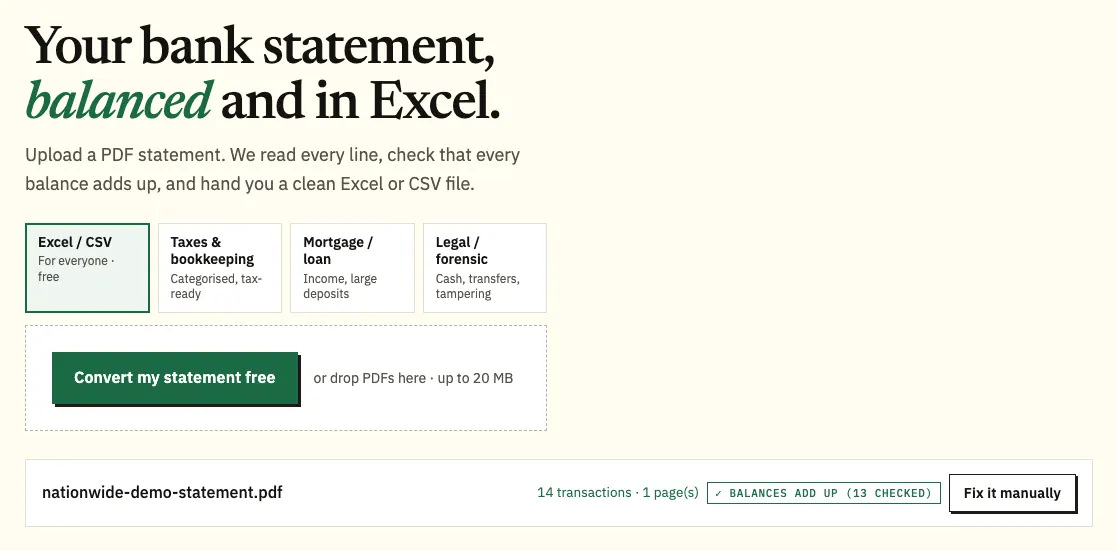
- Upload it here, in the box near the top of this page, or open the full bank statement converter.
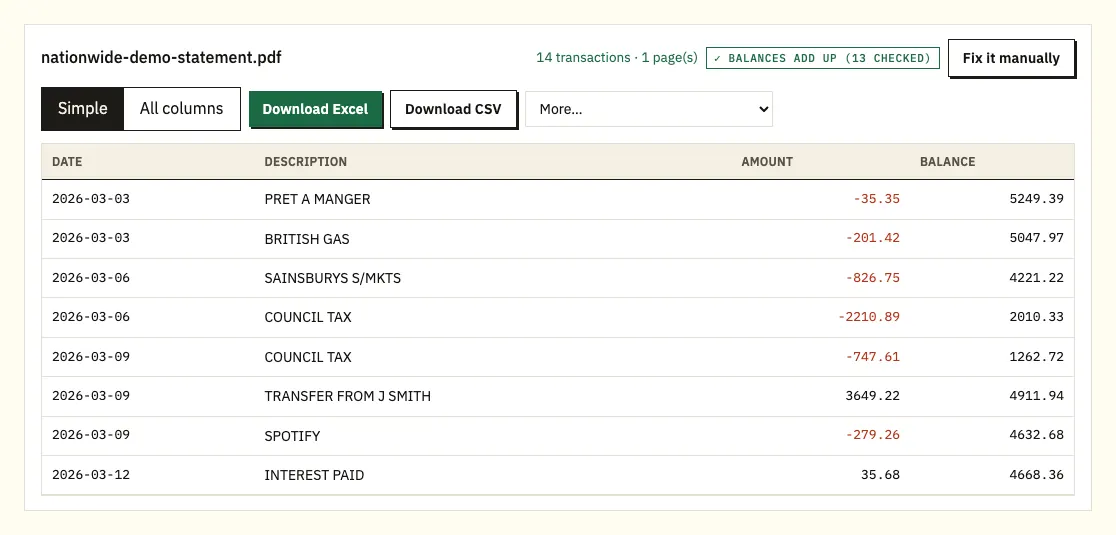
- Check the preview; any printed balance that doesn't follow from the row above gets a ⚠.
- Save the spreadsheet as Excel or CSV.
More detail on the four Nationwide steps
The 36-month window
Nationwide keeps 36 months of PDF statements in the internet bank, and the app has the same 36 months for current accounts, savings accounts and credit cards. The internet bank shows 15 months of transactions, and anything older than 3 years needs a paper copy ordered from Nationwide. A screenshot loses detail, so keep the PDF as Nationwide issued it.
Batches
If you're working through all 36 months, add them in batches. The free limit is 3 pages a day without an account and 15 with a free account; the pricing page has the paid limits.
The preview
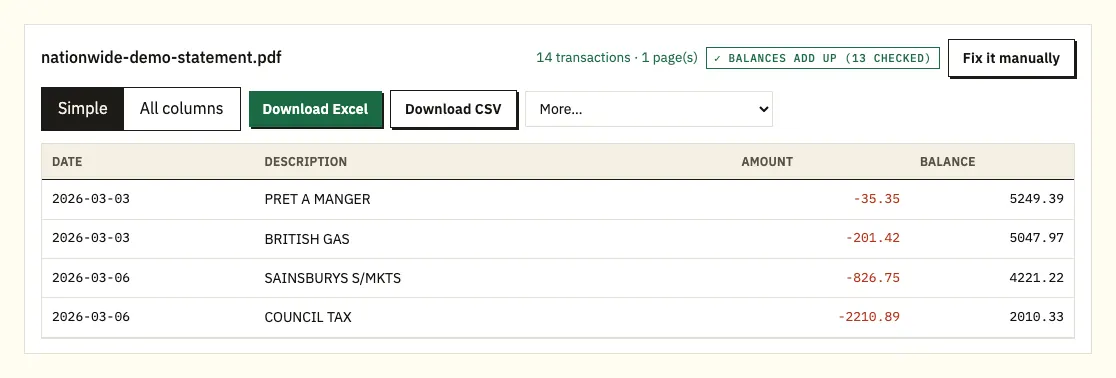
Every Nationwide transaction gets a row with its date, description, amount and balance. Click a flagged row to see it highlighted on the PDF page.
File types
Pick Excel (.xlsx) to work in a spreadsheet, or CSV to load into accounting software. QuickBooks (.qbo), OFX and QIF files are under More on paid plans.
Why midata isn't a full Nationwide export
Not as a statement. The only download Nationwide describes for transactions is midata, a government-backed scheme for comparing current accounts. It gives you 12 months of current account transactions in a file you can send to a comparison provider.
midata has limits for bookkeeping. It leaves out the 31 days before the date you download it, which Nationwide says is to prevent fraud, and some details are blanked out in certain transactions. It covers current accounts only. You get it in the internet bank by choosing the current account, then Transactions, then Download transactions, then Download midata. The app doesn't offer it; on a phone you log in through a mobile browser, and on an iPhone or iPad you can view the file but not download it.
| Nationwide midata download | Converting the PDF statement | |
|---|---|---|
| Accounts | Current accounts only | Current, savings and credit card statements |
| How far back | 12 months, ending 31 days before you download | Any PDF you can download, up to 36 months, plus scanned paper copies |
| Recent transactions | Last 31 days left out | Everything on the statement |
| Details | Some details blanked out | Descriptions as printed |
| Formats | Nationwide's midata file | Excel and CSV; QBO, OFX and QIF on paid plans |
| Balances checked | No | Each printed balance checked against the row before |
Reading a Nationwide current account statement
Nationwide says a current account statement shows your account balance, the transactions for the statement period, your arranged overdraft limit, your sort code and account number, and your IBAN, BIC and SWIFT numbers. Use the headings on your own statement as the reference, because layouts can differ between account types.
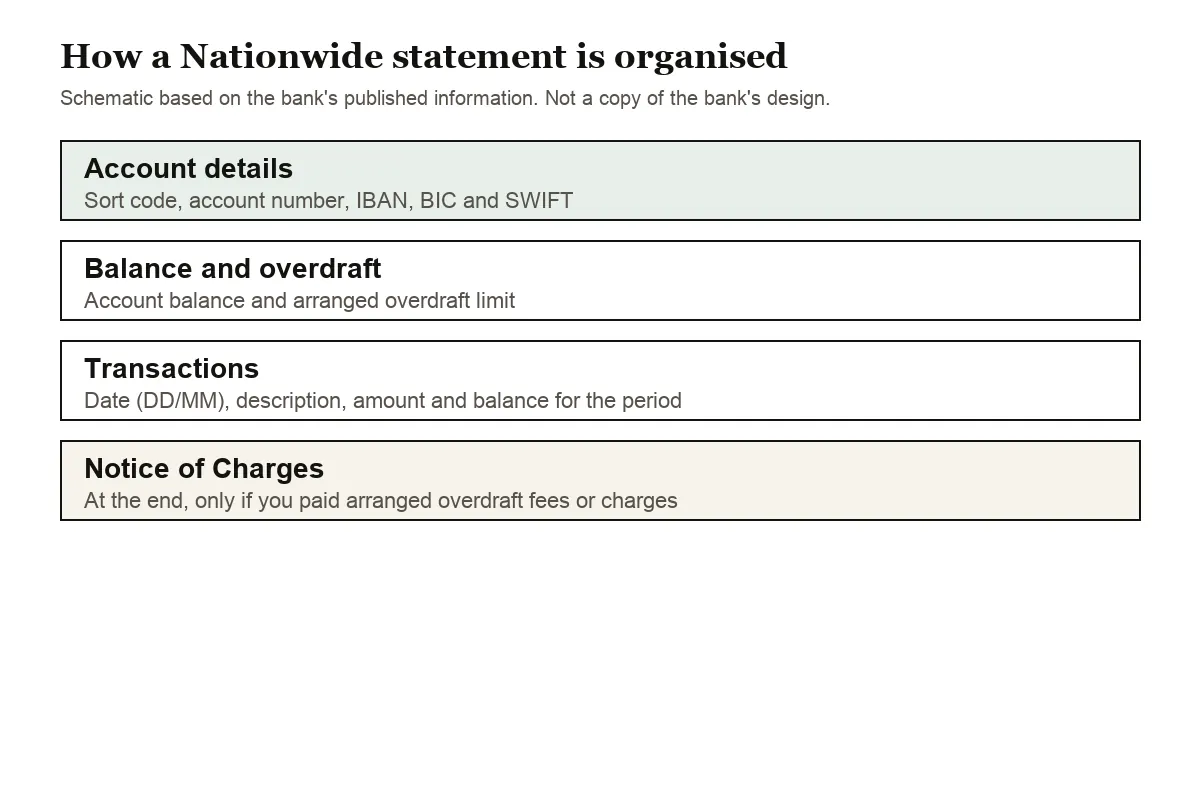
The transaction list gives each payment's date, a description, the amount and, on most statements, the balance afterwards. UK statements put the day first, so 05/06 is 5 June. If the year isn't printed on each row, the converter uses the year of the statement period.
If you paid fees or charges for arranged overdraft borrowing, a Notice of Charges appears at the end of the statement. It sits after the transaction list, so check that its figures haven't been picked up as extra rows in your spreadsheet.
Nationwide normally posts a current account statement every month, unless you've chosen paperless statements or have a FlexDirect account. That gives you one PDF per month, so a year of records is 12 files. You can upload them together and download one spreadsheet with a column showing which file each row came from.
A mini statement from a cash machine is different. It shows up to 10 recent transactions, each with a two-letter code: BD for Direct Debit, SO for standing order, DC for a card purchase or credit voucher, CW for a cheque withdrawal and IC for interest or charges. Use the full PDF statement for a spreadsheet; a mini statement is a quick check only.
Fixing a Nationwide PDF that doesn't add up
A running balance that doesn't add up
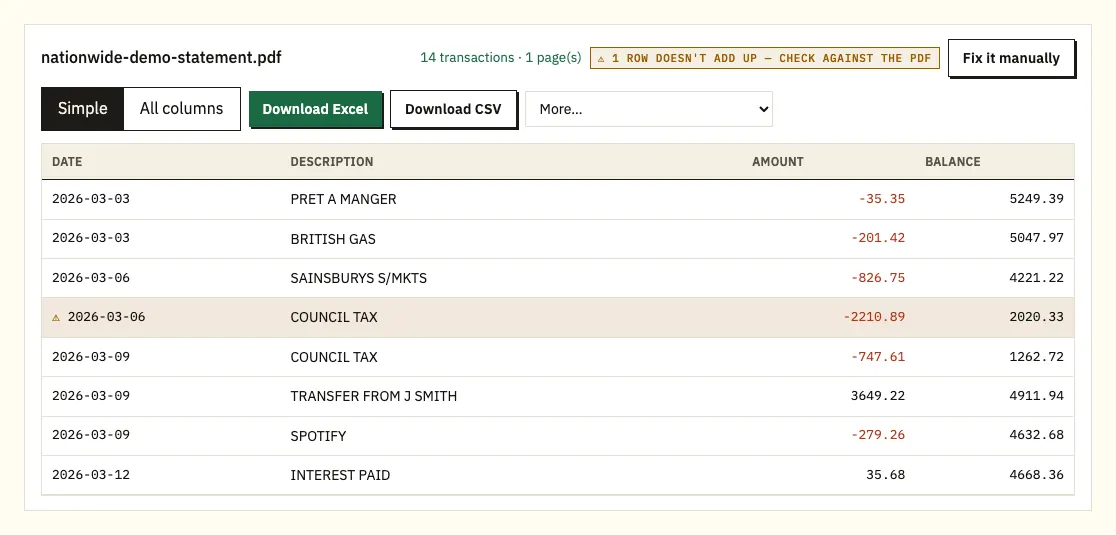
A ⚠ next to a Nationwide row means its printed balance isn't the previous balance plus or minus that payment. Look at the same line on the PDF. If the figure was misread, the PDF shows the right one; if a page is missing or the file was altered, download the statement again from Documents or My Documents.
Statements older than 36 months
Older statements aren't online, so you'll be working from paper. A scan is read with text recognition, which is less exact than a downloaded PDF. Check the totals against the paper copy before you use the figures.
Descriptions on two lines
Where a payee name and reference don't fit on one line, Nationwide's PDF may continue them below. The converter reads the continuation as part of the same payment rather than as a new row.
A password on the PDF
Should a file prompt for a password, enter it when the converter asks. It opens that one file and is then discarded.
Older and paper Nationwide statements
For a paper statement, or one older than 36 months, you have three options: chat in the internet bank (open the Need help? menu and type "Get a statement"), call 03457 30 20 11, or visit a branch. Nationwide says a paper copy arrives within 10 working days, so order early if you need it for a mortgage application or a tax deadline.
Bringing Nationwide transactions into QuickBooks, Xero or Sheets
For Xero, import the CSV or an OFX file as a bank statement (see importing into Xero). QuickBooks takes the CSV, or the QBO file from a paid plan, as described in importing into QuickBooks. In Google Sheets, go to File, Import, Upload and select the CSV.
Make sure your software reads dates as DD/MM/YYYY; if it expects month first, 05/06 becomes 6 May. Import one statement first and check it before you load a year.
Keeping copies of your Nationwide statements
Uploads are encrypted in transit, and your statement is used only for your conversion; it isn't shared. If you convert without signing in, the file and results are deleted after 24 hours. Signed in to a free account, they're kept for 7 days, and you can switch on auto-delete or delete them whenever you like. Read more on our security page.
Because Nationwide keeps only 36 months of PDFs online, save your own copies as you go. HMRC sets out on GOV.UK which pay and tax records you should keep.
Nationwide interest certificates and savings statements
For savings, Nationwide issues an interest certificate showing the interest earned in a tax year, requested in the internet bank under the account's Settings, then View my interest and tax paid. Our statements at tax time guide covers how it fits a return.
Timing explains why savings rows look sparse on a statement. Nationwide pays interest once a year on almost all its savings accounts and ISAs, and on the day you close the account. Fixed-term accounts also pay at the end of the term. The payment date is often around the anniversary of opening the account, and your terms and conditions give the exact date.
Paperless statements and closed Nationwide current accounts
Switching to paperless
In the app, select the profile icon, then Communication settings under Settings, then Paperless settings, and choose Online or By post for each account. You'll be asked to check your email address and accept the paperless terms. In the internet bank, go to Settings, then View or change my site settings under My site settings, then Change under My statement settings; there's also a Stop all paper statements and documents option. Nationwide emails you each month when a statement is ready. Mortgages and loans can't go paperless yet. For a joint account, make sure every account holder is happy with the change.
After you close a current account
Nationwide says you can still view up to 3 years of past statements in the internet bank or app after closing a current account, covering the 3 years before it closed. For accounts closed on or after 2 February 2018, there's also a separate service with the final 5 years of statements. They're online within 10 working days of closing, and you must register within 6 months of closure. You'll need your date of birth, the account number and sort code (both are on your closing statement or an old card) and your Nationwide customer number. If the account number has more than 8 digits, enter only the last 8. On a joint account you'll see only the period when you were an account holder. Nationwide added this service under rules from the Competition and Markets Authority, and the statements can be viewed, downloaded and printed, so they convert like any other PDF.
For paper copies of a closed account's statements, visit a branch or call; Nationwide posts them within 7 days and warns the bundle can be large. Check its Tariff of Charges for any cost.
A Nationwide payment that looks wrong
In the spreadsheet, sort by amount and filter the descriptions for the payee, because an old purchase can appear late and some businesses trade under other names. If a payment still looks wrong, Nationwide's help page on wrong payments explains what to do.
Nationwide statement answers
How far back can I download Nationwide statements?
36 months of PDF statements in the internet bank and the app. The internet bank shows 15 months of transactions. For anything older, order a paper copy.
Can I download Nationwide transactions to Excel?
Nationwide offers midata, which covers 12 months of current account transactions but leaves out the last 31 days. Converting your PDF statements gives you every row on the statement in Excel or CSV.
What is the Notice of Charges on my statement?
It appears at the end of a current account statement if you paid fees or charges for arranged overdraft borrowing.
How long does a paper Nationwide statement take?
Nationwide says within 10 working days. You can ask in internet bank chat, by phone on 03457 30 20 11, or in a branch.
Can I convert a Nationwide credit card statement?
Yes. Upload the PDF from My Documents the same way. Purchases appear as negative amounts and payments to the card as positive ones.
Can I download midata in the Nationwide app?
No. Nationwide says the app doesn't support midata. Log in to the internet bank instead; on a phone, use a mobile browser, though iPhone and iPad users can only view the file.
Statement guides for other UK banks
See the guides for Barclays statement to Excel, HSBC statement to Excel, Lloyds statement to Excel, NatWest statement to Excel, Santander UK statement to Excel and Halifax statement to Excel, or browse all supported banks.
Once you've saved the PDF, the bank statement converter (or the upload box at the top of this page) will turn your Nationwide statement to Excel. Nationwide's own help page explains how to view your balance and get a statement online.