
Lloyds keeps at least 10 years of statements in its app, at least three more than Internet Banking, so the app is a good place to start. Save the statement as a PDF, then upload it to our free bank statement converter to convert a Lloyds bank statement to Excel, with every transaction as a dated row you can check and download.
Quick answer: Use Statement options on the account page in Internet Banking, or Download or print statement in the Lloyds app, to save the PDF. Then upload it in the box above, check the rows and download Excel or CSV. Three pages a day are free without signing up.
On this page
- How to convert a Lloyds bank statement to Excel
- Can a Lloyds account export to CSV?
- Inside a Lloyds current account statement
- Getting older or paper Lloyds statements
- Lloyds PDF issues and what to do
- Checking an unfamiliar Lloyds payment
- Lloyds transactions in QuickBooks, Xero or Google Sheets
- Your Lloyds file and our privacy rules
- Classic, Club Lloyds and the yearly statement of fees
- Closed accounts and paper-free Lloyds statements
- Lloyds annual interest summary
- Lloyds customers often ask
- Lloyds and other UK banks
How to convert a Lloyds bank statement to Excel
Four steps. For anything more than 7 years old, use the app.
- Save the PDF. Internet Banking: open the account → Statement options → download. Lloyds app: open the account → three-dot menu → Download or print statement.
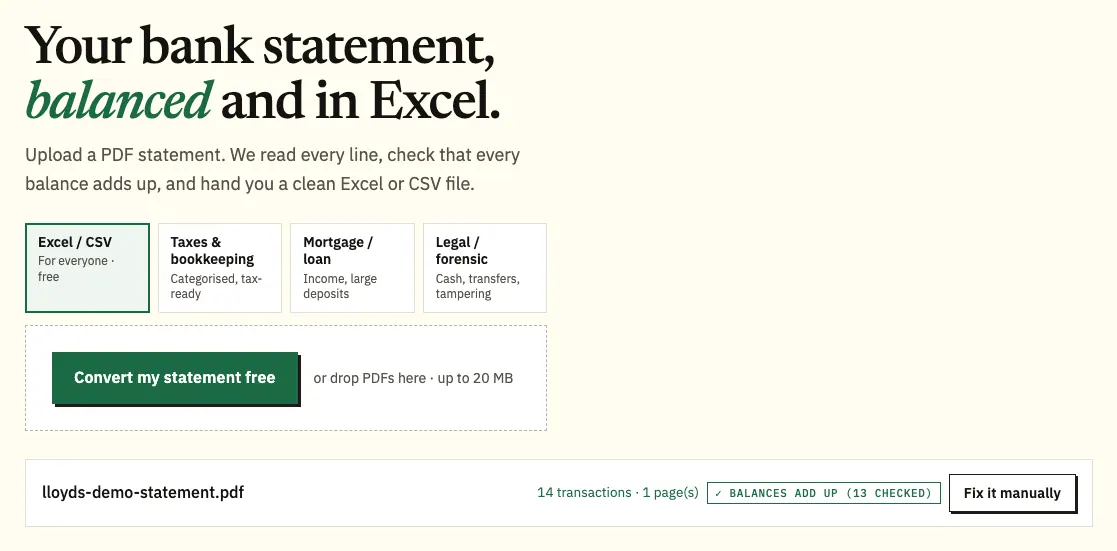
- Upload it here, in the box near the top of this page, or open the full bank statement converter. Three pages a day are free, 15 with a free account.
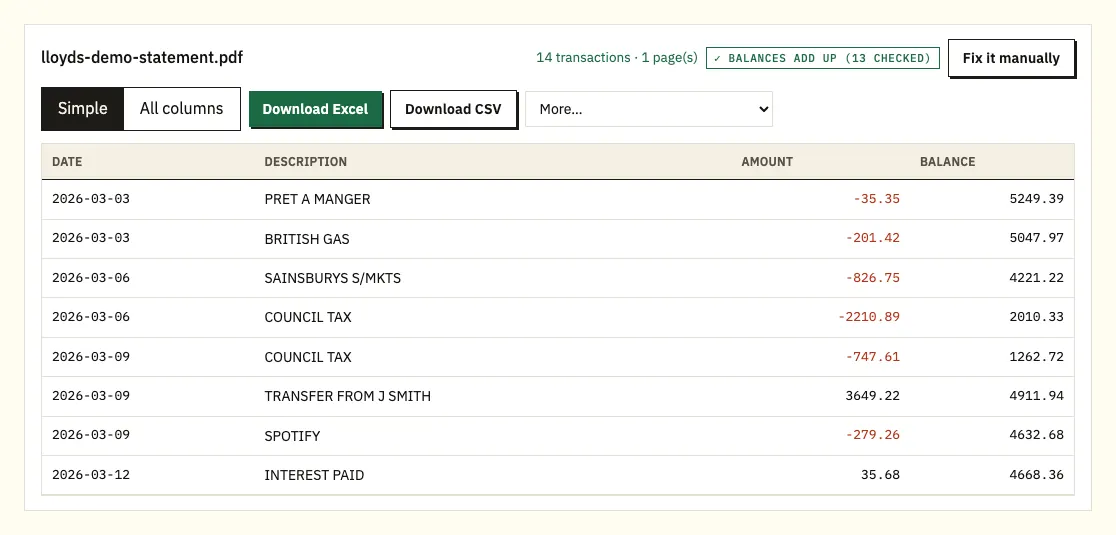
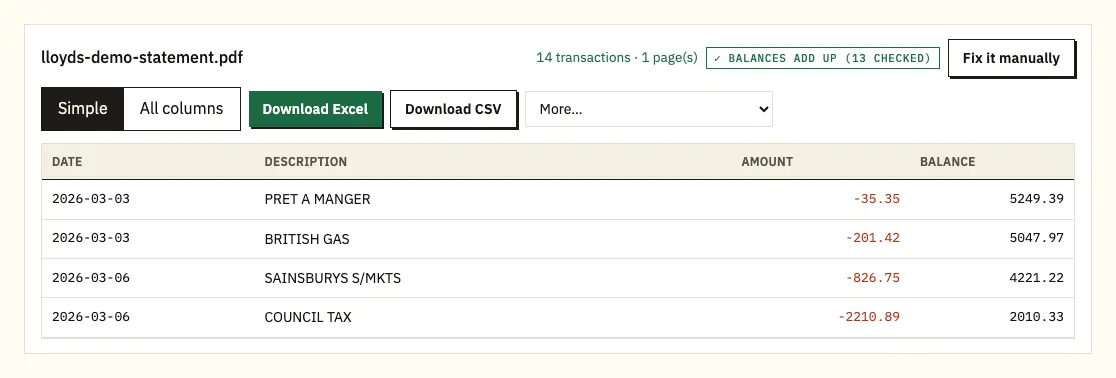
- Check the rows. A ⚠ marks any row where the printed balance doesn't follow from the one above; tap it to see the line on the PDF.
- Download Excel (.xlsx) or CSV. The paid plans add QuickBooks (.qbo), OFX and QIF in the More menu.
Can a Lloyds account export to CSV?
Business accounts can. Lloyds business customers choose Statement options, then Export transactions, and save the activity as CSV or QIF. For personal current accounts, we couldn't find a Lloyds help page that confirms the same export, so look at Statement options on your own account.
An export covers the dates you pick, not a statement. Mortgage lenders, solicitors and accountants often want the statement exactly as Lloyds issued it, so for them, convert the PDF.
| Export transactions (business) | Lloyds PDF, converted | |
|---|---|---|
| Formats | CSV, QIF | Excel, CSV; QBO, OFX, QIF on paid plans |
| Personal accounts | Not confirmed by Lloyds | Yes |
| How old | Dates offered on screen | 7 years online, 10 or more via the app |
| Balance check | No | Yes |
Inside a Lloyds current account statement
Lloyds doesn't publish a sample current account statement on the help pages we checked, so use the headings on your own statement as the reference.
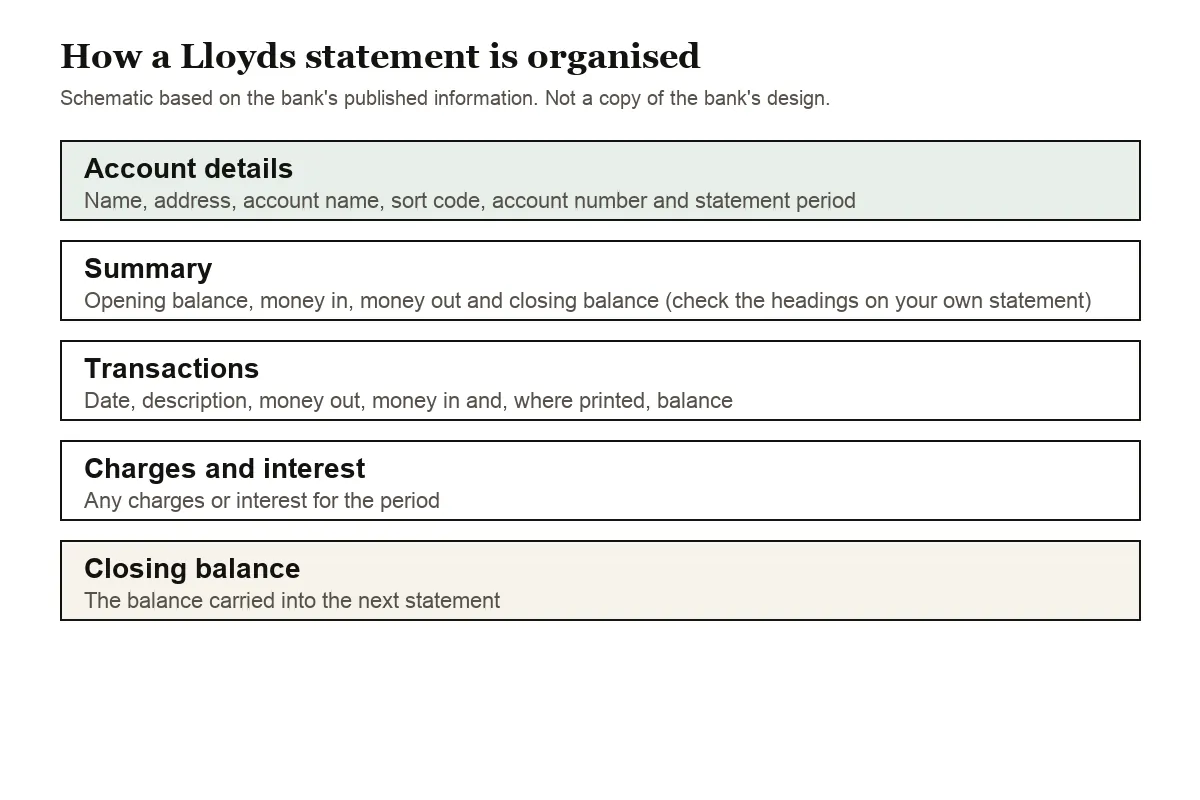
Expect the usual UK details at the top: your name and address, the account name, sort code, account number and the dates covered. A summary of money in and out with opening and closing balances normally follows, then the list of Direct Debits, standing orders, card payments, transfers, charges and interest.
The converter treats dates the British way, day first, so 03/02/2026 is 3 February. Written forms such as 3 Feb get their year from the statement period. Separate paid-in and paid-out columns, minus signs, and CR or DR markers are all turned into one signed amount column. If a page is missing from a long statement, the balance check shows it, because the next printed balance won't follow on.
On a Lloyds credit card statement, purchases become negative figures and repayments positive ones.
Getting older or paper Lloyds statements
Internet Banking holds 7 years of statements and the app at least 10, so for something from eight or nine years ago, go to the app.
For a printed copy, choose Order paper statements under Statement options. Lloyds says these arrive within 10 working days, which is worth knowing if a lender or a solicitor has a deadline. For anything the help pages don't cover, Lloyds' personal banking line is 0345 300 0000, or +44 (0)1733 347 007 from abroad; business customers call 0345 072 5555.
Since the app holds more than Internet Banking, save each statement PDF to your own storage when it arrives. You'll still have it if you close the account or switch banks.
For card statements, the app or chat is the only route, since Internet Banking has no card PDFs. If the statements are for a lender, our mortgage and visa statements guide covers what is usually asked for.
Lloyds PDF issues and what to do
A running balance that doesn't add up
A ⚠ beside a Lloyds row means the printed balance there isn't the previous balance plus or minus that payment. The usual reasons are a missing page, a misread number, or a PDF edited after Lloyds produced it. Compare the flagged row with the PDF, and download the statement again from Statement options or the app if pages are missing.
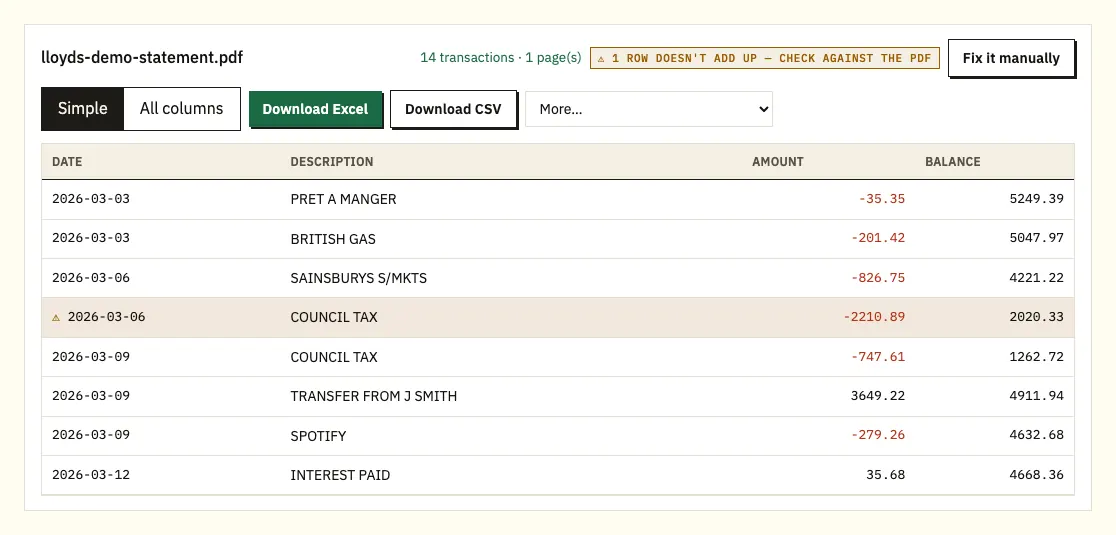
Long payee names
A reference that wraps onto a second line is reattached to its payment, so you don't get stray rows.
Password prompts, scans and odd layouts
If the file is password protected, enter the password when asked; it's used once and not kept. Scanned paper statements are read with text recognition, which is less accurate, so check them, or download the PDF from the app if the statement is under 10 years old. Fix it manually lets you draw the columns for a layout that won't read, and paid plans remember it.
Checking an unfamiliar Lloyds payment
Search the converted rows for the payee and the amount first, as a renamed shop or a subscription after a free trial explains many odd lines. If it still doesn't fit, Lloyds' unrecognised transactions page explains the next steps.
Lloyds transactions in QuickBooks, Xero or Google Sheets
Business users with a CSV export may already have what QuickBooks needs; converted statements fill in older months and personal accounts. Upload the CSV in QuickBooks' bank upload, or a QBO file on a paid plan (QuickBooks walkthrough). In Xero, import CSV or OFX as a bank statement (Xero walkthrough). For Google Sheets, use File, Import. Check one month's dates first.
Your Lloyds file and our privacy rules
We receive the Lloyds PDF over an encrypted connection and use it only to build your spreadsheet. It isn't shared. Guests' files are deleted after 24 hours. Free accounts keep files for 7 days, and you can delete them sooner or let auto-delete do it. Details are on our security page.
Keep the original PDFs too. GOV.UK lists which pay and tax records to keep.
Classic, Club Lloyds and the yearly statement of fees
Lloyds' two main personal current accounts are priced differently, and the difference shows up in your statements:
- Classic Account: no monthly fee, with free banking while you stay in credit.
- Club Lloyds: £5 a month, refunded when you pay in £2,000 or more in a calendar month. The refund applies to the following month's fee, and several smaller payments in count towards the total.
Club Lloyds counts the calendar month, which may not match your statement period. To check a fee you didn't expect, convert the two statements that cover the month, filter for money in between the 1st and the last day, and add it up. Because the refund applies to the following month's fee, the month you paid in and the fee it covers can sit on different statements, so convert both before you decide a charge is wrong.
Once a year Lloyds also sends a statement of fees: an overview of what your current account cost, covering account services, payments, cards and cash, arranged overdrafts and other services. If a fee or rate changed during the year, each amount is shown separately. You get one when you switch to a different type of current account or close the account, too, and Lloyds suggests using it to compare accounts between providers. Paper-free customers find it as a PDF in their Digital Inbox.
Closed accounts and paper-free Lloyds statements
Statements after you close a Lloyds account
When you close a current account, Lloyds provides your transaction history for up to five years before the closure date at no cost, unless you decline it at that point. Contact Lloyds or visit a branch to confirm the address and the period you want. Lloyds aims to post it within 10 working days of confirming your identity, and a full five years can run to about 60 pages. If you still have another open Lloyds account, you can view the closed account's history in your Digital Inbox instead, which gives you a file you can convert rather than paper you'd have to scan.
Switching to paper-free
In the app, open Profile and settings, then the Settings tab, then Paper-free preferences, and use the toggle on each account. In Internet Banking, select the account, then Account information, Paperless settings and Manage paperless settings. Most statements and letters then go to your Digital Inbox; credit card and loan statements go to that account's statement page instead.
Lloyds annual interest summary
Lloyds sends an Annual Interest Summary with the first statement after the tax year ends, showing the interest credited and any tax paid, and paper-free savers find it in the Digital Inbox. For how it fits a return, see our statements at tax time guide.
Lloyds customers often ask
Can Lloyds give me a statement in Excel?
Personal statements come as PDFs, while business customers can export transactions as CSV or QIF. Converting the PDF gives you an Excel copy of the statement.
How far back do Lloyds statements go?
Seven years in Internet Banking and at least ten in the app.
How do I get a Lloyds credit card statement PDF?
In the app, or by asking through chat. Internet Banking doesn't offer it.
How long does a Lloyds paper statement take?
Up to 10 working days after you choose Order paper statements.
Can I get statements for a closed Lloyds account?
Lloyds provides up to five years of history before the closure date at no cost, posted within 10 working days of confirming your identity. If you still hold another Lloyds account, the closed account's history is in your Digital Inbox as a file you can convert.
Where do paper-free Lloyds statements go?
Most statements and letters go to the Digital Inbox. Credit card and loan statements go to that account's own statement page instead.
Why does my converted Lloyds statement show a ⚠?
A printed balance on that row doesn't follow from the one before it, which usually means a missing page or a misread figure. Open the row on the PDF, and download the statement again if pages are missing.
Can I convert a Lloyds business statement?
Yes, in the same way. If you already have a CSV from Export transactions, that can go straight into your accounting software.
Lloyds and other UK banks
We also have guides for Barclays, HSBC, NatWest, Santander UK, Nationwide and Halifax, each covering its own app and menus, and a full bank list.
Lloyds' help page describes downloading, printing and ordering statements. With the PDFs saved, convert a Lloyds bank statement to Excel in our bank statement converter.