
HSBC UK lets you download transactions as Excel or CSV, but statements themselves come only as PDFs. To convert an HSBC statement to Excel, download the PDF from online banking or the app and upload it to our free bank statement converter, then check each row and save the file.
Quick answer: Pick Statements from the quick links menu in HSBC UK online banking, or View statements in the app, and download the PDF. Upload it in the box above, check the rows, and save Excel or CSV. No account is needed for 3 pages a day.
On this page
- How to convert an HSBC statement to Excel
- HSBC's own Excel and CSV transaction download
- The HSBC summary box, sheet numbers and codes
- Where HSBC keeps your statements, and why some months are missing
- Common snags with HSBC PDFs
- Querying an HSBC payment you don't recognise
- Using HSBC transactions in QuickBooks, Xero or Sheets
- What happens to an HSBC PDF after upload
- HSBC UK current accounts at a glance
- HSBC UK: frequent statement questions
- Other banks you use alongside HSBC
How to convert an HSBC statement to Excel
Four steps: HSBC's part is the download, ours is reading and checking the PDF.
- Download the PDF. Online banking: quick links → Statements → statement type → year and month → download. HSBC UK app: select the account → View statements → month.
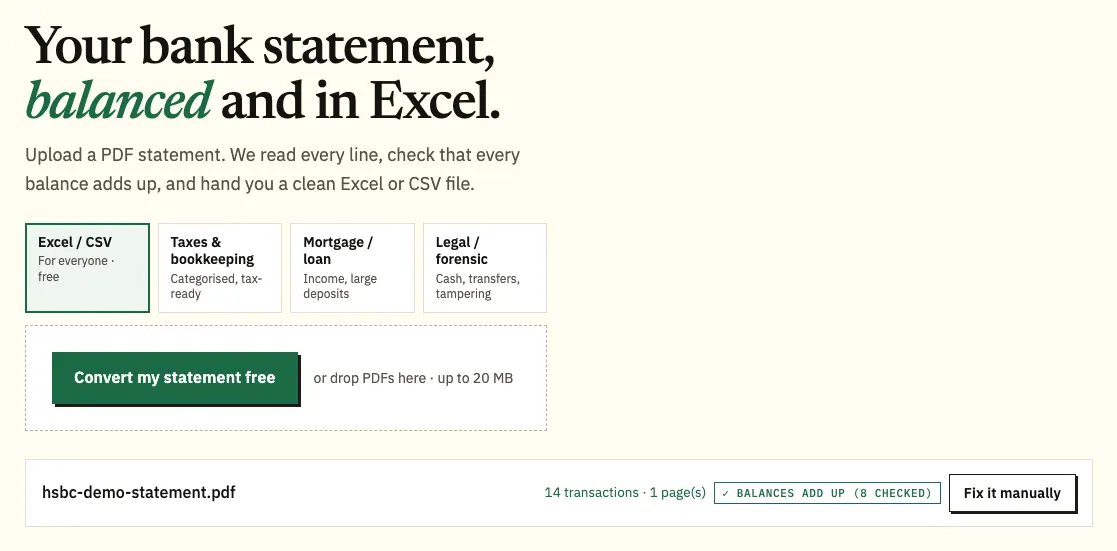
- Upload it here, in the box near the top of this page, or open the full bank statement converter. A statement spread over several sheets goes up as one file; guests get 3 pages a day, free accounts 15.
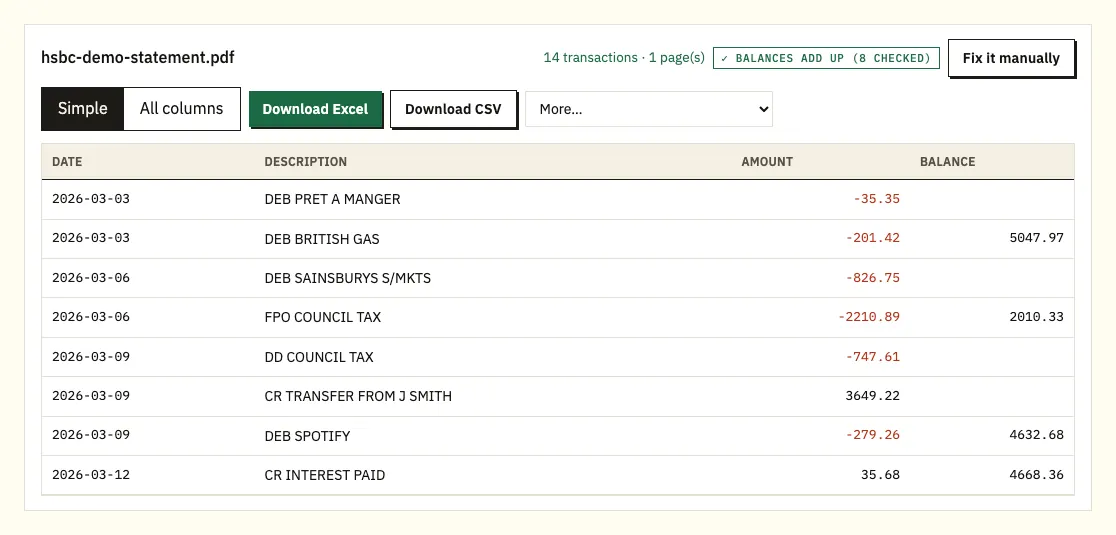
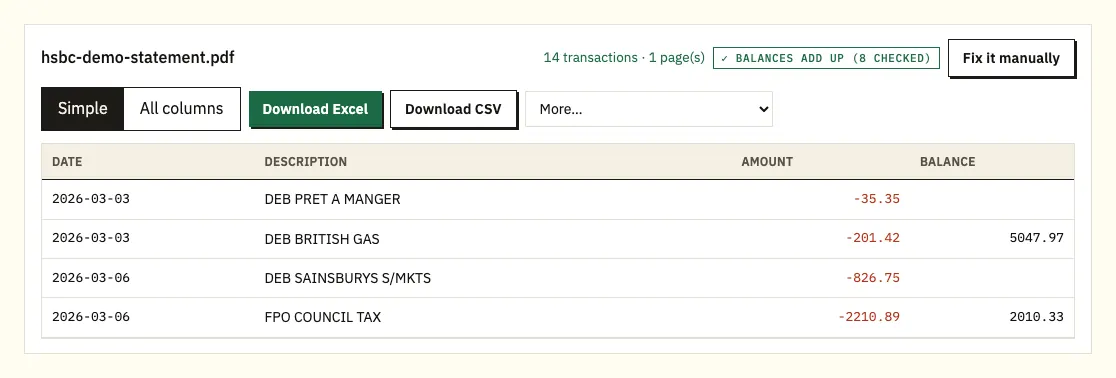
- Check the balances. A ⚠ appears wherever the printed balances stop adding up; click the row to see its place on the PDF sheet.
- Save .xlsx or .csv. QBO, OFX and QIF are under More on the paid plans.
HSBC's own Excel and CSV transaction download
HSBC does offer a spreadsheet, just not of the statement. The transaction list in online banking downloads as Excel (.xls) or CSV:
- Log on and choose the account.
- Select Search and filter, and set a date range, amount or keyword.
- Select Search.
- Scroll to the end of the list and click Download.
- Pick a format and select Continue.
That works well for a quick look at recent spending. Because you choose the dates, the list may not line up with a statement period, and it doesn't include the opening and closing balances or sheet numbers. For a lender or letting agent who wants statements, convert the PDF so the spreadsheet matches what HSBC issued.
| Search and filter download | HSBC statement PDF, converted | |
|---|---|---|
| File types | .xls, .csv | .xlsx, .csv; QBO, OFX, QIF on paid plans |
| Period | Your search dates | The statement period |
| Reach | Your transaction history | Any statement from the past 6 years |
| Opening and closing balances | Not included | Included and checked |
The HSBC summary box, sheet numbers and codes
HSBC publishes a guide to its statements, so the layout here is more specific than for most banks.
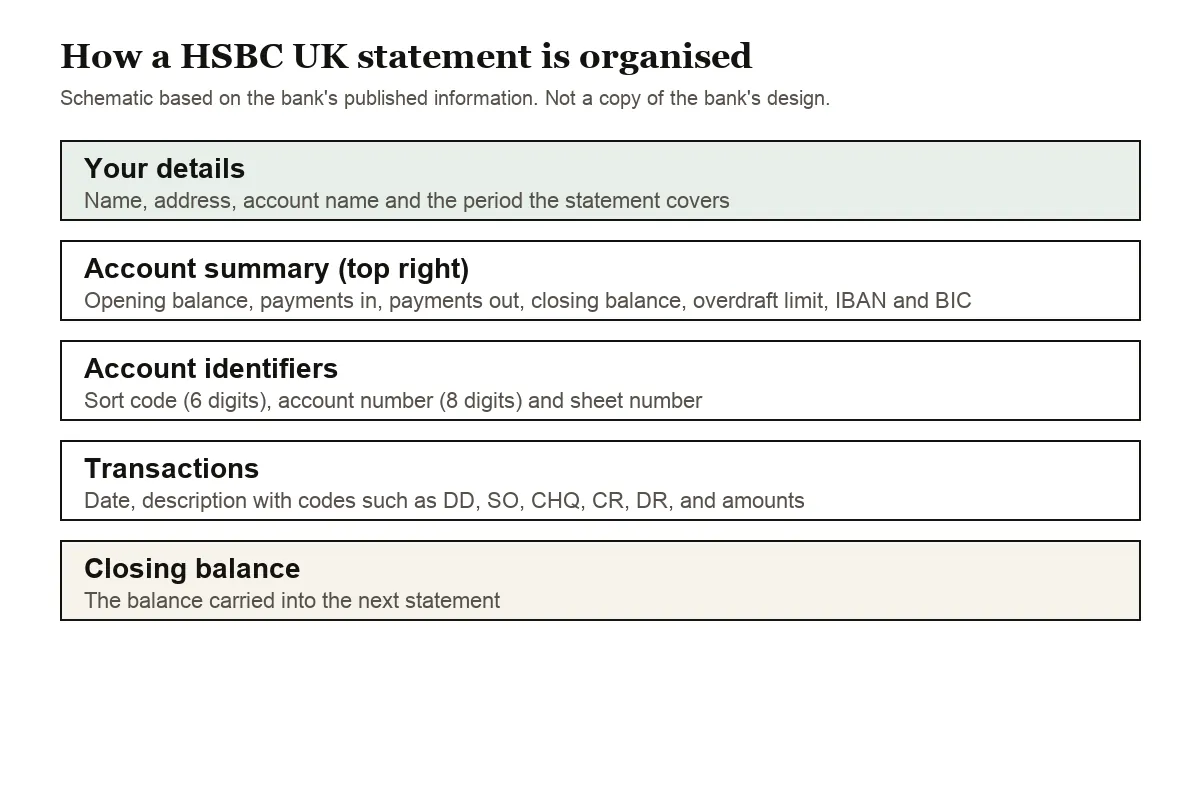
Your name, address, account name and the statement period sit at the top. The account summary, top right, shows the opening balance, payments in, payments out, the closing balance and your overdraft limit, with your IBAN and BIC for payments from abroad. Under it are the 6-digit sort code and 8-digit account number.
Every page carries a sheet number so a long statement stays in order. If a sheet goes missing, the balances on the next one won't follow on, which is exactly what the converter's ⚠ check catches.
HSBC also explains the codes in transaction descriptions: ATM (cash machine), BACS (used for wages paid straight into accounts), CHQ (cheque), CR (credit), DD (Direct Debit), DR (debit), SO (standing order) and TRF (transfer). Where CR or DR sit next to a figure, the converter treats them as money in or money out. Dates are read day first, so 03/02/2026 means 3 February, and short forms like 3 Feb get their year from the statement period.
Where HSBC keeps your statements, and why some months are missing
Statements stay viewable online for up to 6 years. A gap doesn't always mean a lost statement: HSBC only issues current and savings statements when money leaves the account, the balance drops below £0, or it reaches £1 million or more. An annual statement arrives regardless, even on an inactive account. Credit cards get monthly statements plus an annual one.
For a printed statement, ask through Chat in online banking or the app, call if you use telephone banking, or visit a branch. Post takes up to 5 working days for a bank account and up to 9 for a credit card. HSBC won't stamp or sign paper statements, but it accepts the digital version as proof of address.
Registering for online banking switches sole account holders to paperless statements automatically. Joint account holders both need to choose Online only under Statement and My documents preferences in quick links.
Certificates of interest arrive within the first 10 working days of the new tax year if the account earned interest. Our statements at tax time guide covers how they fit a return.
Common snags with HSBC PDFs
A running balance that doesn't add up
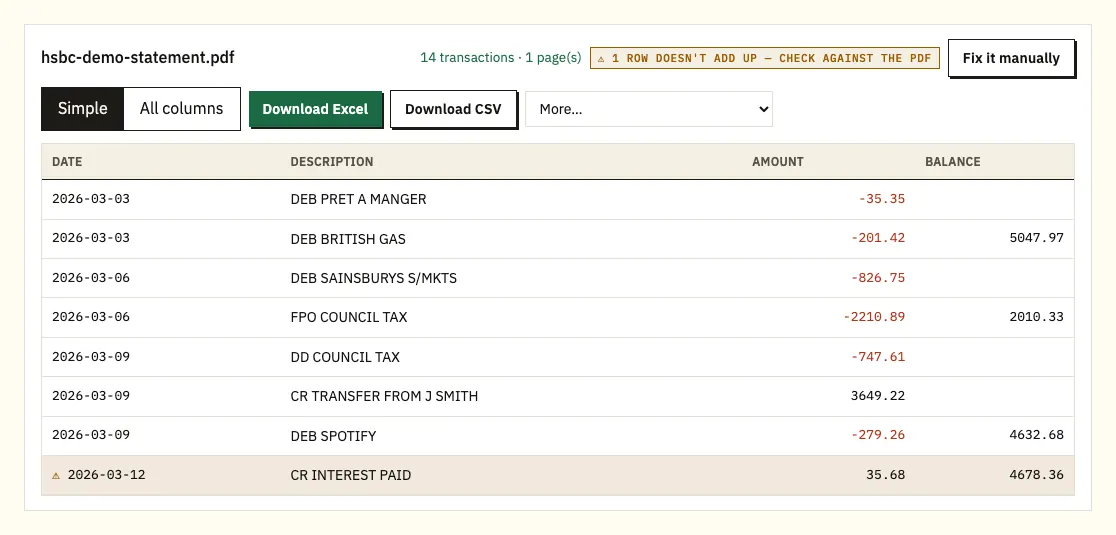
A ⚠ on an HSBC row means its printed balance isn't the previous balance with that payment applied. Start with the sheet numbers, since one missing sheet breaks the chain. A misread figure or a file altered after HSBC issued it are the other suspects. Open the flagged row on the PDF, and download the statement again if sheets are missing.
Two-line references
Payee names that wrap onto a second line are joined back to their transaction. BACS wage payments and transfers tend to carry the longest references, so glance at those rows to confirm the reference text stayed in one cell.
A month that seems to be missing
If you convert a year and one month has no file, check whether money left the account that month. HSBC only issues current and savings statements when it does, or when the balance falls below £0 or reaches £1 million, so a quiet month may never have had a statement. The annual statement still covers the year.
Mixing the transaction download with statements
The Search and filter download and a converted statement can overlap if your search dates cross a statement period. Before combining them in one sheet, sort by date and remove repeated rows, or stick to converted statements for any period a lender will see.
Locked PDFs, scans and odd layouts
You'll be asked for the password of a protected file; it opens that file once and isn't saved. Scanned or photographed statements rely on text recognition and need checking against the paper. For a layout that won't read properly, Fix it manually lets you draw the columns, and paid plans remember them.
Querying an HSBC payment you don't recognise
Filter the converted rows by payee first, since a shop trading under another name or a forgotten subscription explains many odd lines. If a payment still looks wrong, HSBC's transaction support page explains how to query it.
Using HSBC transactions in QuickBooks, Xero or Sheets
HSBC's own CSV covers recent activity; converted statements cover full periods with balances. QuickBooks accepts the CSV through its bank upload, or QBO on a paid plan (QuickBooks how-to). Xero imports CSV or OFX as a statement (Xero how-to). Google Sheets reads the CSV via File, Import. Make sure day-first dates come through correctly on a single month first.
What happens to an HSBC PDF after upload
An HSBC PDF sent to us travels encrypted and is used only to make your spreadsheet. Nobody else gets it. Without an account it's removed after 24 hours; with a free account after 7 days, or sooner if you delete it or turn on auto-delete. Read our security details.
HSBC's online archive stops at 6 years, so keep your own copies. GOV.UK covers keeping pay and tax records.
HSBC UK current accounts at a glance
HSBC UK's current accounts page lists a short range, and which one you hold decides some of the numbers you'll need later:
- Bank Account: the everyday account, with no monthly account fee and access to the Regular Saver Account.
- Premier Bank Account: for customers with an income of £100,000 or more, £100,000 in savings or investments with HSBC, or Premier status in another country.
- Student Bank Account and MyMoney children's accounts: for students and younger customers.
Holding a Regular Saver alongside the Bank Account means two sets of statements. Monthly transfers into the saver show as money out on one and money in on the other, so mark them as internal transfers if you combine both conversions in one spreadsheet. HSBC's second route to a statement can help here: Statements in quick links, then the account, then the statement date, which takes you straight to one account's list.
HSBC UK: frequent statement questions
Can I download an HSBC statement as Excel?
Statements are PDF only. Transactions download as .xls or CSV through Search and filter, and a converted PDF gives you a spreadsheet of the statement itself.
How far back can I see HSBC statements?
Six years online. Download anything older than that before it drops out of the archive, or order a printed copy through Chat, telephone banking or a branch.
Why don't I have a statement every month?
HSBC issues one only when money leaves the account, the balance is below £0 or £1 million or more. You still get an annual statement.
Will a downloaded HSBC statement work as proof of address?
HSBC says it accepts the digital version and doesn't stamp or sign paper ones. Confirm with whoever is asking.
Where is my HSBC certificate of interest?
In the app: account, certificate icon, date. It's issued within the first 10 working days of the tax year when interest was earned.
How do joint account holders go paperless?
Both choose Online only under Statement and My documents preferences. Sole holders are switched automatically.
What do DD, SO and BACS mean on my statement?
DD is a Direct Debit, SO a standing order and BACS a payment such as wages paid straight into the account. HSBC's statement guide lists the other codes, including CHQ, TRF and ATM.
Can I convert an HSBC credit card statement?
Yes. Card spending comes out as negative amounts and repayments as positive ones. Allow up to 9 working days if you need a printed card statement posted to you.
How long does a printed HSBC statement take?
Up to 5 working days for a bank account and up to 9 for a credit card. Ask through Chat, telephone banking or a branch.
Other banks you use alongside HSBC
Statements from Barclays, Lloyds, NatWest, Santander UK, Monzo and Halifax each have a guide built around that bank's menus. See every supported bank for the rest.
HSBC's help page on online statements has its own instructions. With your PDFs downloaded, convert an HSBC statement to Excel using the bank statement converter.