
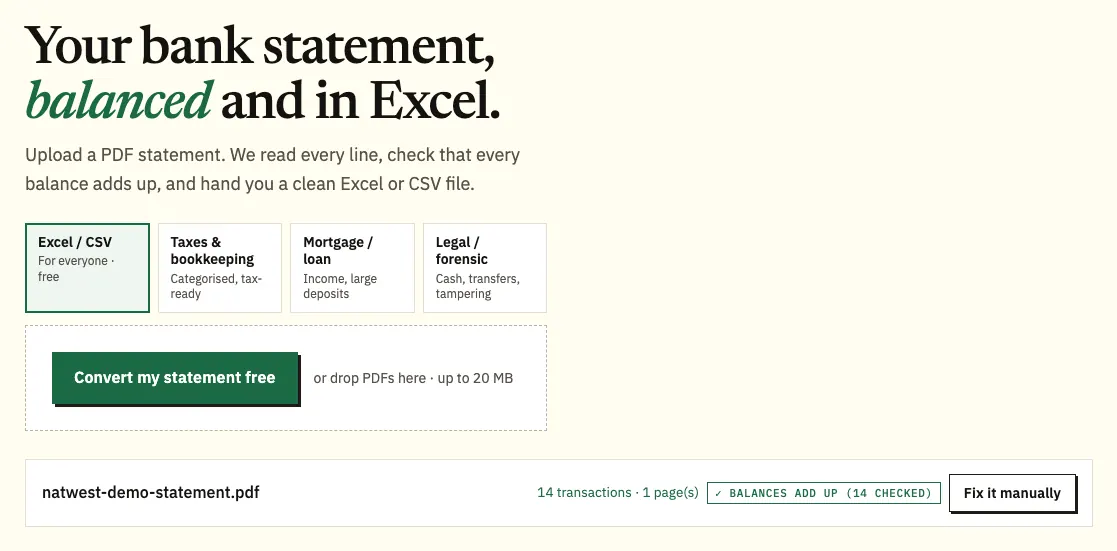
NatWest issues statements as PDFs, so the way to convert a NatWest statement to Excel is to download the PDF from Online Banking and upload it to our free bank statement converter. Each transaction becomes a dated row, money out turns negative, and every printed balance is checked before you save Excel or CSV.
Quick answer: In NatWest Online Banking, open Statements & transactions, pick the account and year, and save the statement PDF. Put that file into the box above, compare the preview with your statement and save it as Excel or CSV. You can do 3 pages a day at no cost.
On this page
- How to convert your NatWest statement to Excel
- Notes on each step for NatWest customers
- NatWest's own transaction export, and where it stops
- Reading a NatWest statement and its payment codes
- When a NatWest PDF doesn't convert cleanly
- What to do about a NatWest payment you can't place
- Moving NatWest data into QuickBooks, Xero or Sheets
- Keeping NatWest statements safe
- NatWest's yearly statement documents
- Paperless NatWest statements and gaps in the archive
- Closed NatWest accounts and older history
- NatWest statements: your questions
- Guides for other UK banks
How to convert your NatWest statement to Excel
- Save the PDF. In NatWest Online Banking: Statements & transactions → choose the account → pick the year → open the statement and save it. In the app: account → three-dot icon → statements → export button at the top right.
- Upload it here, in the box near the top of this page, or open the full bank statement converter.
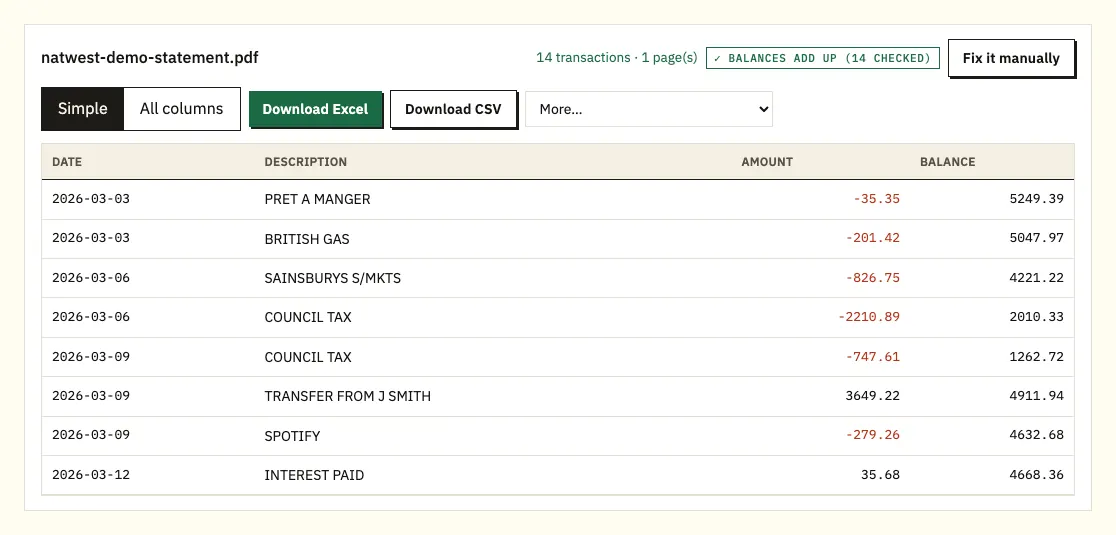
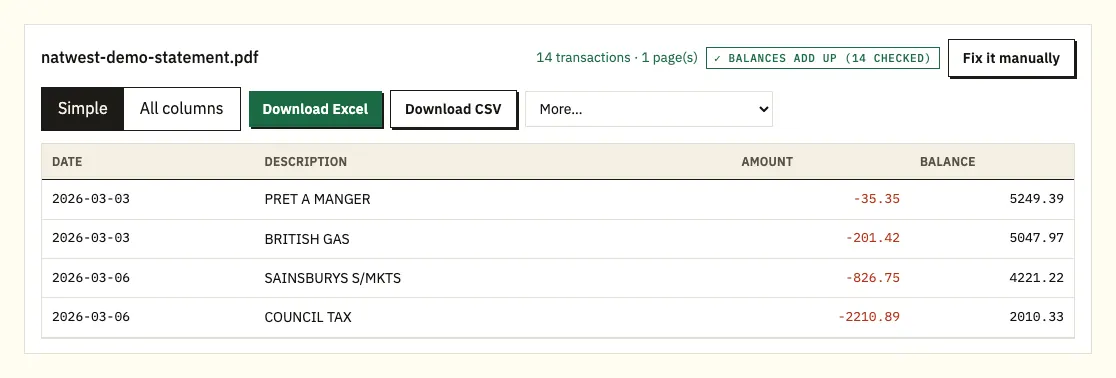
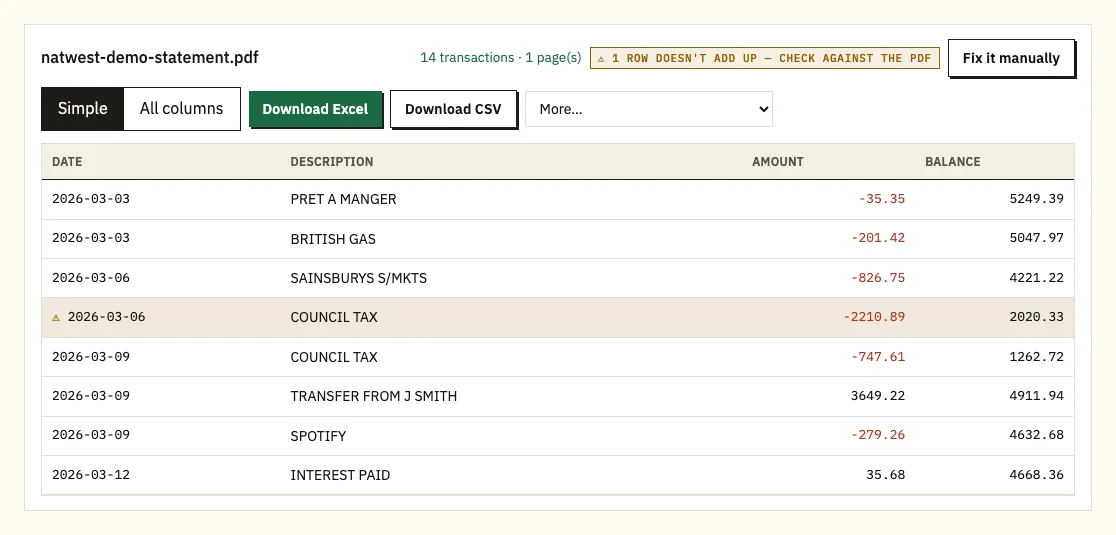
- Check the preview. Each row has a date, description, amount and balance, and a ⚠ marks a balance that doesn't add up.
- Download Excel (.xlsx) or CSV.
Notes on each step for NatWest customers
Which statement to save
Online Banking keeps up to 7 years of NatWest statements, and NatWest says a PDF appears there as soon as the statement has been issued. If you need a paper copy, or a statement you can't find online, ask Cora, NatWest's assistant, for "Help with my statement". Save the original PDF rather than a screenshot: a downloaded PDF holds the text exactly as NatWest printed it.
Uploading several months
NatWest gives you one PDF per statement, so if you're catching up on a quarter, select all three files in one go. The spreadsheet gets a column showing which file each row came from. Free use covers 3 pages daily, or 15 once you create a free account; our pricing page lists the paid plans.
Reading the preview
Payment codes such as D/D and S/O stay in the description, next to the date, amount and balance. Click a row marked ⚠ and the matching spot on the PDF is shown, so you can see whether the PDF or the reading is at fault.
Picking a file type
An .xlsx file suits working in Excel; CSV suits importing elsewhere. If your plan is paid, More lists QuickBooks (.qbo), OFX and QIF as well.
NatWest's own transaction export, and where it stops
Your transactions, yes; your statements, no. NatWest's help pages say you can view your transactions in Online Banking, filter them, and export the results in several formats, including Excel and PDF. An older NatWest FAQ also lists OFX and CSV, so check the export menu for the options you see today. Statements themselves come as PDFs.
The export is a filtered list, not the statement as NatWest issued it. NatWest also notes that a transaction download leaves out today's transactions, so its balance can differ from the one you see online. If a download and your bookkeeping software disagree, NatWest suggests downloading again from a date when you know the balances matched.
| NatWest transaction export | Converting the PDF statement | |
|---|---|---|
| What you get | Transactions matching your filter | Every row on the statement, in order |
| How far back | Depends on the filter options in Online Banking | Each PDF in your 7-year history |
| Formats | Excel and PDF, per NatWest's help page | Excel or CSV free; QBO, OFX, QIF when paid |
| Today's transactions | Not included | Only what the statement covers |
| Balances checked | No | Yes, line by line |
| Posted paper statements | Not covered | Scan and convert; text recognition needs a careful check |
Reading a NatWest statement and its payment codes
A NatWest current account statement covers one period and lists your transactions in date order. NatWest has no published walkthrough of the page itself, so treat your own statement's headings as the final word. What follows is what you'll typically find and how it maps to spreadsheet columns.
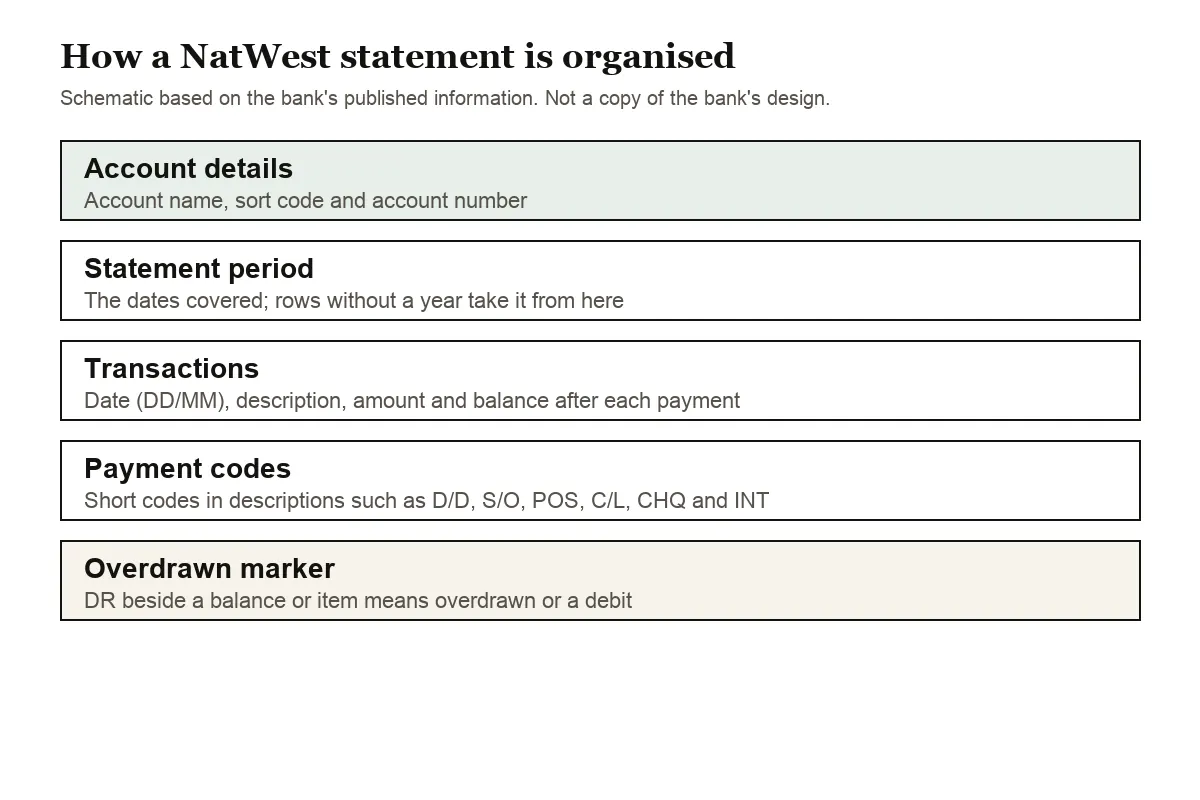
Your name, sort code, account number and statement dates head the first page. Under them, each payment line carries its date, a description, the amount and usually the resulting balance. Dates run day first, so 03/04 means 3 April, and if the year is missing from a line it's taken from the statement dates.
The descriptions often start with a short code that tells you what kind of payment it was. NatWest publishes a list of these. The ones you'll meet most are:
- D/D: Direct Debit
- S/O: Standing Order
- POS: Point of Sale, a debit card payment
- C/L: Cashline, a cash machine withdrawal
- CHQ: cheque
- INT: interest
- BAC: automated credit
- DPC: a payment or transfer made in online banking
- N-S TRN FEE: a non-sterling transaction fee on a payment in another currency
The converter keeps these codes in the description column exactly as printed. In Excel you can filter on "D/D" to list every Direct Debit for the period, or on "N-S TRN FEE" to total what you paid in foreign transaction fees. NatWest also uses DR to mark an overdrawn balance or a debit item, so a balance with DR next to it is below zero.
On a NatWest credit card statement, spending raises the balance you owe. In the spreadsheet, card spending comes out negative and repayments positive, the same direction as on your current account.
When a NatWest PDF doesn't convert cleanly
Four situations account for nearly every NatWest file that needs a second look.
A running balance that doesn't add up
NatWest prints a balance after each line, so every one can be tested: old balance, plus or minus the amount, should give the new one. A ⚠ appears where it fails. Typical reasons are a misread digit, a page that didn't make it into the file, or a PDF someone edited. Open the flagged line beside the original; if the original is the problem, take a new copy from Statements & transactions.
Long DPC and BAC references
Online banking transfers (DPC) and automated credits (BAC) often carry a payee and reference that spill onto a second printed line. That overflow is kept with its payment instead of becoming an empty extra row.
Locked files
If a NatWest PDF you were sent is password protected, you'll be prompted for the password; it unlocks that file once and is then forgotten.
Scanned paper statements
Photos and scans of posted statements go through text recognition, which makes more mistakes than reading a digital PDF. For anything inside NatWest's 7-year online window, the downloaded PDF is the better source.
What to do about a NatWest payment you can't place
Once the month is in Excel, filter the D/D and S/O rows to review every regular commitment, then sort POS rows by amount to find card spending you don't remember. If a payment still doesn't make sense, NatWest's fraud and disputes page explains how to raise it.
Moving NatWest data into QuickBooks, Xero or Sheets
Xero users can bring the CSV, or OFX from a paid plan, in as a bank statement; our page on Xero imports covers it. QuickBooks reads the CSV or a QBO file, as explained in our QuickBooks walkthrough. Google Sheets opens the CSV via File, Import, Upload.
One setting to watch: the date order. NatWest dates are day first, and software set to month first will turn 03/04 into 4 March. Test a single month before loading the year.
Keeping NatWest statements safe
Uploading your NatWest PDF sends it over HTTPS, and it's used for your conversion alone, never passed on. We delete anonymous uploads and their results after 24 hours. Files on a free account stay 7 days unless you delete them or switch on auto-delete. The security page explains how this works.
Hold on to the NatWest PDFs themselves, because the online archive stops at 7 years. For tax, see HMRC's page on keeping your pay and tax records.
NatWest's yearly statement documents
NatWest produces a few documents once a year that sit apart from the monthly statements.
Certificate of Interest
A Certificate of Interest for a personal current account can be viewed from 5 April each year, under Documents in the app or Certificates of Interest in Online Banking. Our statements at tax time guide covers how it fits a return.
Statement of Fees
Once a year, around the date you opened the account, NatWest sends a Statement of Fees for every current account you hold. It sums up the fees and interest you've paid over the year, split into sections such as Cash and Cards, Payments, Other Services and Overdraft and related services. NatWest says it sends this instead of an Annual Account Summary, and it arrives on paper or in your Online Banking Mailbox depending on your settings. Switching to a different type of current account doesn't change this, as long as the sort code and account number stay the same.
Paperless customers can also download a pre-advice of interest and charges: in Online Banking, open Statements & transactions and choose the pre-advice option under Your statements. NatWest emails you when one is ready.
Paperless NatWest statements and gaps in the archive
To stop paper statements, choose Paperless settings from the main menu in Online Banking. You can switch some or all of your eligible accounts, and switch back to paper at any time.
Once you're paperless, NatWest sends a Statement Alert email each time a statement is ready, on the same schedule your paper statements followed. If a paper statement turns up anyway, NatWest says that usually means it couldn't email you, for example because the address it holds is wrong or your inbox is full. It will write to explain, and if the problem isn't fixed, paper statements are switched back on automatically. Log in, check your email address, then update your preferences again.
A few gaps catch people out. On a business account, NatWest's paperless page says no statement is produced for a period with no transactions. For a NatWest credit card, Online Banking shows 3 months of transactions (with an Excel export), while the app gives you up to 4 months of statements. A Pot gets a monthly statement only in months when it had a transaction, so a quiet Pot leaves gaps that are normal.
NatWest says its downloaded PDF statements could be used as proof of identity, address or income, but check what the organisation accepts. Our mortgage and visa statements guide covers what lenders usually ask for.
Closed NatWest accounts and older history
Online statements are for open accounts, so save the PDFs you'll need before you close one. Afterwards, NatWest can send a transaction history list, and you can ask for it up to five years after closing. The window counts back from the date you ask: request it four years after closing and you'll get the last year the account was open.
To ask, chat to Cora. If you no longer hold any NatWest products, go to a branch or write to your local branch with your full name, statement address, sort code and account number, the period you need and your signature. Bring the sort code and account number to a branch, along with the usual proof of identity and address, or the request may take longer. NatWest posts the list within 5 working days of passing its identity checks, and you can ask for large print, braille or audio.
The transaction history list is free, but copy statements are charged. The two aren't the same: the list shows cleared and uncleared items, such as cheques, while a copy statement shows only cleared transactions.
NatWest statements: your questions
Does NatWest give statements in Excel?
Not statements: those are PDFs. A filtered transaction list can be exported in formats that include Excel, and converting the PDF gives a spreadsheet that mirrors the statement itself.
How many years of NatWest statements are online?
Seven, in Online Banking. For a paper copy or anything you can't find online, ask Cora for "Help with my statement".
What do D/D, S/O and POS mean on a NatWest statement?
D/D is a Direct Debit, S/O a Standing Order and POS a debit card payment. NatWest's abbreviations page lists the rest, such as C/L for a cash machine withdrawal and CHQ for a cheque.
Why doesn't my NatWest download match my online balance?
NatWest says transaction downloads don't include today's transactions. A missing transaction from an earlier download, or one keyed in by hand, can also cause a difference.
Is a transaction history list the same as a copy statement?
No. The free list for a closed account shows cleared and uncleared items, such as cheques, while a charged copy statement shows only cleared transactions.
Where is the export button in the NatWest app?
Open the account, tap the three-dot icon and choose statements. Once a statement is open, the export button is at the top right.
Guides for other UK banks
Banking with someone else as well? We also cover Barclays statement to Excel, HSBC statement to Excel, Lloyds statement to Excel, Santander UK statement to Excel, Nationwide statement to Excel and Halifax statement to Excel, and the full list is on all supported banks.
Got the PDF? Use the bank statement converter (or the upload box at the top of this page) to convert your NatWest statement to Excel. For NatWest's own instructions, read how to download a PDF statement.