
Revolut can already give you a spreadsheet: when you generate a currency account statement in the app, you choose PDF or Excel. So the quickest way to convert a Revolut statement to Excel is to pick Excel at that step. If what you hold is a PDF, such as the password-protected history Revolut emails when an account closes, a Revolut Business statement or a file someone forwarded, convert the PDF and check every balance before you save it as Excel or CSV.
Quick answer: In the Revolut app go to Home, tap Accounts, pick the currency, then More (...), Statement, choose the dates and Excel, and tap Generate. Only have the PDF? Upload it, check the rows and download Excel or CSV. Three pages a day are free without an account.
On this page
- How to convert a Revolut statement to Excel in 4 steps
- Notes on each Revolut step
- Revolut's Excel option or a converted PDF?
- What's on a Revolut currency account statement
- Revolut PDFs that need a second look
- Other statements in the Revolut app
- Older and closed Revolut account statements
- Revolut Business statements and exports
- Revolut transactions in QuickBooks, Xero or Sheets
- Is it safe to upload a Revolut statement?
- Revolut statement questions
- Other UK bank guides
How to convert a Revolut statement to Excel in 4 steps
- Generate the statement: Home → Accounts (under your balance) → the currency → More (...) → Statement → timeframe → PDF or Excel → Generate. Tap the Export icon at the top right to save it.
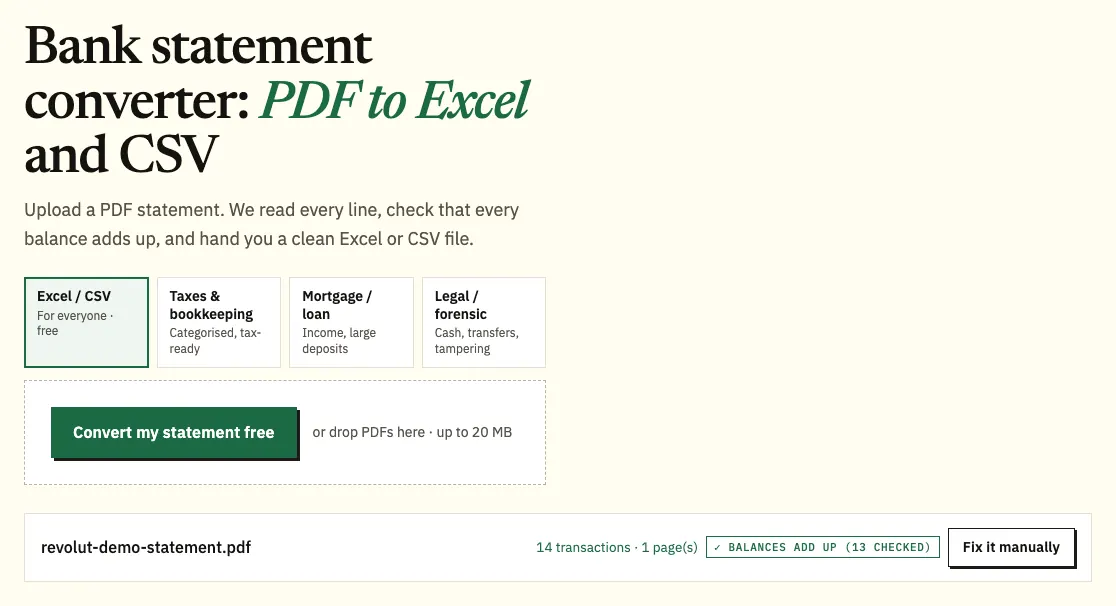
- Chose PDF, or someone sent you one? Upload it here. The same tool is also available as our full bank statement converter.
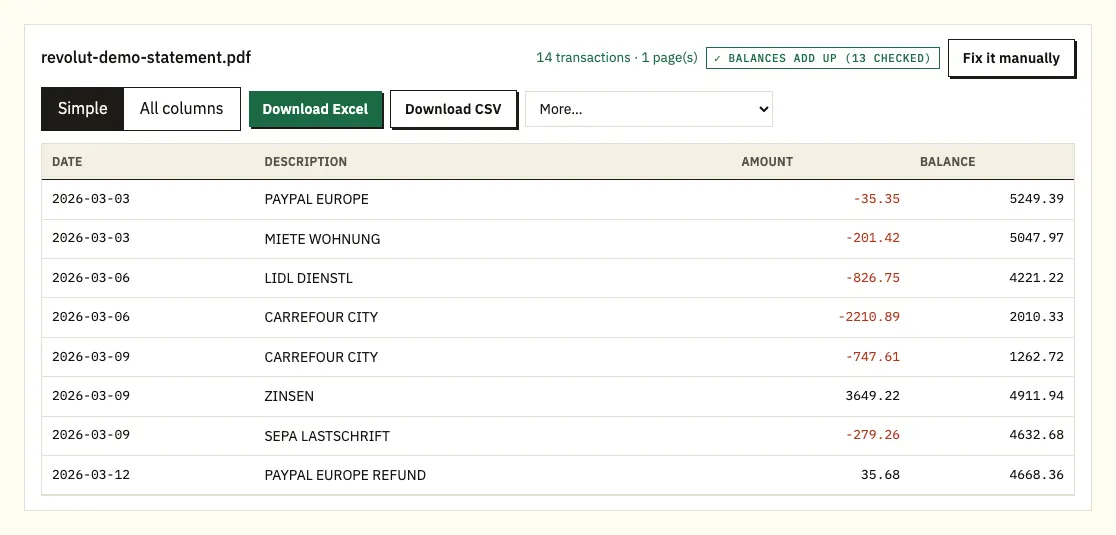
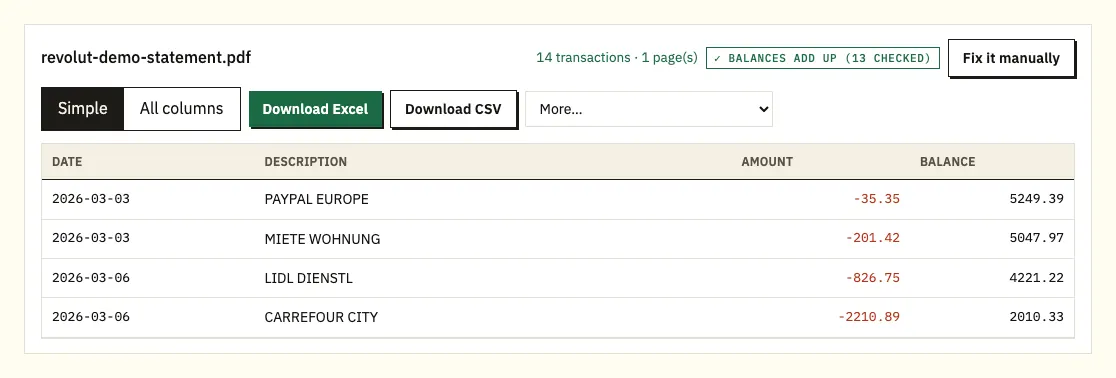
- Compare the rows with the PDF. A ⚠ marks a printed balance that doesn't follow from the row before.
- Download an Excel workbook or a CSV file.
Notes on each Revolut step
One statement per currency
Revolut builds a separate statement for each currency account, because the route starts by selecting a currency. If you hold pounds, euros and dollars, that means three files. Generate each one for the same dates, convert any PDFs together, and the spreadsheet gets a column showing which file every row came from, so the euro rows don't get mixed up with the sterling ones.
Pending payments sit at the top
Revolut says pending transactions appear at the top of a currency account statement, and that the statement's closing balance is your available funds plus anything pending. The app shows available funds only. That's why the two figures can differ, and it's worth knowing before you compare a converted file with what the app shows today.
Uploading the file
Drag the PDF onto the upload box or choose it from your files. Up to 3 pages a day cost nothing without an account, and 15 a day with a free one. A closed-account statement asks for its password, which is used once to open the file and isn't stored.
Choosing the download
Excel (.xlsx) suits checking and sorting by hand. CSV is the plain format that accounting software and Google Sheets open. Paid plans add QuickBooks (.qbo), OFX and QIF files under More; see pricing.
Revolut's Excel option or a converted PDF?
For an open personal account where you can reach the app, take Revolut's Excel file. Converting a PDF earns its place in a few situations:
- The statement is a PDF you were sent, for example by a client, tenant or family member, and you don't have their app.
- The account has closed and all you have is the emailed, password-protected history.
- It's a Revolut Business account statement, which Revolut offers as PDF, CSV, XML (Camt.053) or TXT (MT940), with no Excel option listed.
- You want the spreadsheet to match the PDF a lender or accountant has seen, with each printed balance tested.
| Revolut app export | Revolut PDF, converted | |
|---|---|---|
| What you need | App access to the account | The PDF file |
| Personal formats | PDF or Excel | Excel and CSV; QBO, OFX, QIF on paid plans |
| Business formats | PDF, CSV, Camt.053, MT940 | Excel and CSV from the PDF |
| Currencies | One statement per currency account | Several PDFs in one spreadsheet |
| Balances checked | No | Every printed balance |
What's on a Revolut currency account statement
Revolut lists what a currency account statement contains, though it doesn't publish a sample layout. Treat the diagram as our sketch and check the headings on your own file.
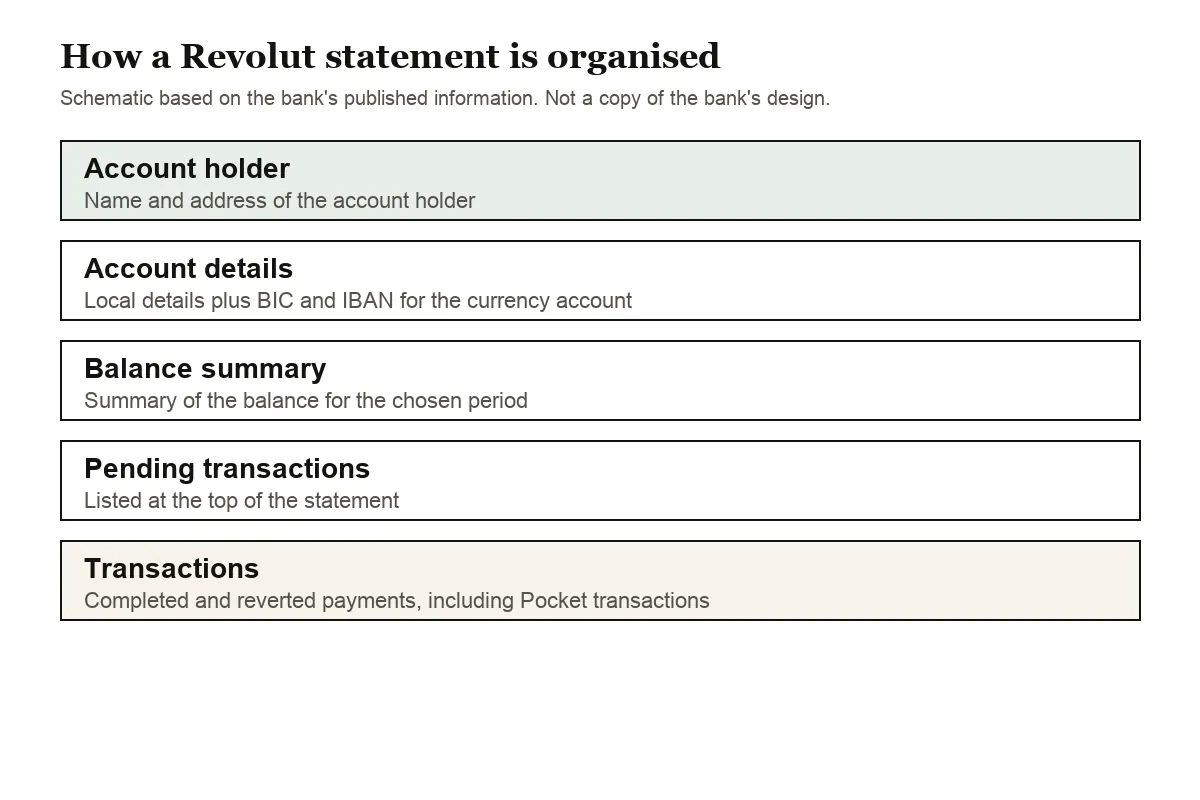
The top carries the account holder's name and address, followed by the account's local and international details: the BIC and IBAN. A balance summary comes next. The transactions part lists pending, completed and reverted payments, and also includes Personal and Group Pocket transactions, since Revolut doesn't produce a Pockets-only statement.
Revolut doesn't describe the column layout on its help pages, so look at yours before you import. Amounts may appear as one signed column or as separate money in and money out columns; the converter turns either into a single amount column with money out negative. UK dates put the day first, so 04/03 is 4 March, and a written date like 4 Mar takes its year from the statement period when the row shows none.
Revolut PDFs that need a second look
A balance that doesn't follow on
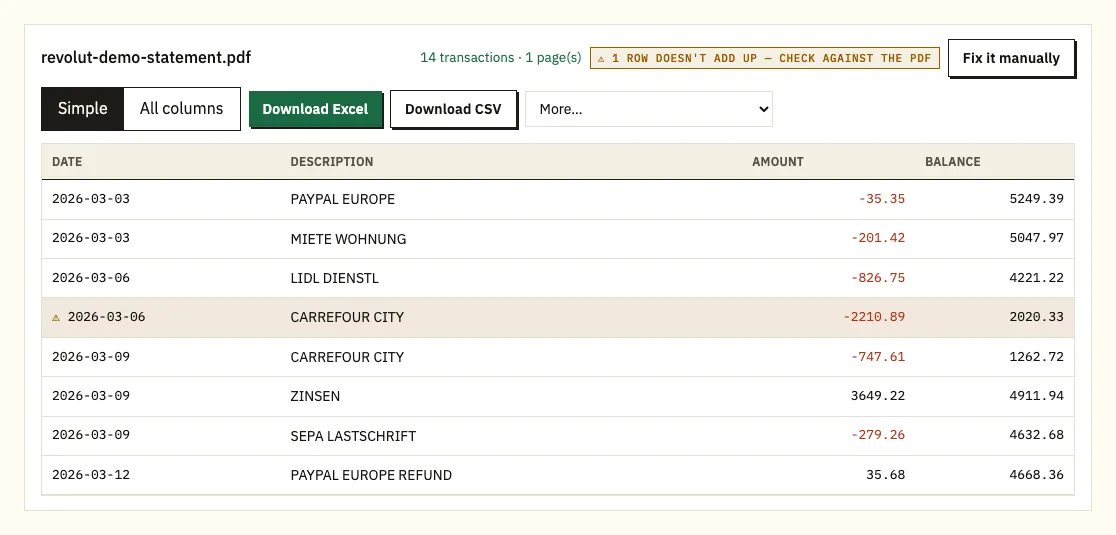
If a printed balance doesn't equal the row before plus or minus that row's amount, the converter marks it with ⚠. Select the row to open that line on the PDF. A page missing from the file, a misread figure or an edited PDF are the usual causes. While the account is open, generating the same dates again from the app is the simplest fix.
Pending and reverted rows
Because pending payments are printed at the top and reverted payments are listed too, a total of every row may not match what finally left the account. In the spreadsheet, filter those rows out before you add up spending, and keep them in a separate tab if an accountant wants to see them.
Pocket moves and currency exchanges
Money moved into a Pocket appears in the main statement even though it's still yours, and an exchange shows up on two different currency statements. Tag both kinds of row so they don't count as spending or income twice.
Long descriptions
A transfer reference or a long merchant name can wrap onto a second line of the PDF. The converter attaches the extra line to the payment it belongs to.
Other statements in the Revolut app
The currency account statement isn't the only document Revolut produces, and picking the right one saves a conversion.
- Single transaction statement: open your transactions list, select a payment and tap Download. It covers one card payment, top-up, transfer or exchange, with your name, address, IBAN, account number, date, description and amount. Revolut can't group chosen transactions into one of these.
- Savings account statement: go to Savings, tap More, then Statement, pick the timeframe and tap Generate.
- Paid plan fees: Revolut doesn't issue an invoice for a plan subscription, and suggests a statement of transactions showing the fee instead.
Revolut says it doesn't post paper statements or stamp documents for personal customers; everything is generated electronically. If a landlord or lender asks for a stamped copy, ask whether the app-generated PDF is acceptable before you apply.
Older and closed Revolut account statements
Revolut's personal help pages don't give a cut-off for how far back statements go. Business statements can't start before the account open date. The safe habit is to generate a full year at a time and keep the files yourself.
When you close a personal account, Revolut emails a statement with your full payment and transaction history. It's password protected, so keep the email and the password together. If you lose it, you can sign back in to the app with your phone number, passcode, a selfie and a 6-digit code sent by text, then choose to see your documents and statements instead of reopening the account. Revolut adds that it holds documents in line with regulatory requirements and can't guarantee access beyond certain time frames.
If the app still lets you in, tap the profile icon at the top left, then Documents & statements. A closed Savings account has its own entry there, under Savings. If none of that works, Revolut Support can provide a document for a closed account.
Revolut Business statements and exports
Business accounts use a different menu: Home, the three dots (...), Statements, then one of three documents.
- Account statement: choose the currency account, the period and the file type (PDF, CSV, Camt.053 or MT940). Each currency account gets its own statement. A signed and stamped version is available for PDFs.
- Transaction statement: filter by account, card or currency and download PDF or CSV.
- Statement of balances: a confirmation of funds held, with company and registration details, which can also be signed and stamped.
Statements use UTC times unless you set a local time in Appearance settings, after which CSV downloads can show both. Revolut also notes that the app shows when a payment happened, while monthly statements reflect when it completed, so a late-month payment can land on the next statement. Team members need permission to manage accounts, granted by the Owner or an Admin, before they can download any of these.
Revolut transactions in QuickBooks, Xero or Sheets
A converted CSV or Revolut's own Excel file loads the same way.
- QuickBooks: upload the CSV, or the .qbo file from a paid plan. Our QuickBooks import guide has the steps.
- Xero: import the CSV, or OFX from a paid plan, as a bank statement; see importing into Xero.
- Google Sheets: File, Import, Upload, then pick the CSV.
Import each currency into its own bank account in your software, and check that dates read day first before you load more than a month.
Is it safe to upload a Revolut statement?
Files travel over HTTPS and are used only to produce your conversion; they aren't shared. Without an account, uploads and results are deleted after 24 hours; a free account keeps them for 7 days, with an auto-delete switch and a delete button. A password for a closed-account PDF is used once and not stored. Our security page has the details.
Keep the original PDFs as well as the spreadsheet. GOV.UK explains which pay and tax records to keep, and our guide to statements at tax time covers preparing a year of transactions.
Revolut statement questions
Can Revolut give me a statement in Excel?
Yes, for personal currency accounts. After tapping Statement you choose PDF or Excel before tapping Generate. Revolut Business lists PDF, CSV, Camt.053 and MT940 instead.
Why doesn't my Revolut statement balance match the app?
The statement's closing balance includes pending transactions, while the app shows available funds only. Pending items are listed at the top of the statement.
Can I get one Revolut statement for all my currencies?
Personal statements are generated per currency account. Convert each PDF and download them as one spreadsheet, with a column naming the source file.
Are Pocket payments on the statement?
Yes. Personal and Group Pocket transactions are part of the main account statement, and Revolut doesn't issue a separate Pockets statement.
How do I open the statement Revolut emailed when I closed my account?
It's password protected. Use the password Revolut gave you; the converter asks for it once when you upload the file.
Does Revolut send paper or stamped statements?
Not for personal accounts; Revolut generates documents electronically. Business account statements and statements of balances can be signed and stamped as PDFs.
Other UK bank guides
There are guides for Monzo, Barclays, HSBC, Lloyds, NatWest and Nationwide, and the full bank list covers the rest.
Revolut's help centre explains how to download a currency account statement. Once you have the PDFs, the bank statement converter will convert a Revolut statement to Excel with each balance checked.